Server Plugins
A server plugin is a Node.js module that runs inside the Luker server process. Unlike a frontend extension, which runs in the browser, a server plugin can read and write the server filesystem, use Node.js modules, and proxy external API requests. Its routes mount under /api/plugins/{plugin-id}/.
WARNING
Server plugins have no sandbox. A plugin runs with the same privileges as the Luker server, so install only plugins whose source you trust.
Enabling Server Plugins
Server plugins are off by default. Turn them on in config.yaml:
enableServerPlugins: trueRestart Luker after changing the file.
Opening the Server Plugins Tab
The tab is located in the Admin Panel and is available to administrators.
- Open User Settings.
- Select Admin Panel.
- Select the Server Plugins tab.
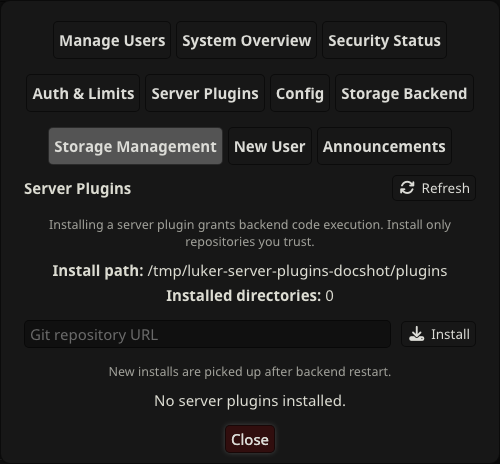
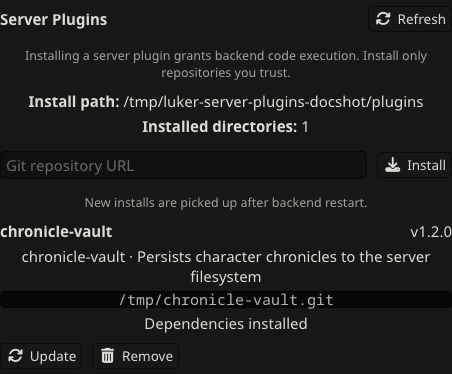
The tab lists every installed plugin with its directory, version, package metadata, and Git remote.
Installing from a Git URL
Paste the repository address into the Git repository URL field and select Install.
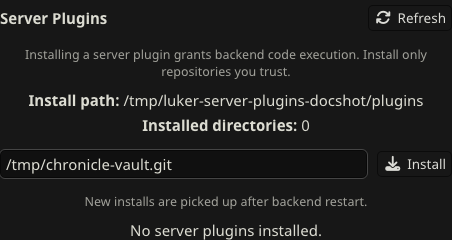
Luker clones the repository into the plugins directory and adds it to the list. New installs are picked up after the backend restarts.
Installing Dependencies
When a plugin declares npm dependencies, Luker checks for them after the install and offers to install the missing ones.
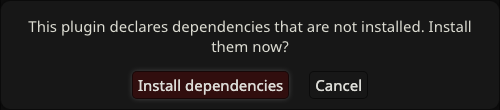
Select Install dependencies to install them. Luker prefers the system npm on desktop and falls back to the built-in installer when npm is unavailable; Android uses the built-in installer, so no terminal is needed. Selecting Cancel leaves them uninstalled, and the plugin row then shows the missing count and an Install dependencies button.
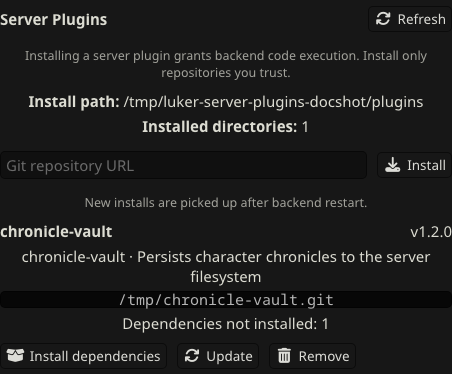
A plugin row shows the Install dependencies button only when the plugin declares dependencies that are not yet installed. Once the dependencies are present, the row shows Dependencies installed and hides the button. A plugin that declares no dependencies shows no dependency status or button.
Restarting the Backend
A plugin loads at startup. After installing or updating one, restart Luker to load it. The console logs each plugin it loads:
[Plugin Loader] Loaded plugin: My Plugin (my-plugin)Verifying the Plugin Route
Server plugin routes mount under /api/plugins/{plugin-id}/. Request one of a plugin's routes to confirm it loaded. For a plugin with an id of hello-world and a GET /hello route:
curl http://localhost:8000/api/plugins/hello-world/helloA JSON response confirms the plugin is running.
Manual Installation
You can also drop a plugin file or directory directly into the plugins directory, which defaults to plugins/ at the project root, then restart Luker. To install dependencies for a manually placed plugin, use its Install dependencies button in the Server Plugins tab, or run npm install inside the plugin directory on desktop.
Troubleshooting
Missing Dependencies
If a plugin fails to load because a dependency is missing, install dependencies from its row in the Server Plugins tab, then restart Luker.
Native Modules
Some npm packages build native code during installation. On Android, installation runs without build scripts, so packages that compile native code cannot be installed there. Install such packages on desktop before copying the plugin directory to the device.
Git Unavailable
When the system Git is unavailable, Luker clones HTTP(S) addresses with a bundled implementation; SSH addresses need the system Git. If cloning an SSH address fails, install Git, then install the plugin again.
Related Pages
- Server Plugin Development — Build a server plugin for Luker
- Configuration — Configuration reference