Memory Graph
Memory Graph solves one of the most common pain points in long-running roleplay: character amnesia.
LLM context windows are limited. After a few hundred turns, important early information — relationships, key events, world rules — gets truncated and lost. The character "forgets" what happened. Memory Graph automatically extracts key information from your conversation into structured knowledge nodes, and recalls them back into the prompt when they become relevant — so a character can remember the same things you remember, even 500 turns later.
It's not just a simple keyword search or vector retrieval. Memory Graph uses graph structures and multi-layer algorithms to keep recall both semantically relevant and comprehensively covered — so it doesn't just pull "the most similar five things" while losing the rest.
How It Works
Memory Graph runs three things in the background: automatic extraction, smart recall, and hierarchical compression.
Automatic extraction
After each AI reply, Memory Graph examines what was said and extracts anything worth remembering. Extraction produces structured knowledge nodes and can run through two channels:
Built-in extraction — When the Auto extraction toggle in the Memory panel is on, Memory Graph runs its own LLM call after each AI reply to fill the schema's structured fields. This is the default and works without any other plugin.
Orchestrator-driven extraction — When the orchestrator plugin is installed and director mode is active with the default profile, the main agent dispatches a memory_curator sub-agent after drafting each reply. memory_curator runs a multi-round observe-act loop, using the memory graph's read tools to verify before writing. This tends to give higher quality on stable-fact types because the agent can check whether a character already exists before creating a duplicate.
Both channels can be enabled at the same time; they don't coordinate, so that trades extra LLM cost for resilience. Most users pick one.
To use orchestrator-driven extraction exclusively:
- Open the Memory panel and uncheck Auto extraction.
- In the orchestrator profile editor, ensure
memory_curatoris enabled and dispatched by the main agent (default in fresh installs).
Nodes come in two tiers. The default schema ships with three types listed below — but the schema is fully customizable. You can add new node types (a magic_system for fantasy, a faction for politics, an inventory_item for survival, whatever your card needs) and remove any of the defaults. The fields shown here are also defaults; each type's fields can be edited from the Schema Editor (covered below).
Semantic-layer nodes (persistent structured knowledge, merged and updated):
| Type | Description | Example |
|---|---|---|
character_sheet | A character's name, identity, traits, goals, inventory | "Eileen is a healer who acknowledged a debt to the protagonist" |
location_state | A place's name, controller, danger level, resources | "Dark Forest is controlled by elves, high danger" |
Event-layer nodes (plot records, new each extraction, never merged):
| Type | Description | Example |
|---|---|---|
event | An important event that occurred | "The protagonist was ambushed in the forest" |
Event nodes are different
Event nodes are fundamentally not the same as the others:
- A new node is created on every extraction. Titles auto-increment. Events are independent points on a timeline; they don't merge.
- The highest-tier timeline is always injected. Event nodes are treated as core storyline context — top-level summaries are persistent in the prompt, ensuring the AI keeps a sense of the plot.
- Compressed lower-tier events are hidden. When events accumulate too much, old events are compressed upward into higher-tier summaries. The lower-tier events stay in the graph and can be re-discovered through recall when the conversation calls them back, but they aren't injected by default.
In short: the AI always sees the "big picture" (top-level summaries), and specific event details surface only when the conversation makes them relevant.
You can throttle extraction with the Extraction Interval setting — for example, 2 means extraction runs every 2 AI replies, halving the LLM cost.
Smart recall
When you send a message, Memory Graph looks at the conversation context and recalls the most relevant nodes from accumulated memory, then injects them into the prompt for the AI to use.
| Method | Description |
|---|---|
| LLM Recall | The LLM directly picks relevant nodes from the memory store, with multi-round deep exploration |
| RAG Recall | Vector retrieval over the embedded memory store, with optional cross-encoder rerank and optional LLM query rewrite |
Which one?
LLM Recall is the default because it's the easiest to configure — you already have an LLM API set up for chat, and that's all it needs.
RAG Recall is faster and aligns with how production retrieval systems work (semantic vector search). It requires an Embedding Profile to be set up first — embedding profiles live in the Connection Manager next to chat-completion connections, so any plugin (Vector Storage, Memory Graph, future ones) can pick the same provider/model/key triplet from a shared list.
Inside RAG Recall, two opt-in switches let you trade extra cost for better quality:
- Enable rerank — adds a cross-encoder rerank pass over the vector hits. Useful when your embedding model is small and the rerank model is strong; requires a Rerank Profile (cohere / jina / a custom endpoint).
- Enable query rewrite — adds one extra LLM call before retrieval that rewrites the recent dialogue into a single concise sentence optimised for vector search. Materially improves recall when the user message is generic or roundabout. Adds latency + cost (one LLM call per turn).
Rule of thumb: stay on LLM Recall while trying things out. Move to RAG Recall when you start hitting cost or latency walls on LLM Recall, or when you want recall to stay deterministic across model swaps. Turn on the two switches one at a time — they're independent.
Hierarchical compression
As the conversation goes on, event memories pile up. Memory Graph compresses old events upward — multiple related events become a higher-tier summary node, preserving the core information while keeping total memory bounded.
Compression is recursive. When summaries at one tier exceed the threshold, they get compressed again, recursing upward until node count drops below the limit. For example, multiple battle events first compress into "Forest Campaign," and multiple campaigns may compress into "Northern Expedition." Compressed summaries can still be expanded back to view the originals.
Like extraction, compression has two channels:
Built-in compression — When the Auto compression toggle in the Memory panel is on, Memory Graph runs a one-shot LLM summarize call once leaf events accumulate past the threshold.
Orchestrator-driven compression — memory_curator evaluates memory_compaction_candidates after extraction and calls memory_compact_nodes with KEEP/FOLD/DROP-style summaries. The multi-round agent can iterate per rollup whereas the built-in path is one-shot.
What it actually looks like
Most readers want to know: what does an extracted node look like? Here's a real example.
Suppose you and Eileen (a healer NPC) have this exchange:
You: I hand the herbal salve I found to Eileen.
Eileen: ...thank you. But are you sure? This stuff is valuable out there.
You: You're hurt worse than I am. Besides — we're friends, aren't we?
Eileen: ...yes. Friends. I'll remember this.
After this turn, Memory Graph runs extraction in the background and produces structured nodes like:
{
  "id": "n_eileen",
  "type": "character_sheet",
  "level": "semantic",
  "title": "Eileen",
  "fields": {
    "aliases": "",
    "traits": "Quiet, weighs her words, careful — measured even when grateful",
    "identity": "Traveling healer met in the Northern Reach",
    "goal": "Repay the debt; heal enough to walk on her own again",
    "inventory": "Herbal salve (just received), light pack",
    "language_sample": "...thank you. But are you sure?",
    "addressing_user": "By name, with deliberate pauses"
  },
  "floor": 12
}{
"id": "evt_20260505_001",
"type": "event",
"level": "semantic",
"title": "Summary 1",
"fields": {
"summary": "Time: Day 12, late afternoon\nPlace: Improvised camp by the northern road\n\nThe user handed Eileen the last herbal salve from their pack. After a brief pause Eileen accepted, and in a measured tone explicitly acknowledged both the friendship and the debt she now owed.\n\nIrreversible:\n- User and Eileen are now friends\n- Eileen owes the user one openly-acknowledged favor"
},
"floor": 12
}These fields are the default schema
The fields shown above (aliases / traits / identity / goal / inventory / language_sample / addressing_user for character_sheet, summary for event) are the real default columns. The Schema Editor lets you rename them, drop some, or add new types entirely.
You can see all of this in the panel, either as a graph or as a table:
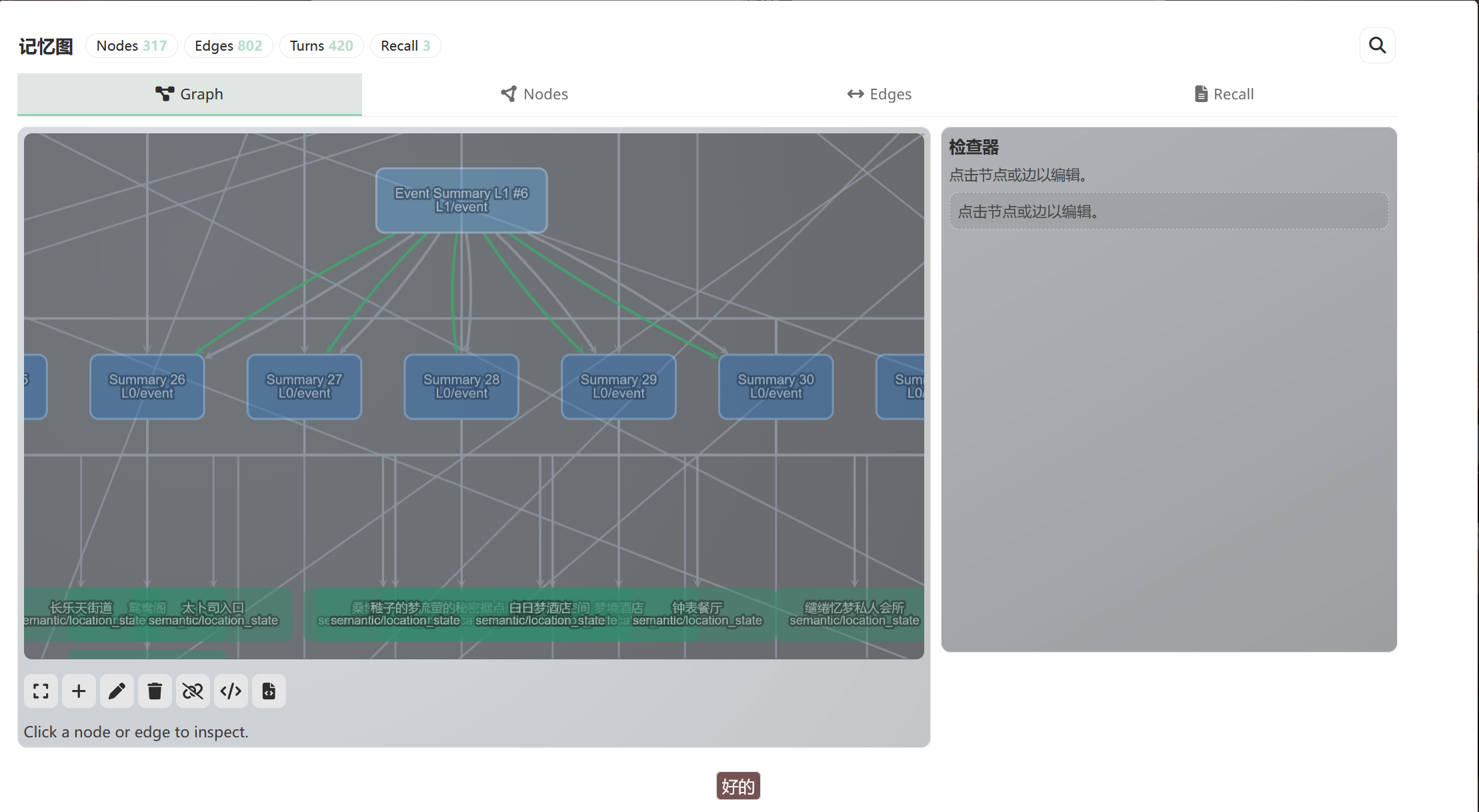
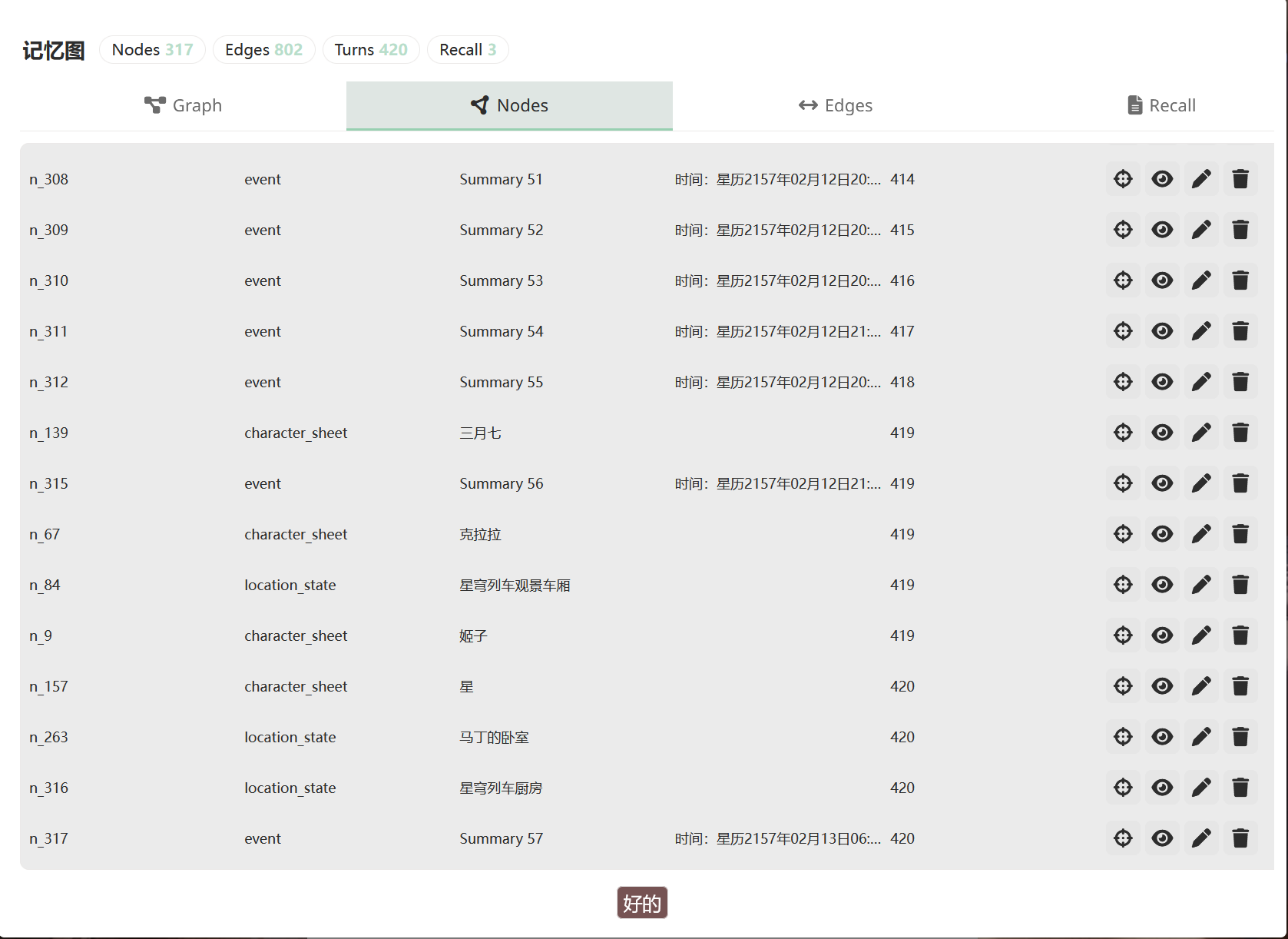
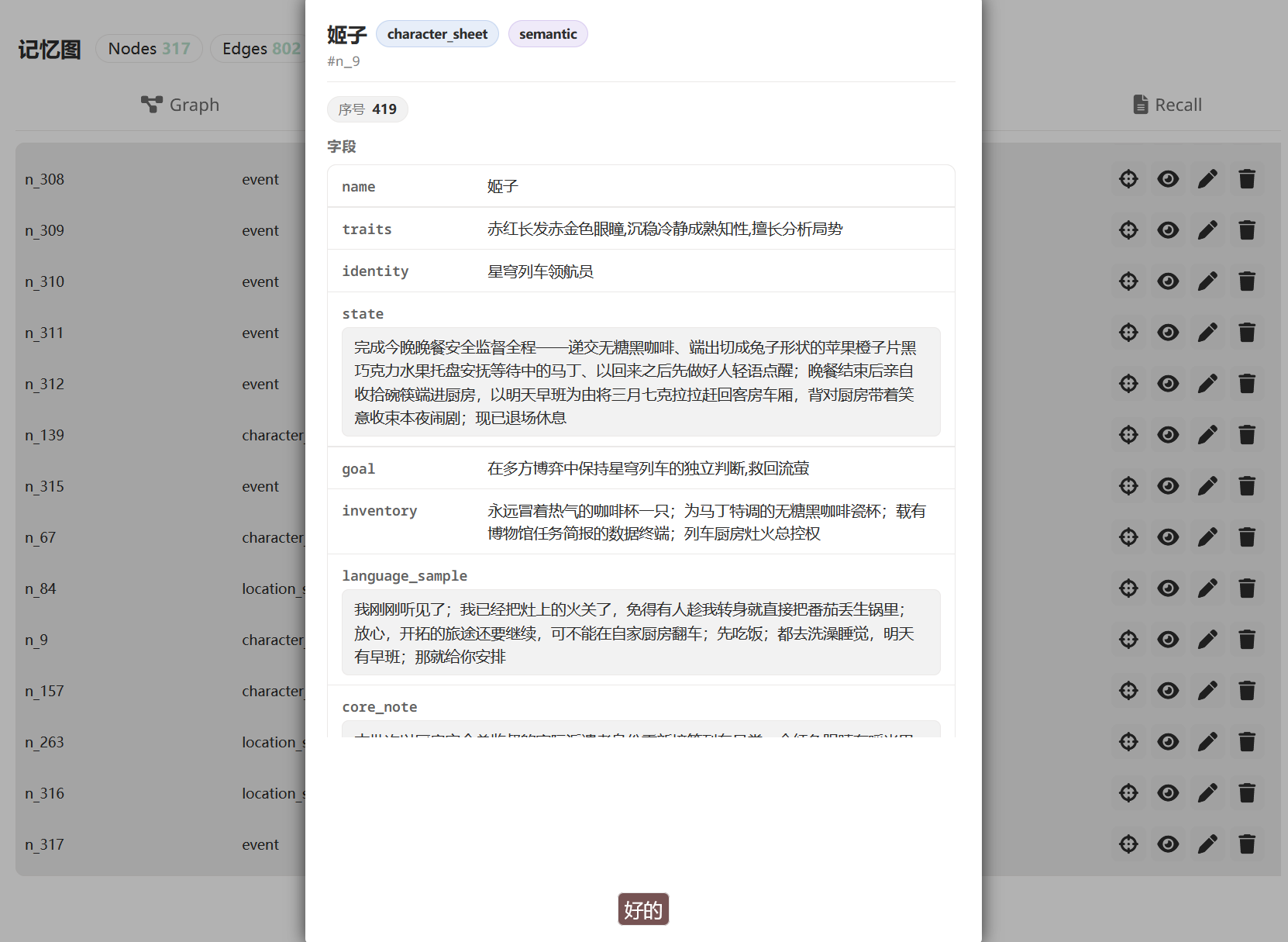
Click any node to see its full detail:
50 turns later, you say "By the way, Eileen — you said you owed me one earlier...". Memory Graph's recall mechanism pulls those nodes (and others) back, injects them into the prompt's SYSTEM section before the main model writes:
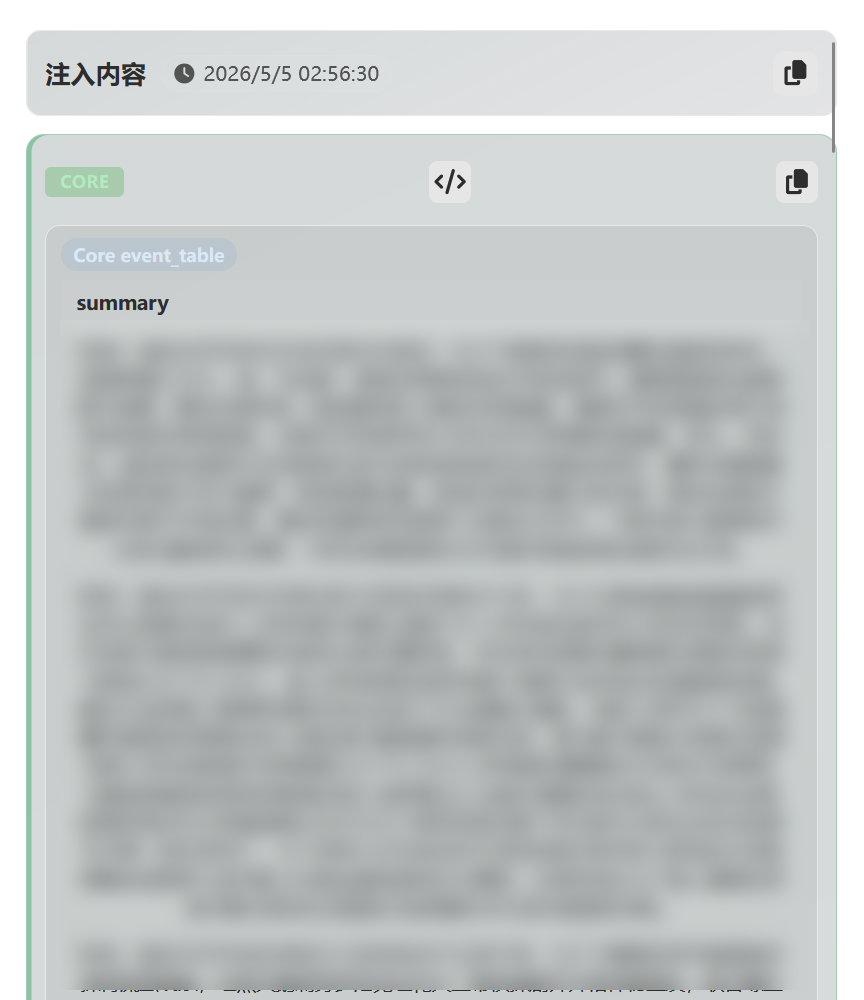
That's Memory Graph's job — it doesn't let the AI forget the small thing from 50 turns ago that suddenly matters now.
Quick Start (5 minutes)
Step 1 — Enable
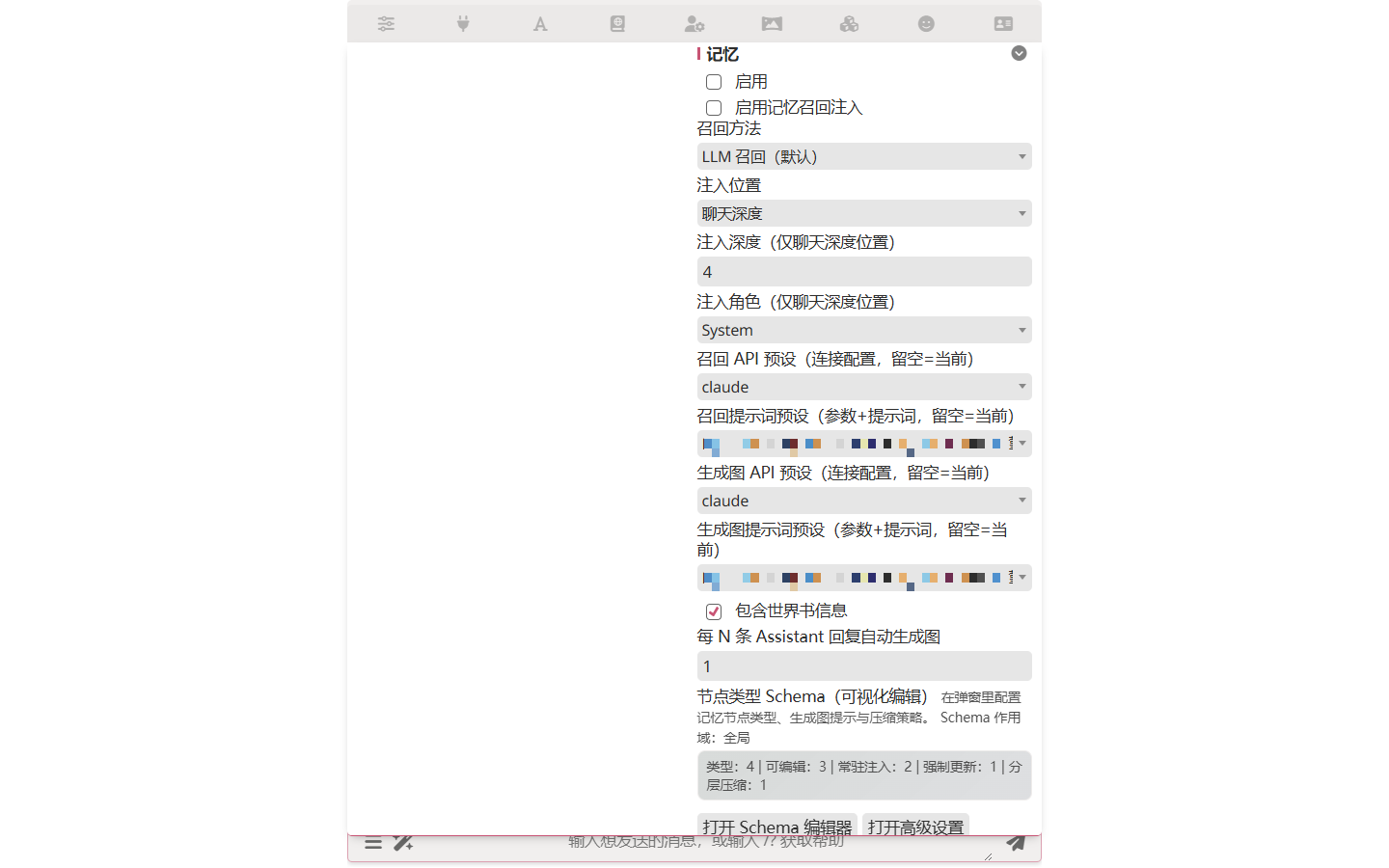
Open Extensions drawer → Memory → toggle Enable on.
Step 2 — Pick models for extraction and recall
Memory Graph's extraction and recall both call an LLM, but they don't have to use the same model as your main chat. Set them in the same panel:
| Setting | Description |
|---|---|
| Recall API Preset | API connection for recall |
| Recall Chat Completion Preset | Chat Completion preset for recall |
| Extraction (Generate) API Preset | API connection for extraction |
| Extraction (Generate) Chat Completion Preset | Chat Completion preset for extraction |
A common pattern: main chat on Claude Opus, Memory Graph on Haiku or Gemini Flash. Extraction does structured field-filling, not prose — a small model handles it fine and saves real money.
Step 3 — Chat normally
Memory Graph runs automatically. Just write a few turns, including some character/event/location details that should be remembered.
Step 4 — See it work
Open the Memory panel after 3–5 turns:
- Graph view — node relationship diagram
- Nodes table — structured fields per node, by type
- Recall view — what was injected into the most recent prompt
If you don't see anything, raise a few characters or events in chat — extraction needs concrete things to grab onto.
I want…
Common questions, in order from "common" to "niche":
I want my fantasy card to remember magic systems / factions
Memory Graph's node types are customizable. Open Open Schema Editor in the Memory panel to add new types:
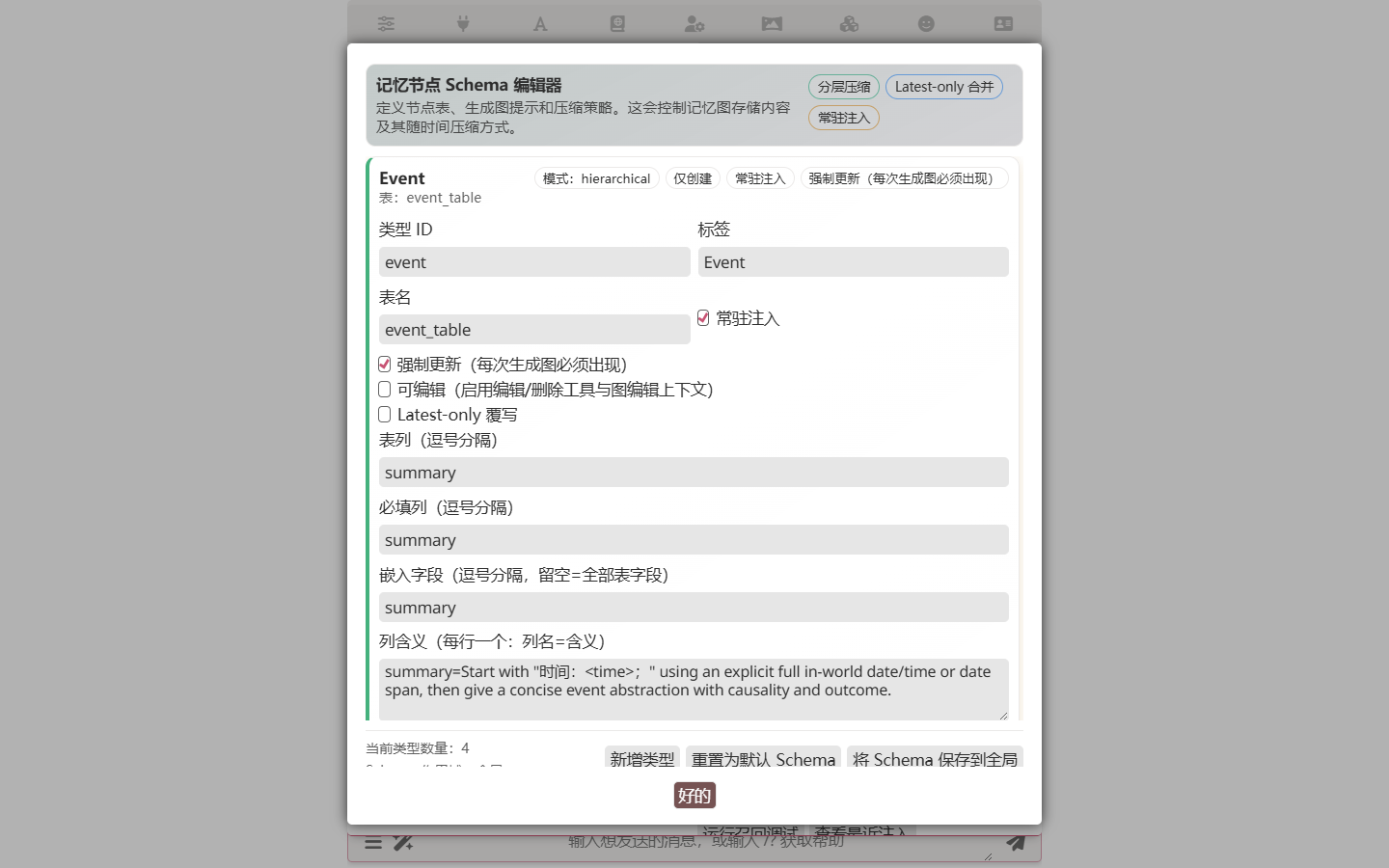
For example, add a magic_system type with fields like name / source / restrictions, or a faction type with name / leader / goals. Custom types are saved with the character card, so your fantasy world's vocabulary travels with the card.
Each type also carries two extraction-control fields:
- Extraction Instructions — a free-form text block appended to the extraction system prompt only when this type is active for the current round. Put type-specific rules here ("at most one event per batch", "always fill aliases"), not in the base prompt. Empty string = no type-specific appendix.
- Extract Every N Floors — cadence control.
1(default) means the type participates in every extraction pass. Larger values (2,3,5, ...) make the type participate only whencurrentSeq % N == 0, so slow-changing tables likelocation_statecan update less frequently and save LLM calls. When a type is inactive for the current pass, its create/edit/delete tools are not exposed to the LLM and its instructions are not in the prompt — the model literally cannot output that table this round.
I want certain memories always in the prompt (not waiting for recall)
That's persistent injection. Set certain node types to be persistently injected — they appear in the prompt regardless of recall triggers. A common case: if you add a rule_constraint or world_law type for inviolable world rules, mark it persistent so the model never forgets the rules.
Persistent and recall are mutually exclusive per node
A persistently-injected node is excluded from the recall pool — it bypasses recall entirely (it's already in the prompt every turn).
I edit / delete a message — what happens to the memory?
Memory Graph has a complete change-rollback mechanism. When you edit a message, delete one, or swipe, it rolls memory back to the state before the affected messages. Memory stays consistent with chat history.
I want to use this on another machine / share with someone
Export / Import as JSON.
| Mode | What it does |
|---|---|
| Restore | Preserves the floor numbers from export — for restoring data into the same chat |
| Bind to latest floor | All imported nodes attach to the current latest AI reply floor. Useful trick: open a fresh chat, import the memory of a previous long-running chat, and start over from floor 0 with all the prior memory intact. Effectively: a fresh save with all the lore, characters, and history still in your protagonist's head — pick up the thread, change the main story, or drop into a different setting. |
| Bind to specified floor | You manually enter the target floor |
How memory gets into the prompt
Two channels, mutually exclusive per node.
Persistent injection — certain node types are always in the prompt. Useful for baselines: world rules, hard character invariants, anything that should never be forgotten regardless of context. Configured per-type in the Schema Editor (the alwaysInject flag). Persistent nodes are excluded from the recall pool — they're already there every turn.
Recall injection — Other node types are dynamically injected by the recall mechanism. Only memories relevant to the current conversation get injected, so context space isn't wasted.
Under the hood: World Info projection
Both channels work by projecting nodes as World Info entries behind the scenes. Persistent projection writes persistent entries; runtime projection writes temporary ones (cleaned up after generation). Memory entries respect World Info's keyword scanning, depth ordering, and other controls. You don't configure this; it just happens.
Recall injection has its own placement settings:
| Setting | Default | Description |
|---|---|---|
| Recall Injection Position | atDepth | Where in the prompt to insert |
| Recall Injection Depth | 9999 | Depth of insertion |
| Recall Injection Role | SYSTEM | SYSTEM / USER / ASSISTANT |
Result reuse
When you swipe or regenerate on the same floor, Memory Graph reuses the previous recall result instead of re-running. Saves LLM cost and keeps memory context consistent within the same turn.
Configuration Reference
Full configuration list
Basic
| Setting | Default | Description |
|---|---|---|
| Enable Memory Graph | false | Master switch |
| Extraction Interval | 1 | Run extraction every N AI replies |
| Max Processing Rounds | 900 | Hard cap on processing rounds |
Vector and Rerank
| Setting | Default | Description |
|---|---|---|
| Embedding Profile | (none) | Connection-Manager profile that owns the embedding provider/model/endpoint/key. Created in the Memory Graph UI or in Vector Storage; profiles are shared. |
| Vector Top-K | 20 | Top-K for vector retrieval |
| Max recall results | 15 | Final cap on the number of nodes injected per recall |
| Enable rerank | off | Whether to apply a cross-encoder rerank over the vector hits |
| Rerank Profile | (none) | Connection-Manager profile (mode rerank) defining the rerank provider/model/endpoint/key. Only consulted when "Enable rerank" is on. Shared with Vector Storage. |
| Enable query rewrite | off | Whether to add an extra LLM call before retrieval that rewrites the recent dialogue into a concise sentence optimised for vector search |
| Query rewrite API preset | (none) | Connection profile to use for the rewrite LLM call. Only consulted when "Enable query rewrite" is on. |
| Query rewrite prompt preset | (none) | Chat-completion preset to use for the rewrite LLM call |
Other
| Setting | Default | Description |
|---|---|---|
| RPM Limit | 0 | Requests per minute (0 = unlimited) |
| LLM Visible Recent Messages | 5 | Recent messages visible to recall LLM |
| Include World Info with Preset | true | Whether to include World Info |
| Override World Info Name | (empty) | Override the projection World Info name |
| World Info Entry Sort Base | 9800 | Base sort order for projected entries |
| Tool Call Max Retries | 2 | Retry count for failed tool calls |
| Exclude Recent Rounds' Nodes | 0 | Exclude nodes from the last N turns during recall (0 = no exclusion) |
Technical Deep Dive
For curious readers and contributors
RAG recall pipeline
In RAG Recall mode, Memory Graph runs a three-stage linear pipeline:
- Optional query rewrite — if "Enable query rewrite" is on, one LLM call rewrites the last few dialogue turns into a single concise sentence optimised for vector search (the model is told to use entity names and concrete verbs that look like what would appear verbatim in a stored event summary).
- Vector retrieval — fetch the top-K nearest neighbours from the embedded memory store, keyed by either the raw query or the rewritten sentence.
- Optional cross-encoder rerank — if "Enable rerank" is on, every candidate is scored by the rerank model and the order is replaced with the rerank ranking. If rerank fails for any reason, the pipeline falls back to vector order rather than failing the whole recall.
That's the whole path. There is no graph-diffusion stage and no cognitive layer — earlier versions of Memory Graph had a multi-stage PEDSA diffusion + NMF/FISTA/DPP cognitive pipeline, but A/B testing showed those stages contributed negatively or not at all to recall quality on real long-form roleplay. The pipeline was collapsed to vector + optional rerank + optional rewrite so users have fewer knobs to misconfigure.
Vector index
Memory Graph uses incremental updates to manage vector embeddings — content changes are detected via hash comparison, and only changed nodes get re-embedded. The active embedding profile (selected in Memory Graph settings) is the single source of truth for provider/model/endpoint/secret; the Vector Storage backend reads the same Connection-Manager registry, so two plugins can share or diverge as needed without copying private state.
When inserting vectors, Memory Graph includes nodeId in the metadata field. The vector backend stores metadata as-is; other plugins can use metadata for their own data, returned alongside query results. This design lets the hash → nodeId mapping bypass the frontend index cache — even if the cache is lost, nodes can be matched directly from query results.
For manual control, the memory graph settings panel exposes a Recompute Vector Index button. Clicking it opens a dialog with two modes: Fill Missing re-embeds only nodes whose vectors are missing or stale (for example, after node edits); Full Rebuild clears the collection and re-embeds every eligible node (use this after switching the embedding model or profile). When the embedding configuration has changed, Fill Missing auto-promotes to a full rebuild because old vectors live in an incompatible embedding space. Failed nodes are logged to the console without aborting the overall run.
Automatic schema migration
On chat load, Memory Graph runs a migration pipeline that translates older persisted shapes (v5 raw, v8 opLog) into the current v2 floor-state layout (graph payload + __floor_log commit log + __meta state). The pipeline is idempotent, runs only when the input shape isn't already v2, and never modifies chat-state if any step fails.
For more implementation details, see the source.
Related
- Function Call Runtime — Memory Graph's LLM interactions rely on this framework
- World Info Basics — basic concepts of World Info projection