Authoring skills
A skill is a directory with one required file (SKILL.md) and optional sub-folders. Authoring a skill means picking a name, writing frontmatter, and writing a body the agent can read. That's it.
This page covers the conventions Luker (and Anthropic) expect, the choices you face along the way, and walks through two of the bundled skills as worked examples.
Two ways to write a skill
You don't have to type a SKILL.md by hand. Most users start one of two ways:
| Route | Where | Good for |
|---|---|---|
| Have the LLM write it | AI Iteration Studio | Just tell the Studio what you want in a sentence; it drafts the SKILL.md, installs it, optionally attaches it to an agent. Recommended starting point. |
| Write it by hand | Skill management panel → Create new | You already know exactly which sections you want and want full control over wording. |
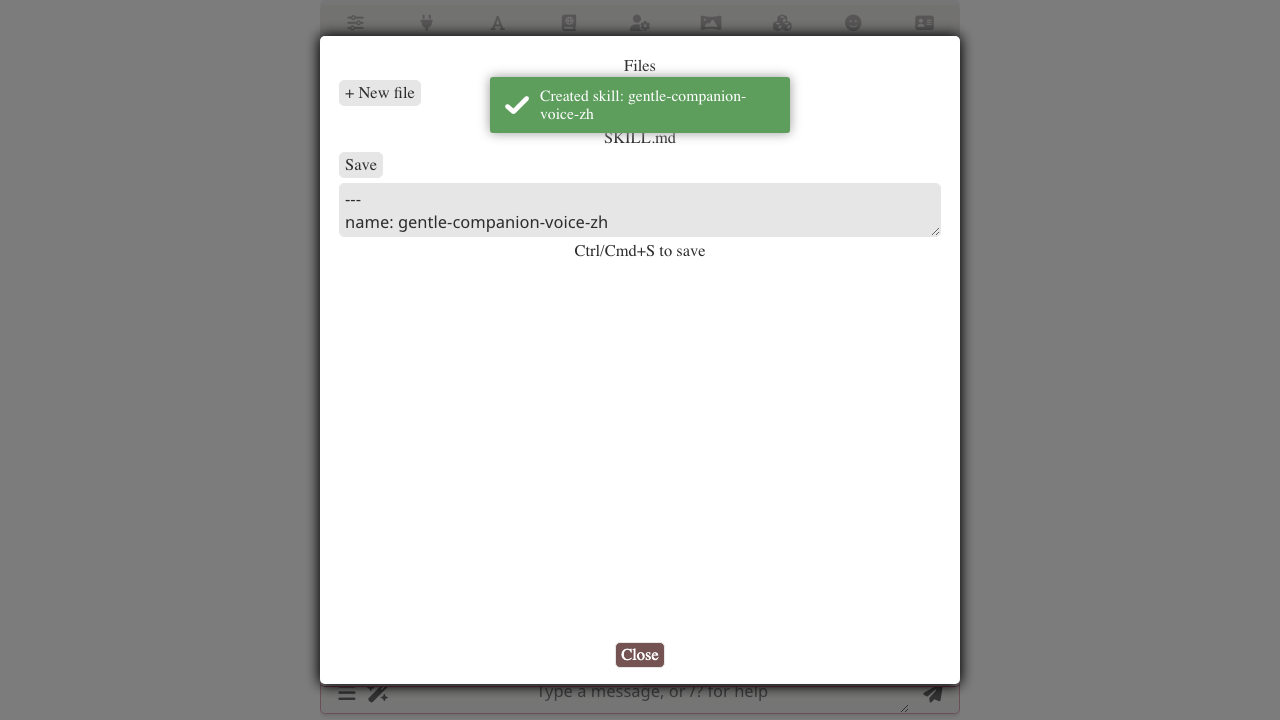
See the recipe for an end-to-end walkthrough.
Directory layout
my-skill-name/
├── SKILL.md          # required — frontmatter + Markdown body
├── references/       # optional — supplementary checklists, longer specs
├── examples/         # optional — worked examples the agent can pull
├── assets/           # optional — binary attachments (images, PDFs)
└── scripts/          # optional — present for forward-compat; v1 is no-op
Only SKILL.md is required. The other folders are conventions — Luker doesn't enforce them, but they match Anthropic's layout, so a skill stays portable.
Sub-folders use the same skill_read tool
Agents don't get separate tools per sub-folder. They use skill_read({ name, path }) with the relative path: skill_read({ name: "my-skill", path: "references/checklist.md" }). Sub-folders are purely organizational.
Frontmatter — the Anthropic standard
SKILL.md opens with YAML frontmatter:
---
name: my-skill-name
description: A one-sentence summary the agent reads in the catalog.
license: MIT
metadata:
  author: Your Name
  version: 1.0.0
  tags: [writing-rules, en]
---

# my-skill-name

Body starts here.| Field | Required | Constraint | Notes |
|---|---|---|---|
name | yes | lowercase ASCII letters, digits, -, _; ≤128 chars | Must match the directory name. The orchestrator references this from skills.visible. |
description | yes | one sentence | Shown in the auto-injected <available_skills> catalog. Write it for the agent, not the user — explain when this skill is relevant. |
license | no | any string (free-form) | Anthropic-standard. Use if you're sharing outside your own setup. |
metadata.author | no | string | Anthropic-standard. |
metadata.version | no | semver-ish string | Anthropic-standard. Bump when you change semantics. |
metadata.tags | no | array of strings | Searchable hint. |
Writing the body
The body is the contract. When an agent calls skill_read({ name }), the body is what it sees (plus the frontmatter as a small JSON-ish header). Treat the body as a directive document, not a reference encyclopedia.
A pattern that works well — borrowed from the bundled skills — has four sections:
- What this skill is for — one paragraph the agent reads to confirm it picked the right skill.
- Core rules / method — the actual contract. Numbered lists, tables, checklists. Be specific and concrete; the agent will follow the wording.
- Examples or worked failures — show what success and failure look like. The bundled
director-anti-cliche-zhuses✗ wrong/✓ rightline pairs. - When to read which sub-file — if you ship
references/, tell the agent when each sub-file is worth reading.
Tone — write for the agent
Skills are read by an LLM, not by a human ops manual reader. Two implications:
- Be directive, not descriptive. "Avoid X" beats "X is generally considered undesirable." The bundled skills are written in this voice.
- Avoid meta-justification. A skill body that opens with "This is a great skill that will help you because…" is wasted tokens. The agent already decided to read it; tell it what to do.
Length and limits
Hard limits (server-enforced):
| Limit | Value |
|---|---|
SKILL.md size | 512 KB |
| Single file in skill | 4 MB |
| Total skill size | 16 MB |
| File count per skill | 100 |
Most bundled skills are 2–8 KB of Markdown. If your skill is approaching 100 KB, consider splitting it: put a 5–15 KB directive body in SKILL.md and move long checklists into references/<topic>.md. The agent can selectively skill_read({ name, path: "references/..." }) only when relevant — cheaper context, faster reads.
Reading budget
skill_read enforces a hard ceiling of 50 KB per response. Larger files come back with truncated: true; the agent calls skill_read again with offset to continue. Author your skill body so the most-important content is up top — the agent that reads only the first 50 KB still gets the contract.
When to use sub-files
Sub-files (references/, examples/, assets/) earn their keep when:
- They're consulted only sometimes. A general checklist that's needed every dispatch belongs in
SKILL.md. A specialized fallback consulted in 5% of cases belongs inreferences/. - They're long. A 30 KB worked example pollutes the SKILL.md read; put it in
examples/. - They're binary. Images, fonts, PDFs go in
assets/. (Binary files in skills work but the agent can't read them throughskill_read. Use them as URL-linked assets if the deployment surfaces them.)
In SKILL.md, point the agent at the sub-files explicitly:
## When to read additional files

- `references/cliche-deep-list.md` — extended list of banned phrasings beyond the
  top-20 in this file. Read when the draft repeatedly trips a pattern that's not
  named here.
- `examples/before-after.md` — six paired examples of "data-person prose" vs
  rewritten human prose. Read once at the start of the session for calibration.
Worked example 1: director-anti-cliche-zh
This bundled skill is a single ~3 KB SKILL.md with no sub-files. It enforces anti-cliché writing rules across the entire default director profile.
The frontmatter:
---
name: director-anti-cliche-zh
description: Anti-cliche patterns for narrative writing — banned phrasings, AI-自造 labels, contract-vocab, sublimation cliches.
metadata:
  author: Luker Team
  version: 1.0.0
---
The body follows a "rule families" structure: each major cliché family (data-person prose, contract vocabulary, sublimation clichés, AI-coined labels) gets its own heading with concrete bilingual examples. There are no sub-files — the entire contract is small enough to live in SKILL.md.
This skill is mode-level visible: every default director sub-agent (main agent, voice critic, continuity critic, plot brainstormer, …) sees it. It anchors the writing standard for the whole team.
Worked example 2: event-summary-rules-zh
This bundled skill is a denser ~12 KB SKILL.md, also with no sub-files. It's the writing contract for the memory_curator sub-agent — the V10 event-summary discipline.
The frontmatter:
---
name: event-summary-rules-zh
description: Event summary writing rules (V10) for memory_curator — 7-step process, gate loop, anti-paraphrase discipline.
metadata:
  author: Luker Team
  version: 1.0.0
---
The body opens by establishing a mental model ("index, not replay"), then defines a 7-step writing process with a gate loop, then enumerates the anti-paraphrase rules in detail. Crucially, it includes worked examples for every rule — both ✗ wrong and ✓ right side by side — because the discipline is subtle and an LLM with only abstract rules consistently violates them.
This skill is per-sub-agent: only memory_curator has it in its skills.visible list (via "+" inheritance from the mode-level defaults). The voice critic doesn't need it; the continuity critic doesn't need it; only the curator does, and only when it's actively writing a summary.
Picking the right scope
When you create a new skill, you pick a scope. Heuristics:
global— Default for personal use. Universal rules you'd want on every chat.preset— Use when the skill only makes sense paired with a specific Chat Completion preset (a model-tuned prompt convention, a sampler-dependent style rule). The skill rides with the preset on export.character— Use when the skill encodes card-specific lore or voice rules. The skill rides with the character card on export (PNG metadata).
You can change scope later — the skill manager subpanel has a Move to… action that does an atomic move. References in orchestrator profiles (which use name only, no scope prefix) stay stable across the move.
Validation and safety
The server validates a skill at install / write time:
- Frontmatter must parse as YAML.
namemust match the directory name.- File paths inside the skill must not escape the skill directory (no
.., no absolute paths). - Size limits (above) are enforced fail-fast.
scripts/is parsed but never executed — present for forward-compat. The UI shows a risk badge when a skill ships scripts.
If validation fails, the install or write rolls back atomically (writes go through a .staging/ directory and only commit after validation passes).
Related
- Skills overview — what a skill is, the three scopes
- Skill management — install, import, export, scope migration
- Orchestrator integration — wire skills to a profile
- Skills extension API — programmatic
context.skills.*