Character Card Editor Assistant
The Character Card Editor Assistant (CEA) is Luker's built-in AI-assisted editing tool. It lets you modify character card settings, World Info entries, and CardApp code using natural language instructions. Every modification the AI makes is presented as a diff comparison and only takes effect after you approve it item by item — keeping your character card firmly under your control.
The editor assistant automatically picks one of two modes based on whether the current character card contains a CardApp:
| Mode | When it applies | Detailed docs |
|---|---|---|
| Popup | Regular character cards without CardApp | Popup Mode |
| CardApp Studio | Character cards with an embedded CardApp | CardApp Studio |
Shared Capabilities
Regardless of mode, the editor assistant provides these core capabilities:
- AI tool-call driven — Describe what you want in natural language; the AI commits real changes to fields/files via structured tool calls
- Diff approval — Every change is shown as a diff first; approve or reject one at a time or in batches; rejected changes never take effect
- Line-by-line side-by-side view — Field-level diffs can be expanded to a full line-by-line side-by-side view
- Session persistence — Multiple edit sessions are saved independently; reopening picks up where you left off, including pending diffs
- Modification history & rollback — Approved changes are recorded in history and can be rolled back to any version (Studio uses Git for file-level history)
Entry Point and Mode Switching
The entry point is Extensions Panel → Character Card Editor Assistant. When the current character has no CardApp, "Open Editor" opens the popup; when it does, Studio opens automatically. Studio can also be launched directly via the "</> CardApp Studio" button on the same panel.
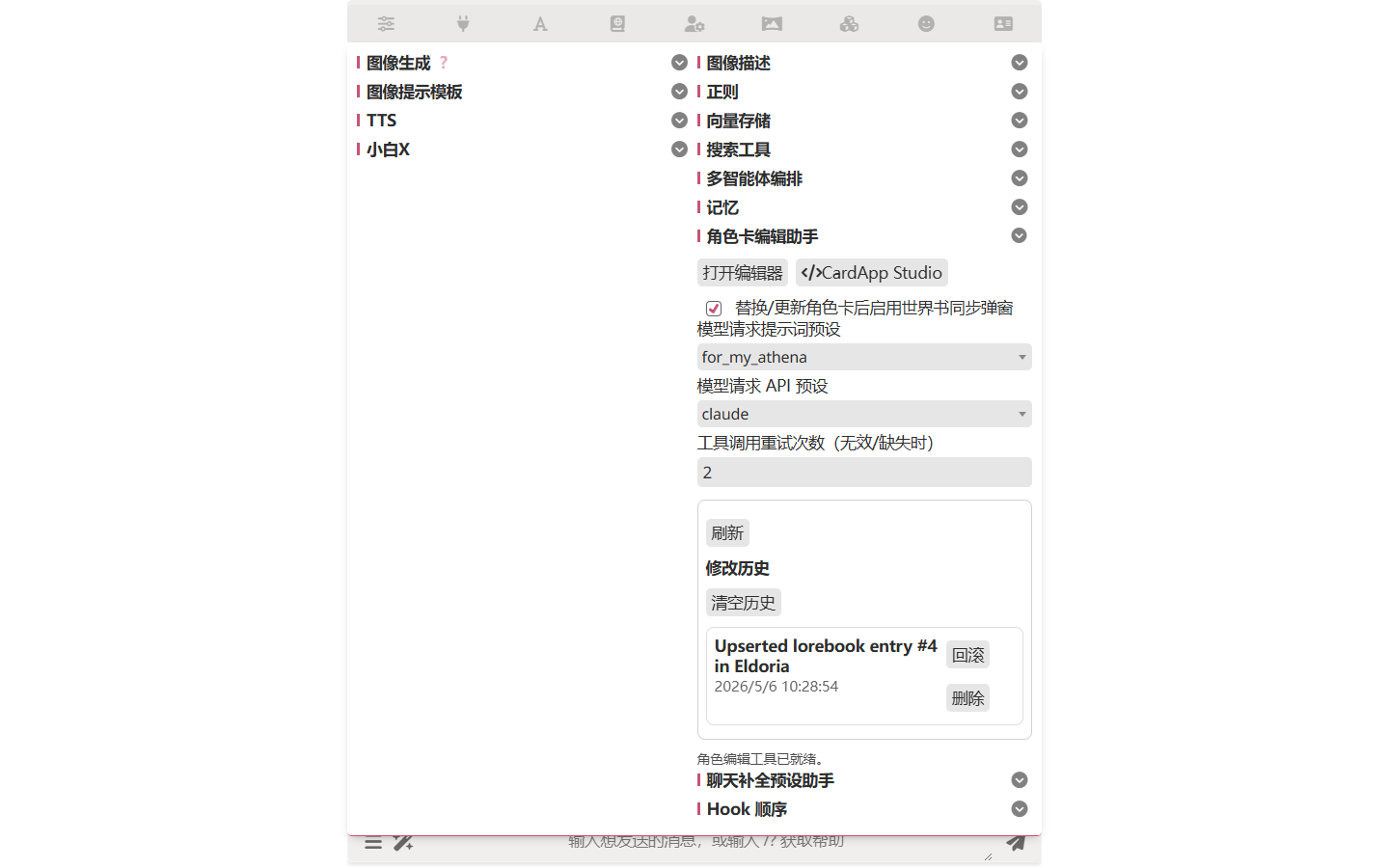
Configuration Options
Both modes share the same set of settings on the extensions panel:
- World Info sync popup — Whether to enable the World Info sync popup after replacing/updating a character card (only triggered by the popup mode; see Popup Mode)
- Model request LLM preset — Prompt preset used by the editor assistant (leave empty to use the current preset)
- Model request API preset — API connection used by the editor assistant (leave empty to use the current connection)
- Tool call retry count — Number of retries when the AI returns an invalid tool call
Modification History
Modification history has its own panel inside the extensions panel. Every AI-initiated change you approved is recorded here — you can view diffs, roll back, delete individual records, or clear everything. In Studio mode, file changes go through Git instead, with each record corresponding to a commit; see CardApp Studio.
Related Pages
- Popup Mode — AI editing flow for character cards without CardApp
- CardApp Studio — Full development environment for character cards with CardApp
- CardApp — In-card application system
- Search Tools — Web search inside Studio / the editor assistant