AI Iteration Studio
The AI Iteration Studio is the primary way to customize the orchestrator. 99% of the time you don't hand-edit stages and nodes or write Planner prompts — the Studio lets you describe what you want in one sentence, the AI returns a proposal, and you approve change-by-change. Spec / Agenda / Loop all use the same Studio; only the artifact differs.
Try the Studio first; hand-edit only if it can't reach the result
If you're about to open the orchestration editor to add nodes manually, pause first — odds are the Studio can give you a workable proposal in seconds. Hand-editing is for the corner cases the Studio can't reach.
Open the Studio
Switch to the execution mode you want (Spec / Agenda / Loop), then click Open AI Iteration Studio in the orchestrator panel's actions area.
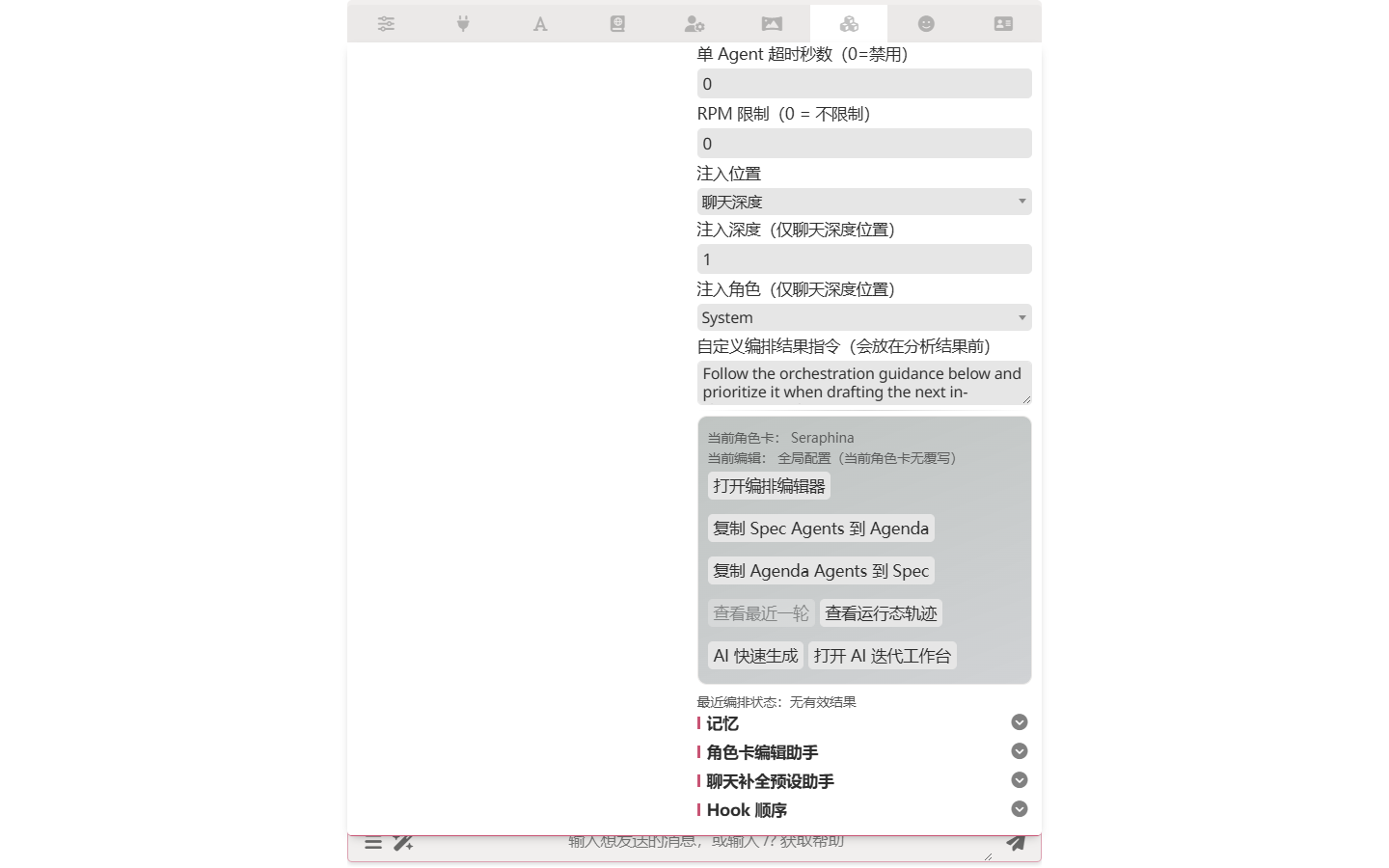
A new panel opens. The left side is your conversation with the Studio's AI; the right side shows the current orchestration state.
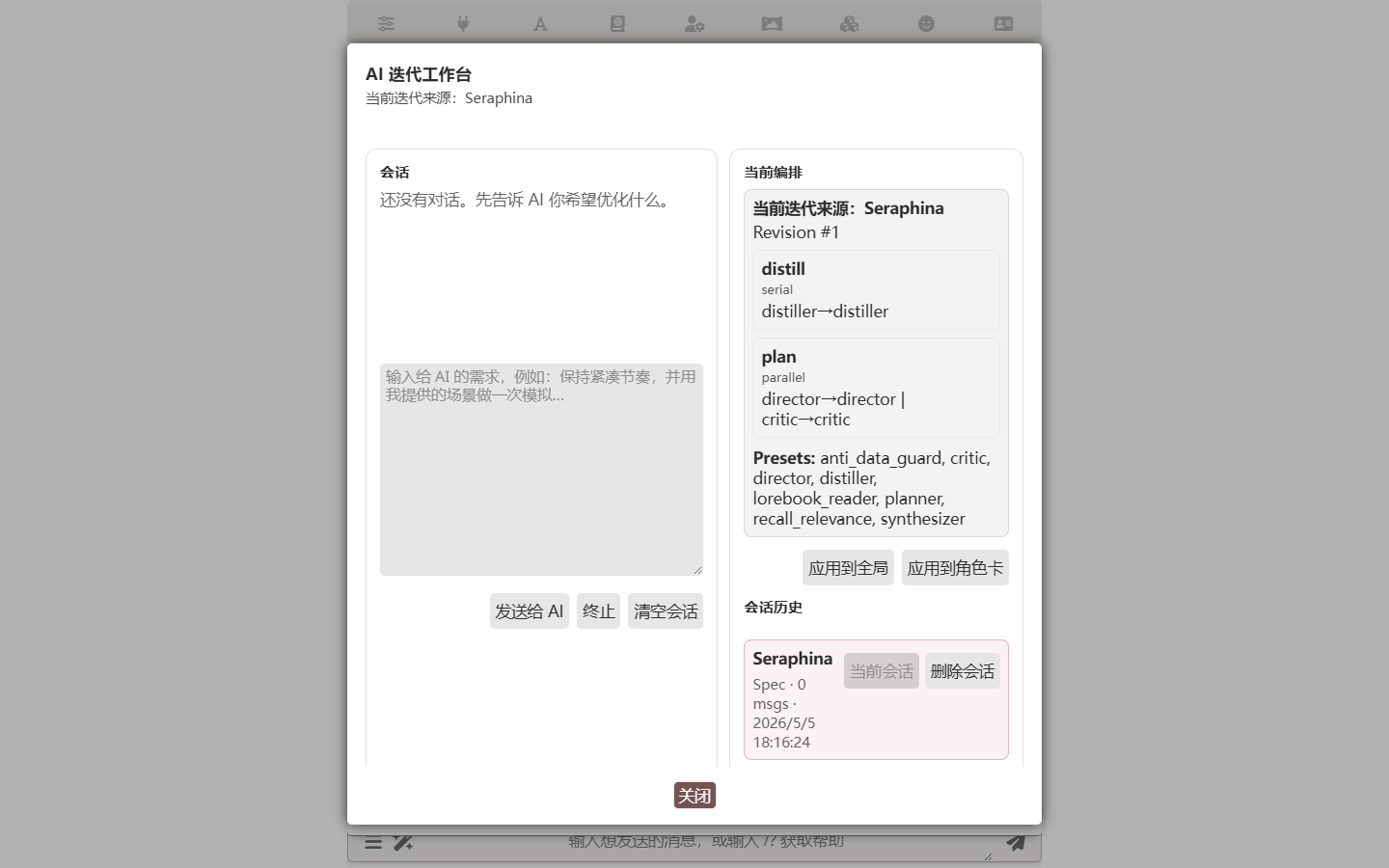
Describe what you want
In the input box, write one sentence describing what you'd like the orchestration to do. Specific is better than general.
Example: "I want the AI to recall recent important events before each reply, keep characters consistent, and not break the fourth wall."
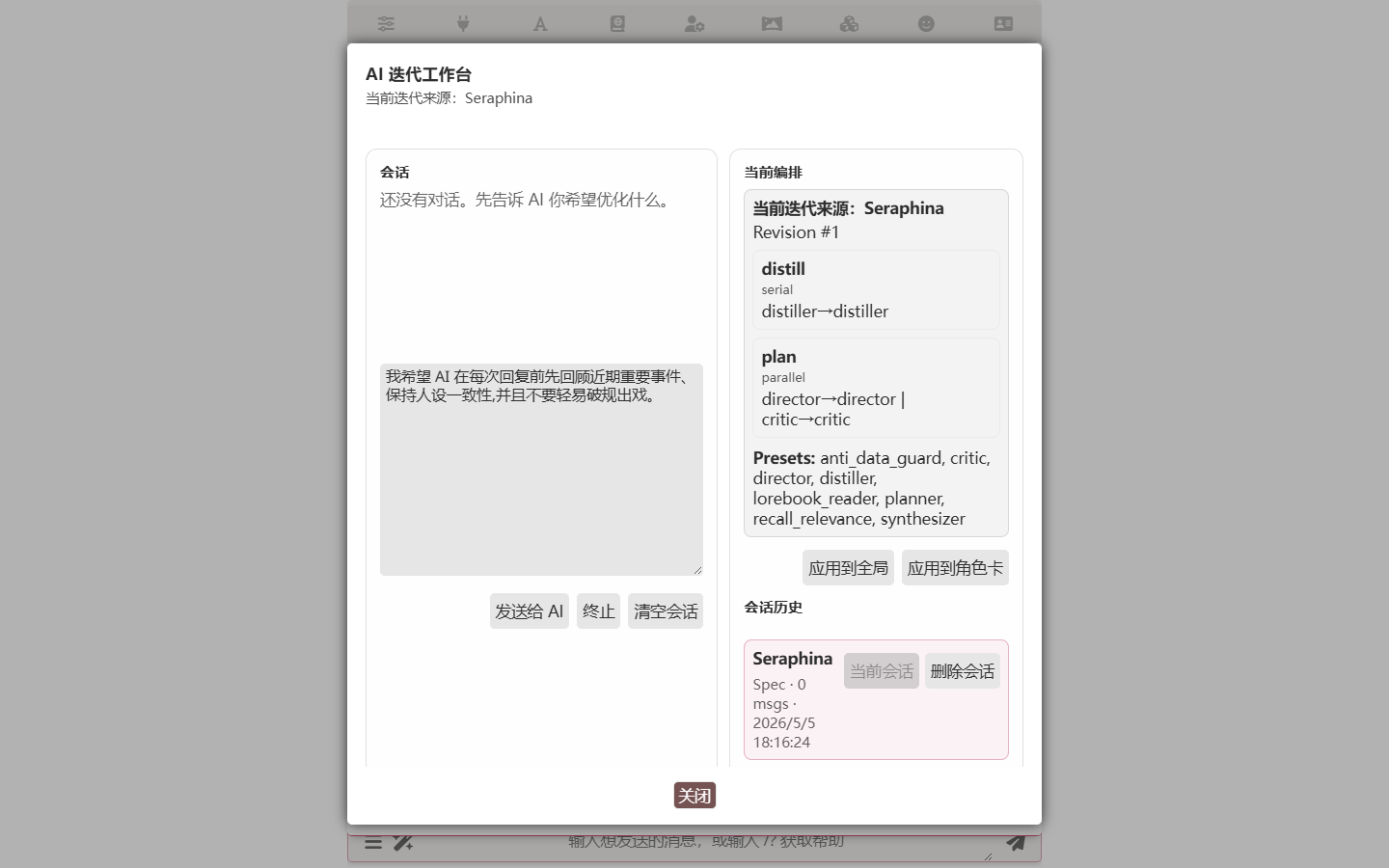
Click Send to AI.
Watch the AI work
The AI replies with a short plan and a proposal showing what it intends to change. The exact form depends on the mode:
- Spec / Agenda — the AI produces a diff: green-add / red-delete / yellow-modify entries. You can approve or reject each one, or wait — the Studio auto-iterates until things stabilize, with each round showing its diff.
- Loop — the AI uses tool calls to patch the profile directly (
system_prompt/ tool toggles /max_rounds/ preset routing). No per-change approval surface; the AI decides when to wrap up.
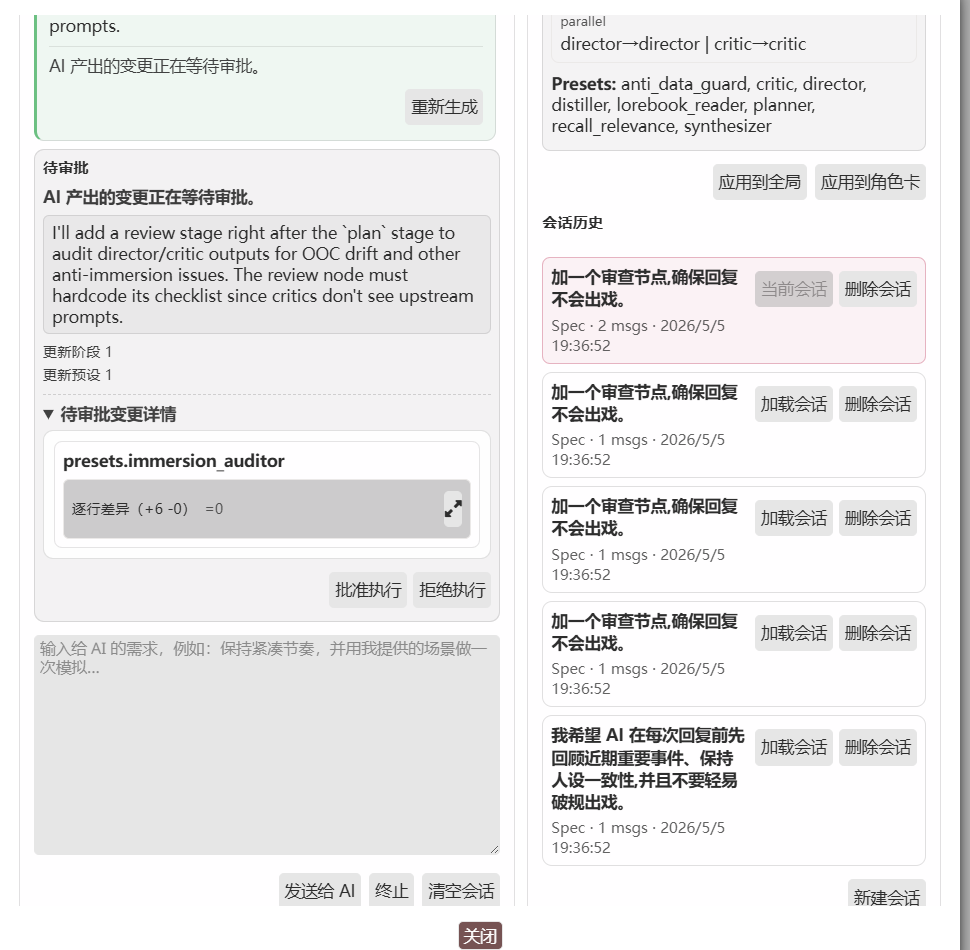
If a change isn't obvious, click the magnifier icon next to it for a side-by-side comparison.

Apply
When the AI says it has nothing more to suggest, click Apply to Global (use everywhere) or Apply to Character Card (only for this card).
What the Studio can do
- Multi-round dialogue. One sentence of feedback per round, AI proposes a focused change, you review.
- Per-change approval (Spec / Agenda). Each diff entry has its own Approve / Reject. You can take half of a proposal.
- Program-driven auto-continue. The Studio fires another round whenever the AI emits any tool call this round, and stops the moment the AI responds with plain text and no tool calls. There is no manual Auto-Continue toggle and no AI-side continue / finalize tool — the loop just reads what the AI did.
- Simulation. Run the workflow against your actual current chat — exactly as if you'd just sent a new message, World Info activation included — but the result only surfaces in the Studio, not in the real chat. Ask "will my Constraint Agent really catch the OOC-prone moments?" and the Studio shows you each node's output.
- Sessions. Up to 24 saved sessions per scope. Different cards or different experiments each get their own thread.
- Rollback. Even after Apply, you can revert.
- Foldable thinking.
<thought>tags from reasoning models are folded by default; messages over ~1200 chars are folded.
A typical iteration (Spec example)
Round 1. You: "Don't break the fourth wall." AI: "Adding a Constraint Agent to Stage 2 with anti-meta checks; enabling Anti-Data Guard." Diff: 1 new node, 1 setting flipped. You approve.
Round 2. You: "Make it read the lorebook so it knows the world rules." AI: "Added a
lorebook_readernode to Stage 1 so the Constraint Agent can see the active world rules." Diff: 1 new node. Approve.Round 3. You: "Simulate against an obviously-meta input — does it actually catch it?" AI: Switches to Simulation mode, runs the pipeline against a fake user message that breaks the fourth wall, returns the Constraint Agent's verdict.
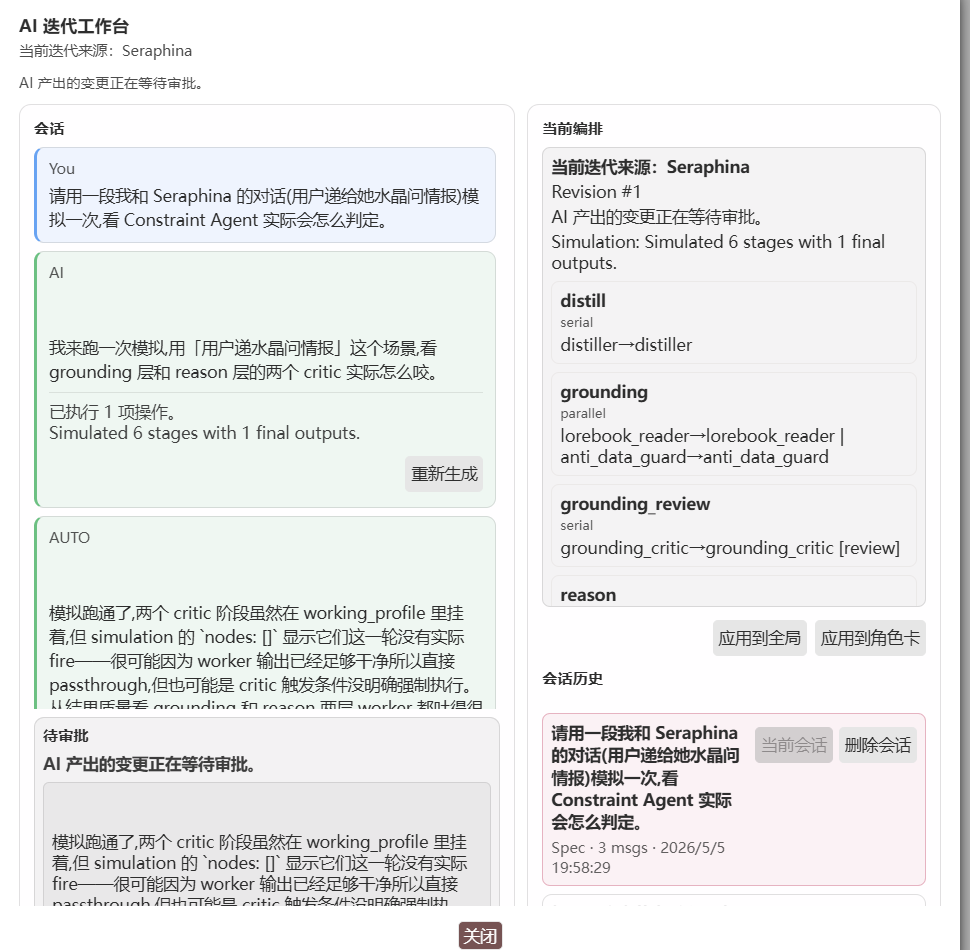
Round 4. Stable. You click Apply.
Every step is visible, interruptible, and reversible — that's the point. You're not handing control to a black box; the AI proposes, you decide.
What each mode produces
| Mode | Studio output | What you see |
|---|---|---|
| Spec | Diff against stages / nodes: add/remove nodes, edit prompt templates, tweak execution flags, override API/preset | Green/red/yellow diff list, per-change approval |
| Agenda | Diff against the Planner Prompt + Agent pool: add agents, edit Planner dispatch logic | Green/red/yellow diff list, per-change approval |
| Loop | Direct profile patches via tool calls: system_prompt / tool toggles / max_rounds / preset routing | No diff surface — the AI tells you the result after applying |
Loop-mode iteration tips
Don't want to hand-write the system prompt? Open the Studio in Loop mode and describe the agent's behaviour in plain language:
I want this agent to read the last 5 floors first, then look up relevant lorebook entries, then check the memory graph for conflicts, then write the capsule. Don't have it take notes.
The Studio's AI reads your current profile and patches it via tool calls. The Studio auto-continues whenever the AI emits any tool call this round and stops the moment the AI responds with plain text and no tool calls — so iteration just keeps going as long as the AI keeps making changes.
Per-card lorebook hygiene
When you open the Studio scoped to a character card, the AI also reconciles the orchestration you're building against the card's bound lorebooks. Format-related lorebook entries fall into two camps that need different handling:
- Process coercion — entries that pin how the model thinks during the run (mandatory thinking templates, every-round CoT prefixes, "always check X before answering", "follow steps 1-N in order before responding"). These poison the agent loop in an orchestration: they fire every tool-call round, force narrative-shaped text where the agent needs to plan and call tools, and starve the planning channel. The Studio strips the format and harvests the underlying intent — the topics, angles, persona habits, scene anchors the author cared about — rewriting it as worldbuilding / persona / scene-anchor content the agent reads as narrative input, not as another rule.
- Final-output shape — entries that describe what the final committed reply looks like ("all output must be markdown", "wrap the response in a tag", "end with a closing summary block", "speak in poetry"). These are legitimate stylistic preferences and the Studio keeps them. It only rewrites them so the finalize semantics are explicit, so intermediate orchestration nodes (planner, tool-callers, reviewers) stay free to use whatever form they need on the way to the final commit.
The Studio prefers surgical clause-level rewrites that preserve the rest of an entry; whole-entry disabling happens only when the entry is pure format coercion with no salvageable content. Nothing is ever deleted.
Approval flow. Lorebook adjustments are proposed, not applied immediately. Each proposal appears below the assistant message that produced it as a diff card with Approve / Reject controls — same per-change review you already have for orchestration changes. Only approved proposals get committed to the on-disk world book when you click Apply; rejected ones are dropped, and undecided ones stay in the panel for you to come back to. A summary row above the composer shows the running counts (pending / approved / rejected) and offers a dedicated "Commit approved lorebook edits" button when there are approved proposals but no orchestration changes waiting alongside them.
Global Studio sessions never touch any lorebook — this only runs in character scope.
Authoring skills via iter-studio
Don't feel like hand-writing a skill? Open the Studio and tell it what you want. It writes the SKILL.md, installs it, and (if you ask) wires it into the right place — same approval-per-change flow as everything else.
The prompt can be a plain sentence. For example:
Write a skill that keeps the director from using stiff translated-Chinese phrasing — no "当……的时候" stem, no "——" dash-splitting sentences, prefer "是吧" over "是吗"。Add it so every agent in director mode sees it.
The Studio drafts the SKILL.md, opens the install round, and you approve. The skill lands on disk and is ready to use the moment you approve it. If you also asked the Studio to attach it ("…so every agent sees it" / "…for voice_critic"), it wires it into the right place too; otherwise you can attach it yourself later from the skill list section of the director editor.
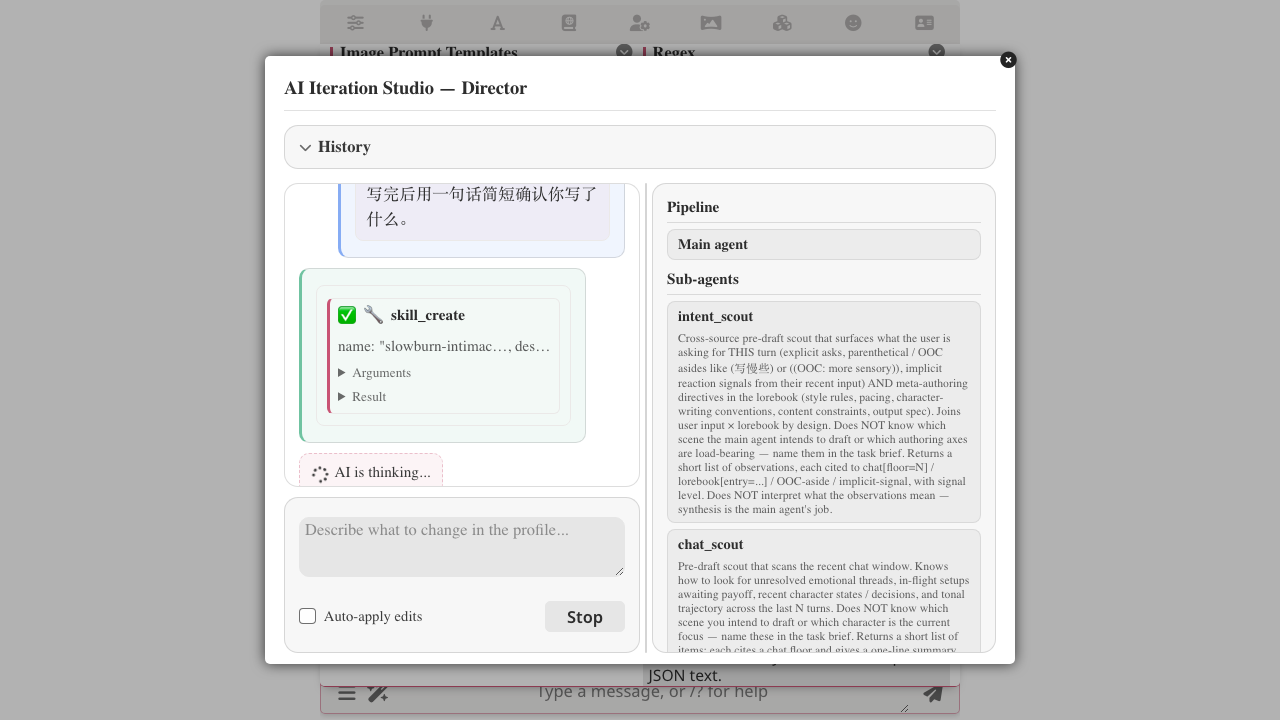
See the recipe for the full walkthrough.
Sessions
Different cards, different experiments — each keeps its own session.
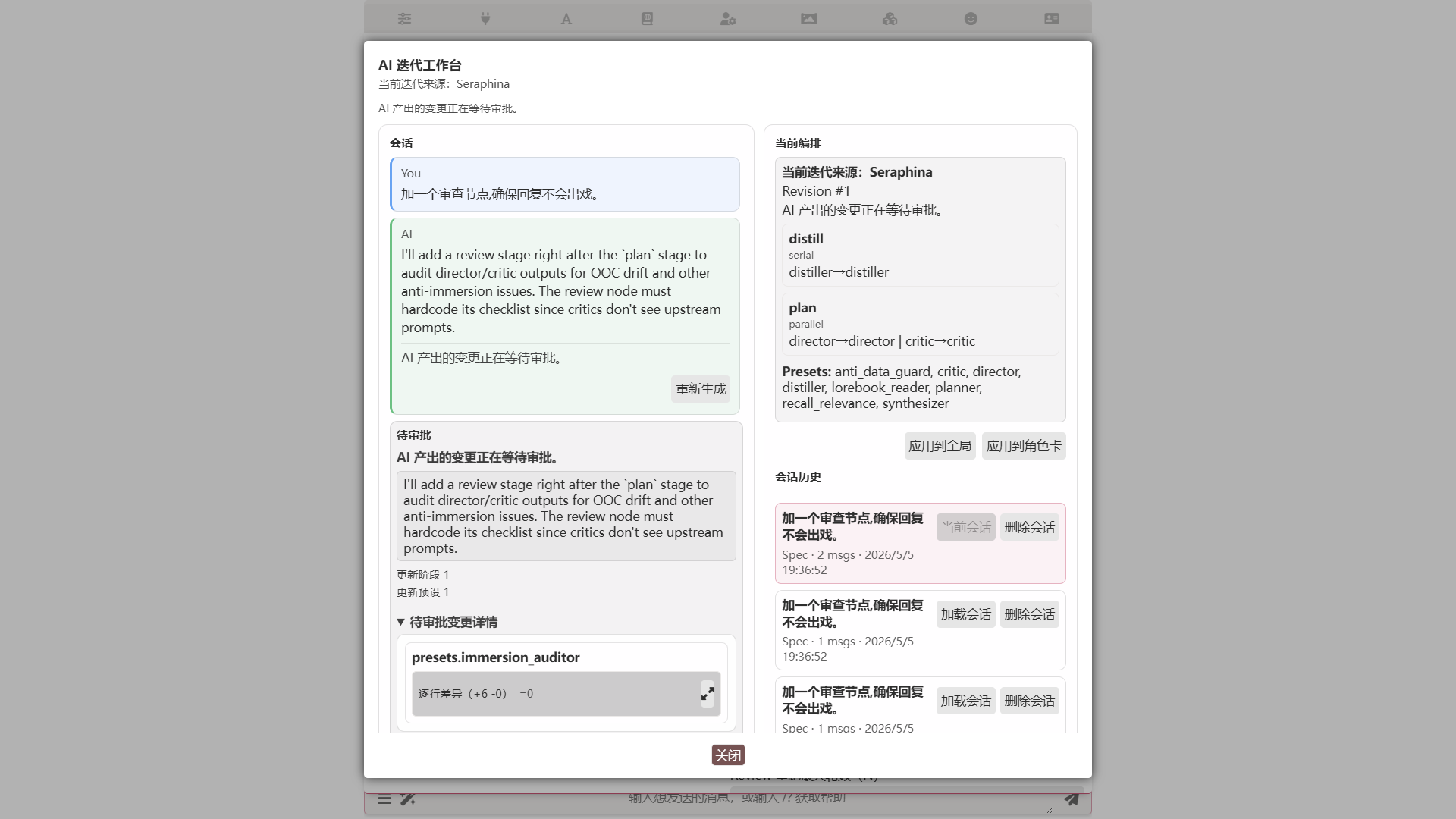
Sessions persist across reloads, scoped to global or to a character card. Up to 24 saved sessions per scope.
Sidebar — Quick Build (Spec / Agenda)
Quick Build is the one-shot version of the Iteration Studio, available for Spec and Agenda. Type a description into the AI Generation Goal field at the top of the orchestration editor and click AI Quick Build:
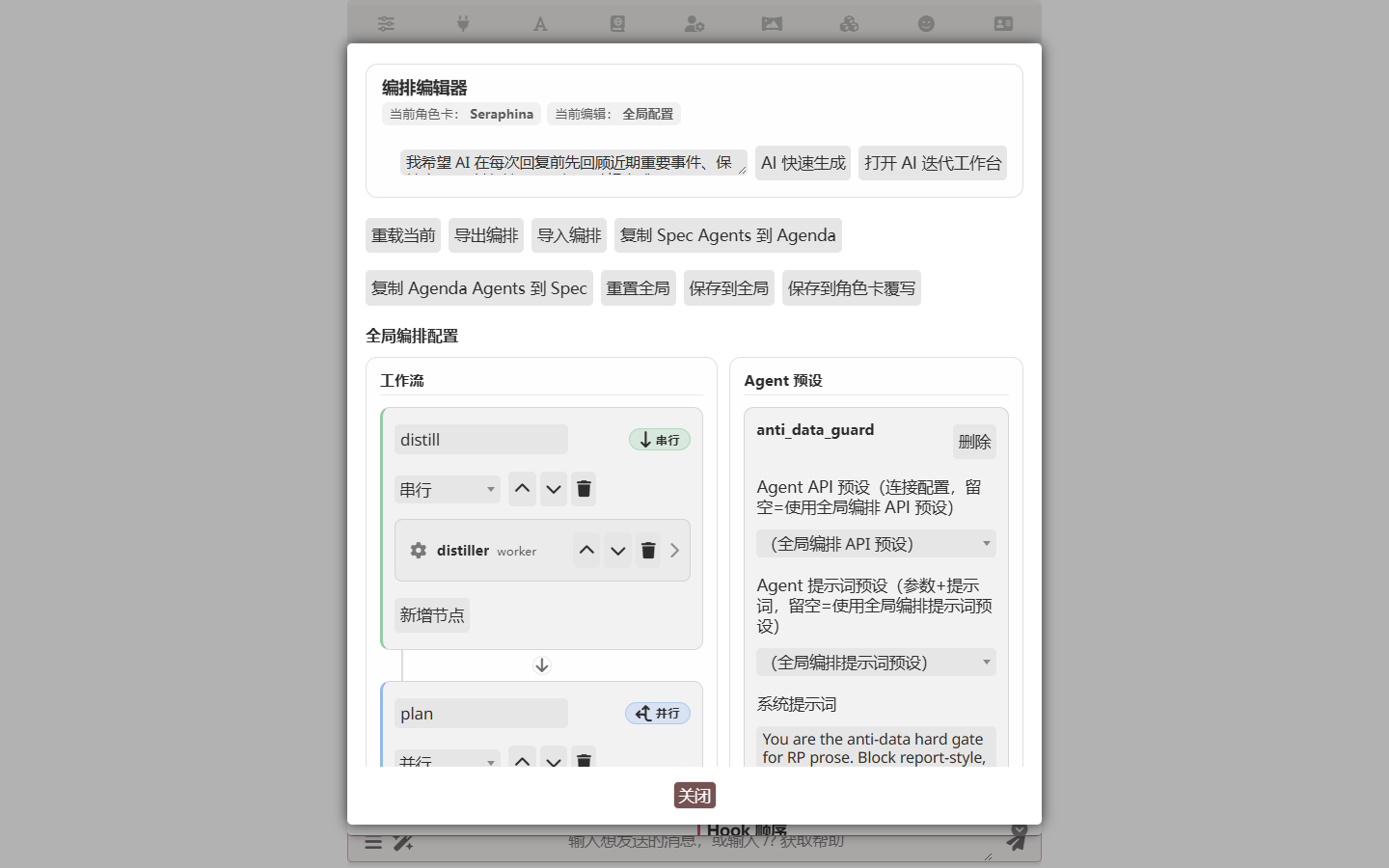
After a single LLM round, you get a complete workflow:
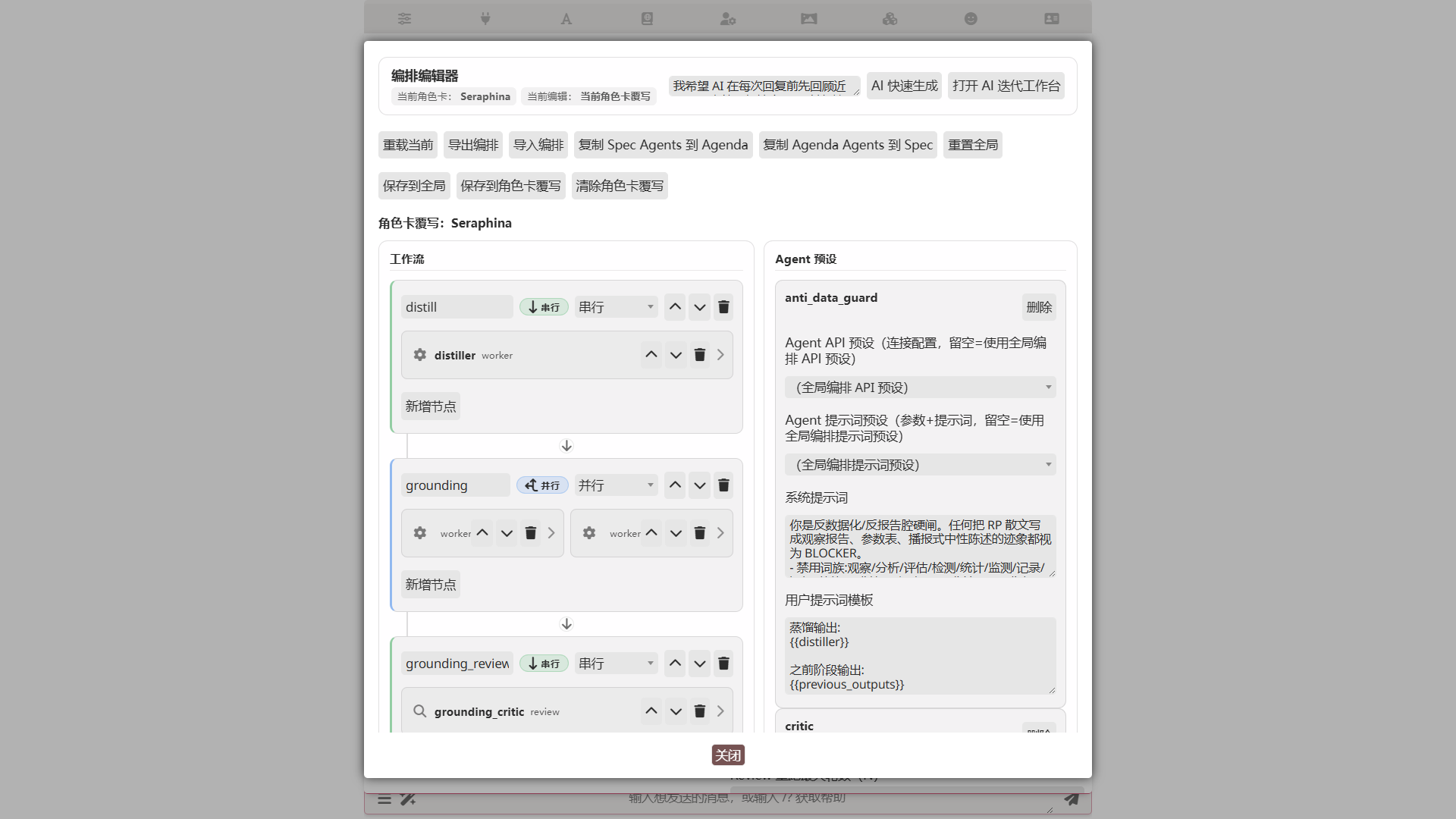
Use Quick Build when:
- You've used the Studio enough times to know what you want and just need the boilerplate.
- You want the simplest possible "make it work" path and don't care how the AI got there.
For most cases, the Iteration Studio is a better deal. The 1–2 extra minutes buy you a workflow you understand.
Loop mode has no Quick Build
Loop mode iterates only through the Studio — there's no "generate a complete profile in one shot" entry point, because the loop's system prompt usually needs scenario-specific tuning, and a one-shot output tends to miss the mark.
Related
- Orchestrator overview — common configuration / triggers / character card binding
- Spec mode — the default DAG mode
- Single Agent mode — degenerate Spec
- Agenda mode — Planner-driven dynamic dispatch
- Loop mode — single-agent tool loop
- Skills in the orchestrator — making a skill visible to a particular agent
- Character Card Editor — shares the diff engine with Iteration Studio