Completion Preset Assistant
The Completion Preset Assistant is a Luker-exclusive AI-assisted preset management extension. Chat Completion API presets contain numerous parameters (such as temperature, top_p, frequency_penalty, etc.), and different models respond to these parameters with significant variation. The Completion Preset Assistant helps users understand parameter meanings, compare preset differences, and provides adjustment suggestions through conversational AI interaction.
This extension includes an AI conversation engine, parameter parser, and preset modification suggestion system, paired with a standalone dialog UI component for a complete interactive experience.
Use Cases
Understanding Complex Preset Parameters
Chat Completion API parameters are numerous, and different API backends (OpenAI, Claude, Gemini, etc.) support different parameter sets. The Completion Preset Assistant can explain each parameter's function, value range, and impact on generation results in natural language, lowering the learning barrier for preset adjustment.
Comparing Preset Differences
When you have multiple presets, the Completion Preset Assistant supports preset difference comparison. It displays parameter differences between two presets in grouped format, including grouped display of prompt differences, helping you quickly identify key distinctions between different presets.
Getting Parameter Adjustment Suggestions
Based on your usage goals (such as more creative responses, more stable output, longer generated content, etc.), the Completion Preset Assistant can provide specific parameter adjustment suggestions and supports one-click application of suggested modifications.
How It Works
Conversational Interaction
The Completion Preset Assistant is a dialog with the conversation history on the left, the assistant's draft diffs on the right, and a natural-language input at the bottom:
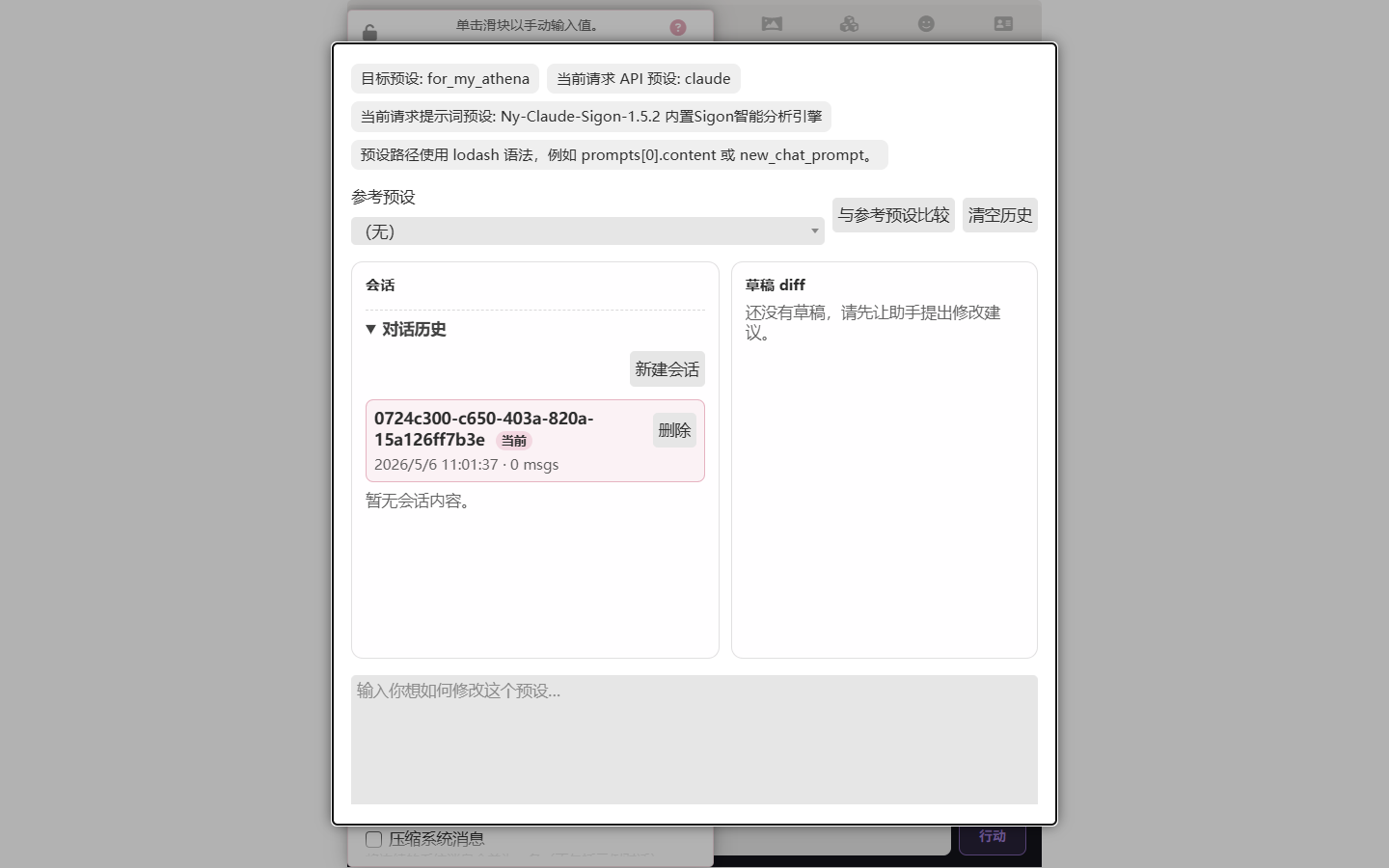
The top of the dialog shows the current target preset, API preset, prompt preset, and a hint about the lodash syntax for preset paths. The middle "Reference preset" lets you compare against another preset and renders the diff as a draft.
You can ask questions in natural language, for example:
- "What's the difference between temperature and top_p?"
- "I want more creative responses — which parameters should I adjust?"
- "Help me compare the current preset with the default preset"
The assistant answers based on the current preset's actual parameter values, rather than speaking in generalities.
Parameter Parsing and Modification
The assistant has built-in comprehensive parameter parsing capabilities:
- Read all parameters and their values from the current preset
- Understand relationships between parameters (e.g., the interaction effect of temperature and top_p)
- Generate specific parameter modification suggestions
- Apply suggested modifications directly to the current preset
Prompt Entry Modification
The Completion Preset Assistant can not only adjust generation parameters but also directly modify prompt entries in the preset. The assistant can edit, add, or adjust the content and structure of prompt entries, helping you optimize system prompt wording, ordering, and organization. This makes preset tuning no longer limited to numerical parameters, but covers the full range of preset configuration.
Session Modes
The toolbar's "Session mode" tells the assistant how to interpret the editing intent for the current preset, matching three typical preset uses:
- General editing: The assistant acts as a generic preset editor, adjusting entries directly per your request without special bias. Default mode.
- Agent orchestration preset: For presets whose downstream consumer is the main agent of a multi-agent orchestrator. The assistant identifies hard format constraints that interfere with tool-calling (forced chains of thought, output schemas, etc.) and rewrites them into soft cognitive hints rather than deleting them; conditions final-product-only directives (summaries and the like) on "the final committed message" stage; and disables placeholders that duplicate the orchestrator's own injection (character card, user persona, worldbook splice entries) while keeping chat history, jailbreak/bypass, and writing-style entries enabled. NSFW permissions, jailbreaks, and RP voice rules are preserved.
- Jailbreak-only: For presets whose downstream consumer is a tool-style LLM caller (memory graph curator, the preset assistant itself, other LLM-driven plugins). The assistant identifies and preserves jailbreak/uncensoring directives, and disables everything shaping narrative RP output (writing style, voice rules, output schemas, narrative meta-rules) from the prompt order — the underlying entries stay intact so you can revert.
Mode is fixed at session creation. Switching mode from the toolbar prompts for confirmation and starts a new session; the old session stays in history.
In "Agent orchestration preset" and "Jailbreak-only" modes, the assistant defaults to suggesting that you derive a new preset (e.g., appending -orchestrator / -jailbreak to the original name); once you confirm, edits operate on the derived preset and the original stays untouched. Tell the assistant if you'd rather edit the original directly.
After deriving an -orchestrator preset, the assistant offers a Bundle skills with this preset link in the toolbar. The link opens the orchestrator's skill manager with multi-select pre-enabled — pick the writing rules, critic methods, or other skills you want to ship alongside the preset, then Pack selected into preset… writes them into the preset's extensions.luker.embedded_skills_source field. Anyone importing the derived preset later sees the standard embed-extraction dialog and the skills materialize into their preset scope automatically. This is the recommended path for distributing an orchestrator preset together with the skills that make it work — the preset stays self-contained.
Authoring skills from preset content (Agent orchestration mode)
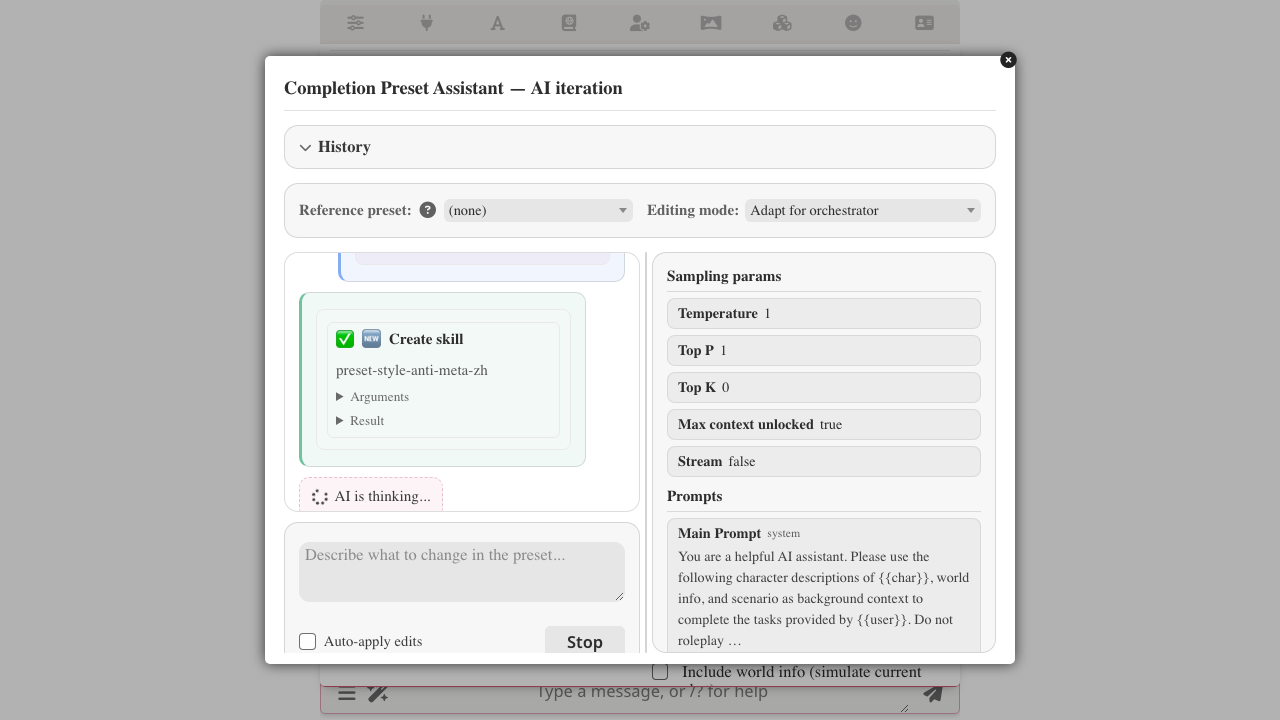
In Agent orchestration mode the assistant doesn't just rewrite process-coercion entries — it also sweeps the preset for reusable writing or output-format rules that would be more useful as skills (so the orchestrator's sub-agents can read them, not just the main agent). It surfaces what it finds as additional extraction proposals in the same round, each independently approvable.
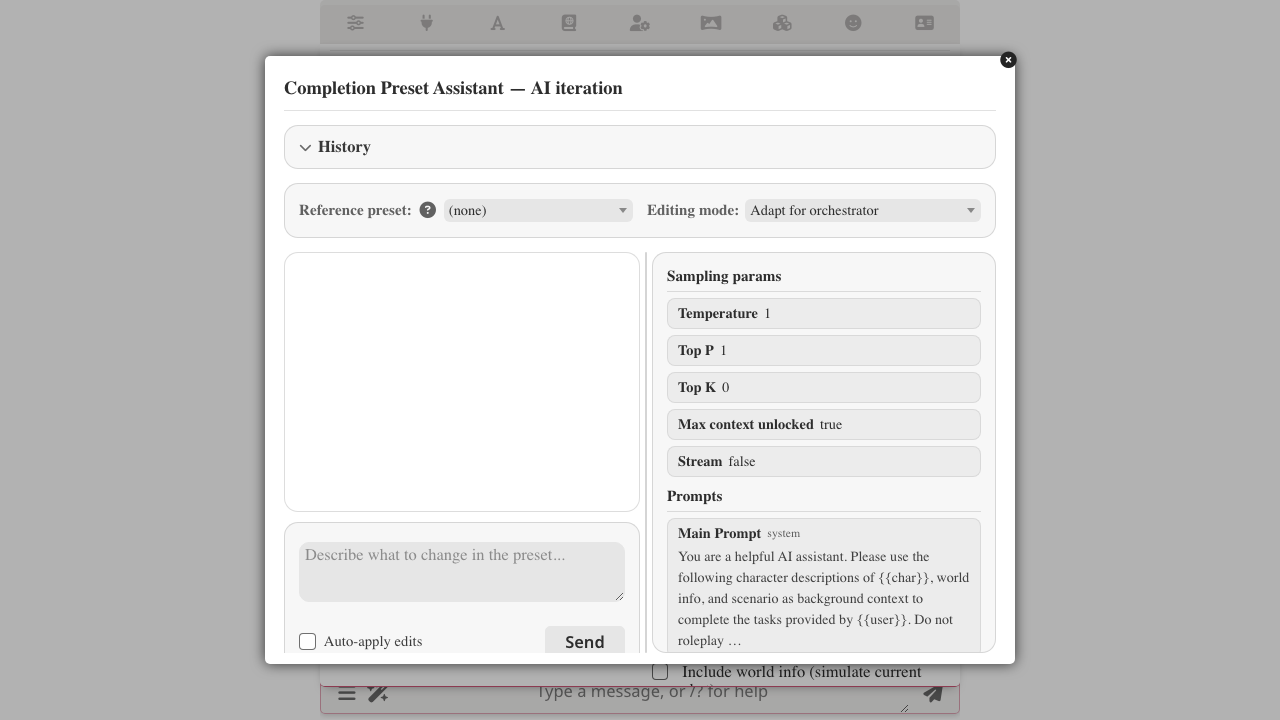
Just kick off an adapt request as you would normally:
Adapt this preset for an orchestrator main agent.
Alongside the usual coercion/format rewrites, the assistant proposes per-candidate:
- Create the skill verbatim (no paraphrasing or compression) at this preset's scope, so the skill rides with the preset when you later Bundle skills with this preset and someone else imports it.
- Remove the slice from the source prompt entry.
- Splice in a one-line pointer like
参考 skill <skill-name>at the same anchor so the entry still acknowledges the rule's existence — the orchestrator agent reads the pointer and pulls the full skill on demand.
Each extraction lands as its own diff card under the existing per-edit Approve / Reject review — you can take some, leave others, or reject them all and the rest of the adapt still applies.
When the sweep is suppressed:
- You asked for a focused tweak (
tighten this sentence,raise temperature to 1.1,fix this typo) — the assistant does just the tweak. - You said
no skills, just adapt the preset— respected for the rest of the session. - You already rejected a candidate in an earlier round — it doesn't get re-proposed.
Upgrading from a pre-skills Luker version?
If you've customized the Mode addition — orchestrator-optimize textarea under the assistant settings panel's Iteration System Prompts (advanced) section, your custom content still wins over the new defaults — including the new third disposition that tells the assistant to extract reusable rules to skills. Click Reset to default under that textarea to pick up the skill-aware version. (Untouched defaults pick it up automatically on next page load.)
You can also call out a specific extraction yourself (pull the anti-cliché block out of the NSFW entry into a skill — keep it verbatim), look up what's already installed (I have a NSFW anti-cliché skill somewhere — let's reuse it instead of authoring a new one), inspect a skill, rename it, move it between scopes, or delete one. Binding the skill to a specific orchestrator sub-agent's visible list still lives in the orchestrator iteration studio — author it here, attach it there.
Why this lives in the preset assistant
Style and output-format rules tend to live in preset entries because that's where the preset author originally wrote them. Pulling them into skills means (a) other agents in the orchestrator can read them, (b) you can edit the rule in one place and every agent that references it sees the update, and (c) the rule survives a preset rewrite that would otherwise lose its prose. The assistant only does this when you ask — small one-off entry tweaks remain just entry tweaks.
Integration with Connection Manager
The Completion Preset Assistant uses the current connection configuration for AI calls. This means it provides assistance through your already-configured API backend, requiring no additional API configuration.
Architecture Overview
| Component | Description |
|---|---|
main.js | Core logic, including AI conversation engine, parameter parsing, preset modification suggestions |
dialog-ui.js | Dialog UI construction component |
index.js | Extension entry point |
style.css | Interface styles |
Related Features
- Preset Decoupling — The Completion Preset Assistant uses the current connection configuration for AI calls
- Multi-Agent Orchestration — Nodes in the Orchestrator also reference LLM presets
- Skills — bundle writing rules and critic methods alongside an
-orchestratorpreset via the Bundle skills with this preset link - Authoring skills — the same
SKILL.mdconventions the assistant follows when it drafts a skill from preset content