Storage Inspector
Luker exposes two complementary storage inspectors — one for the server-side per-user data directory, one for browser-side storage local to the current device. Both live under User Settings → Account and share the same visual layout: a quota row, a stacked usage bar, a legend, and a drill-down list.
Server-Side Storage Inspector
Entry: User Settings → Account → Storage Inspector
What it shows: Ten categories of on-disk content that Luker stores for a given user account: Chats, Characters, Worldbooks, Images, Attachments, Presets, Extensions, Vectors, Backups, and Other. The stacked bar reflects total bytes per category and the drill-down list lets you walk into each category to see individual files (chat files, character cards, worldbook JSONs, background images, etc.).
What Admin users can do: From the Admin Panel → Storage Management tab, admins can inspect any user account's storage individually, or view an aggregate roll-up across every user on the server.
What it does NOT do: This inspector is read-only. It does not offer deletion — clean-up should go through the corresponding UI (delete a chat from the chat panel, remove a character from the character list, etc.). Sensitive files such as secrets.json show their size only and cannot be drilled into.
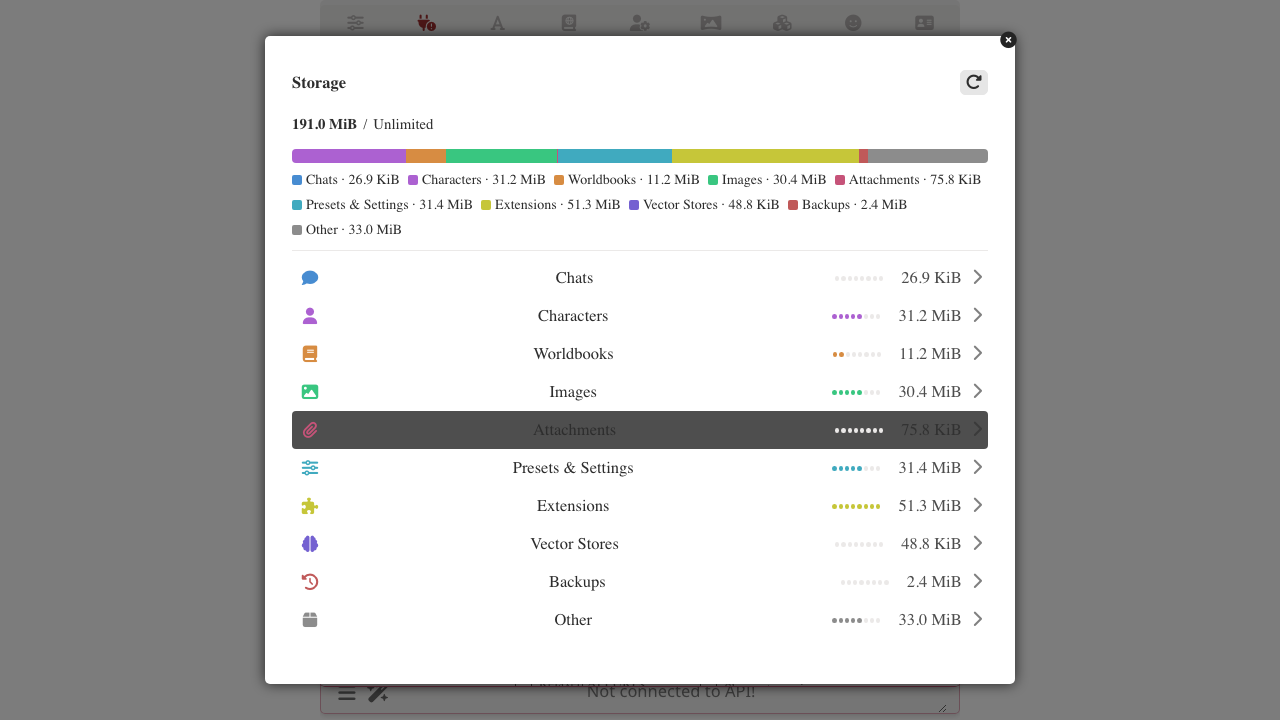
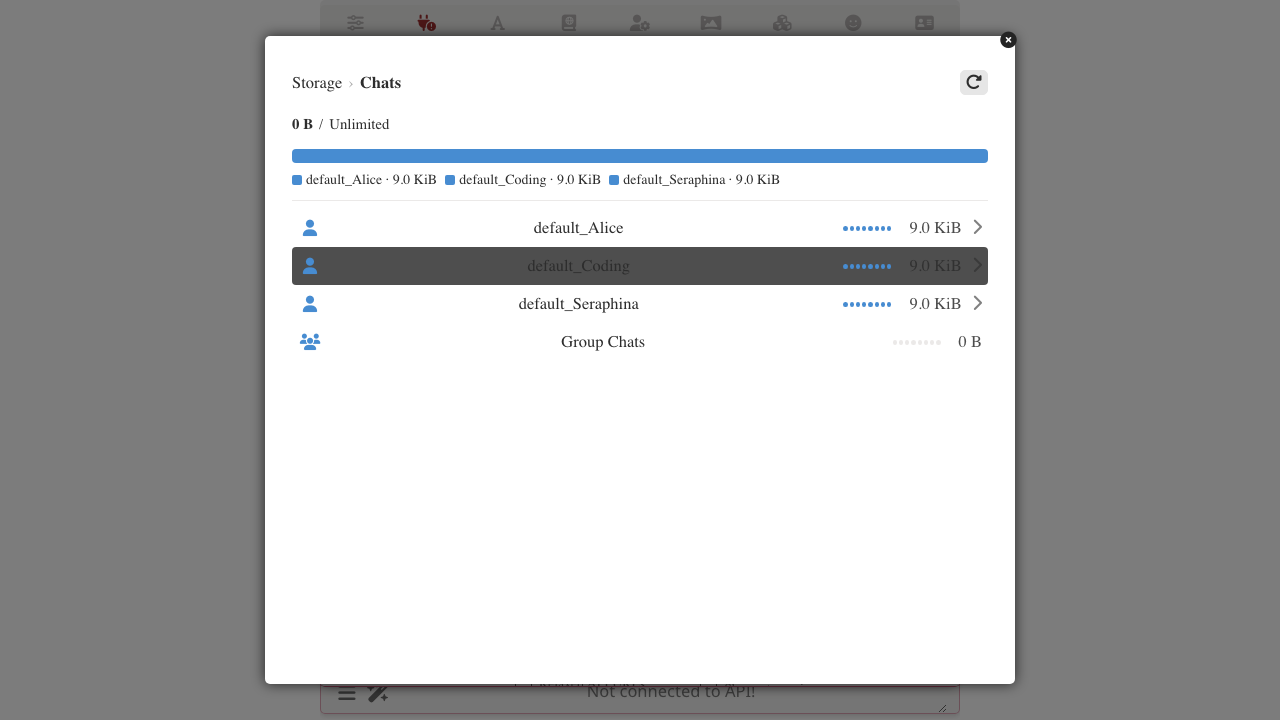
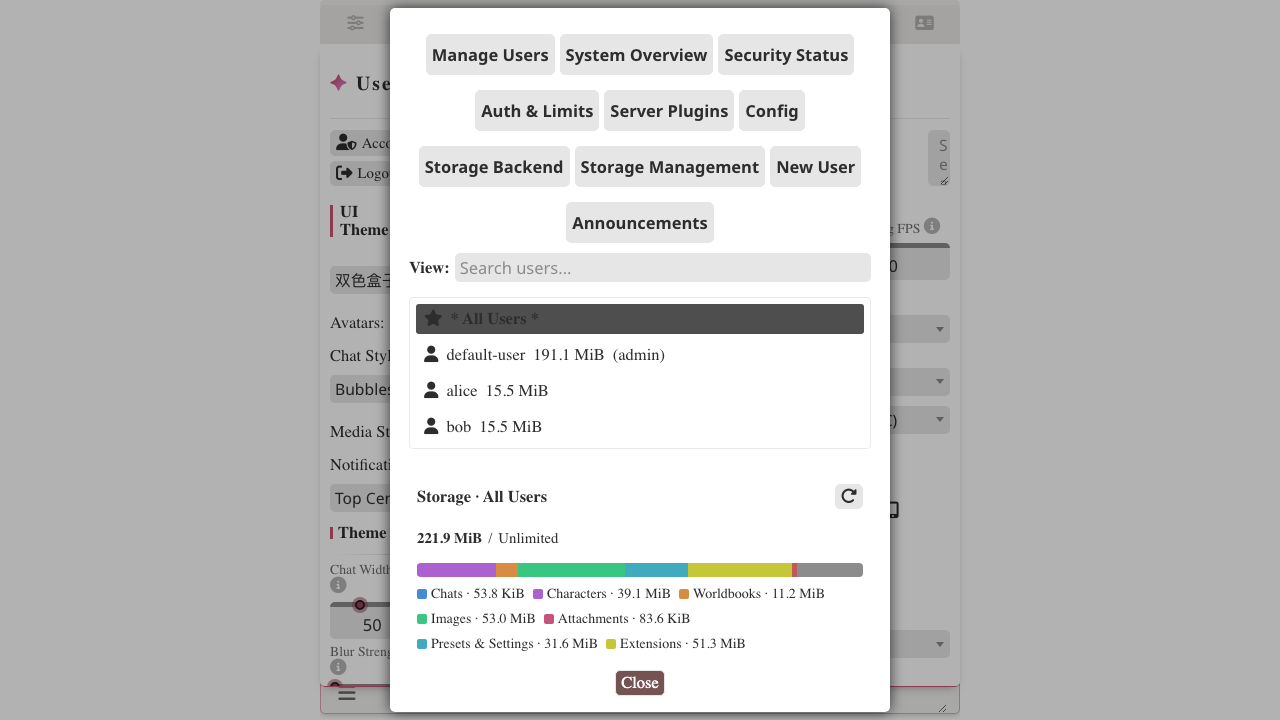
Browser Storage Inspector
Entry: User Settings → Account → Browser Storage
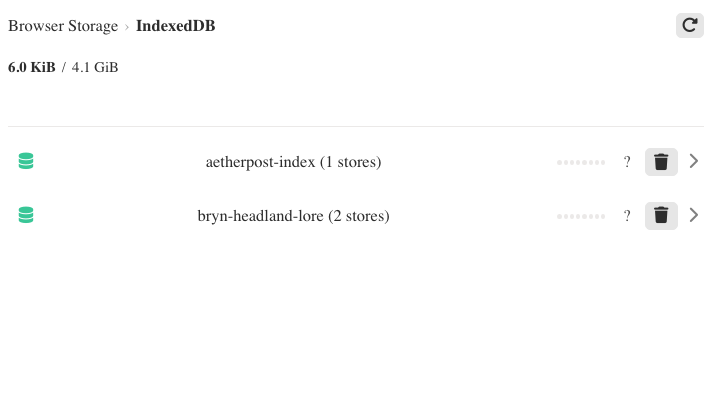
What it shows: The storage categories browsers give each origin: localStorage, sessionStorage, IndexedDB (databases and object stores), Cache Storage (Service Worker caches), and Storage Quota (the browser's estimate of used and available bytes for this origin). Drill into any category to see per-item detail: individual localStorage keys, individual databases and their stores, individual caches.
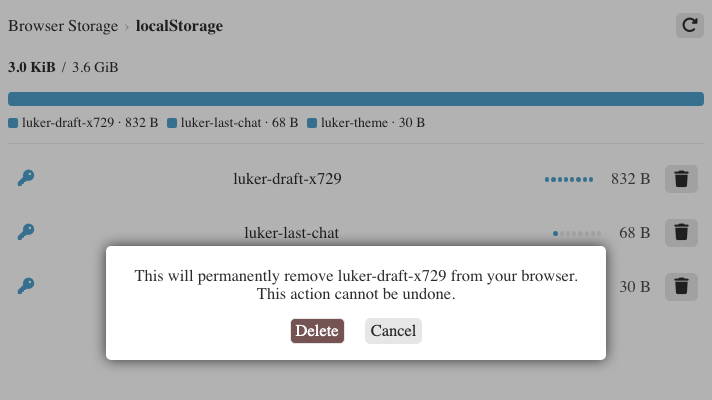
What you can delete: Delete a single localStorage or sessionStorage key, clear an IndexedDB object store, delete an entire IndexedDB database, or delete a Cache Storage entry. Deletions ask for confirmation first and cannot be undone. The Storage Quota view is informational and cannot be deleted.
What it does NOT do: It never touches your account data on the server. It only affects the browser you are currently using — other devices signed into the same account keep their own separate browser storage.
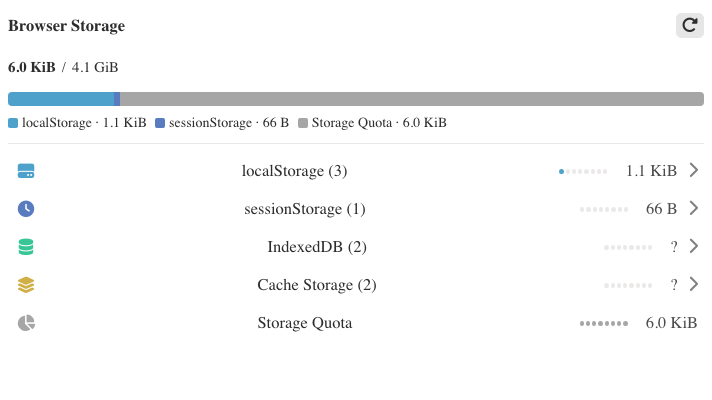
FAQ
My Storage Quota shows "unlimited". What does that mean? Some browsers do not report a quota for the origin. Luker shows this as "unlimited"; the actual limit is whatever your browser enforces silently.
Will deleting a localStorage key break Luker? It might. Luker stores things like the current UI language override, drafts of unsaved input, and some connection URLs in localStorage. If you delete one of those, the corresponding setting reverts to its default the next time the page loads. The confirmation dialog names the exact key so you can decide.
Why does the size column show ? for IndexedDB and Cache Storage entries? Browsers do not expose a per-database or per-cache byte total via a fast API. Computing it exactly would require reading every record or every cached response, which can be slow for large stores. The top of the inspector shows the browser's aggregate estimate (navigator.storage.estimate()) instead.
Do the two inspectors see the same data? No. The Server-Side Storage Inspector reads files on the Luker server's disk (shared across all your devices signed into the same account). The Browser Storage Inspector reads storage local to this browser only (per-origin, per-device).
I deleted an entire IndexedDB database and now some feature seems broken. Some Luker features and third-party libraries (voice synthesis, model caches, offline resources) use IndexedDB and Cache Storage for their state. Deleting those forces the next-load re-fetch or re-initialisation. Reload the page after deletion and the feature should re-populate its storage automatically.