Building a card-specific orchestration
This walkthrough is organized around three actions:
- Generate a dedicated multi-agent orchestration for one character card in a single sentence. No prompt engineering, no manual sub-agent plumbing — the AI Iteration Studio does the work for us.
- Run a simulation, annotate the LLM clichés in the output, and let the Studio improve the orchestration prompts and Skills accordingly. The targets here are the patterns Chinese-RP readers call 八股 ("eight-leg essay" — formulaic boilerplate). The most common family is numeral + classifier counting: narration that lapses into a stage-direction tally.
- Have the Studio write a custom tool for this card that verifies whether the card's required output format is fully present.
The example uses a community card with strict output-format requirements and a busy variable system. The card itself does not matter — the method applies to any card that has format constraints or a domain-specific setting the global default does not cover.
One sentence, one tailored orchestration
After importing and selecting the card, open Extensions → Orchestrator and click Open Orchestration Editor.
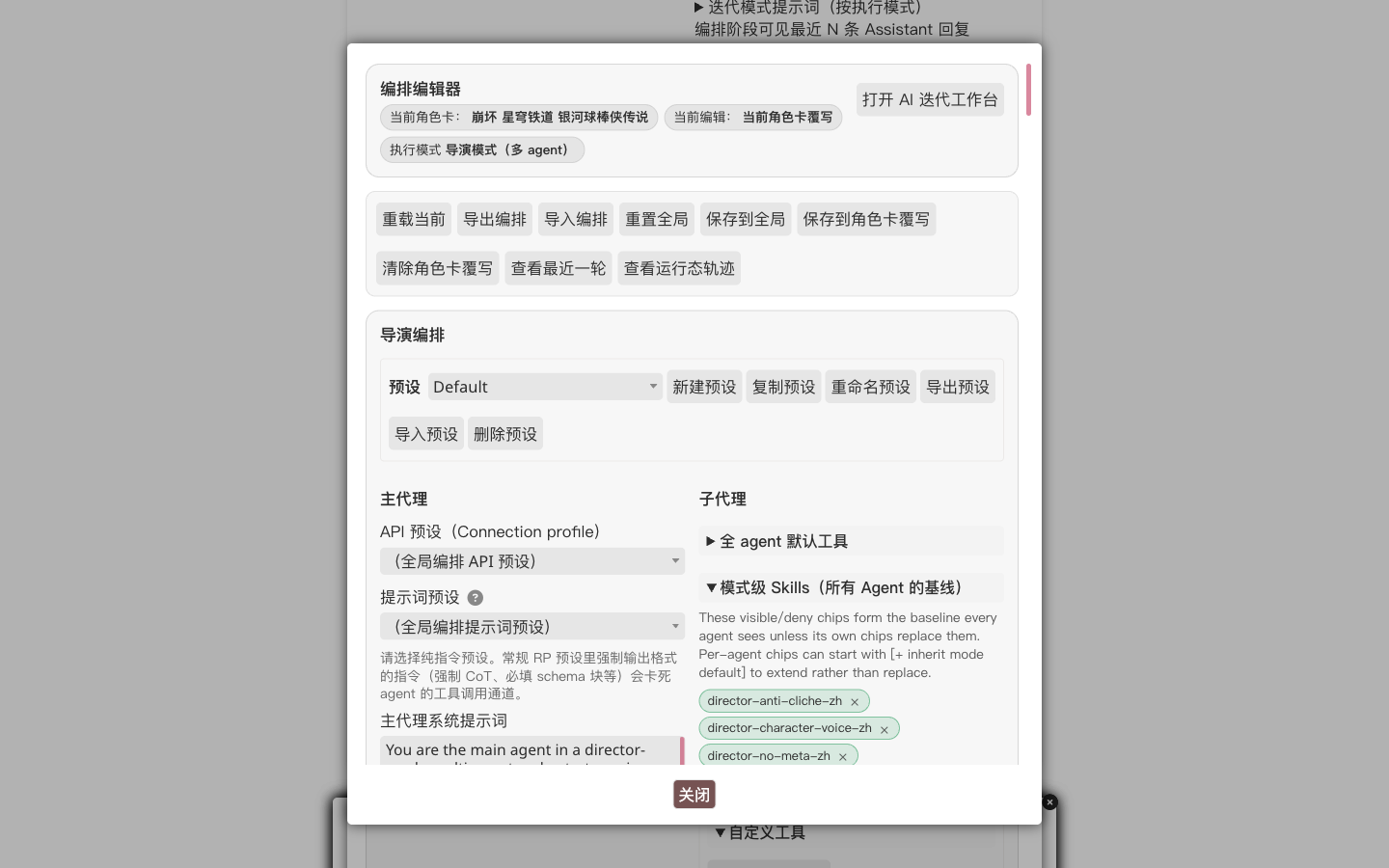
The top bar indicates which card is active, which execution mode is in use, and whether the current edit target is the global profile or the character override. The objective here is the character override — changes affect only this card and leave others untouched.
Top right, click Open AI Iteration Studio.
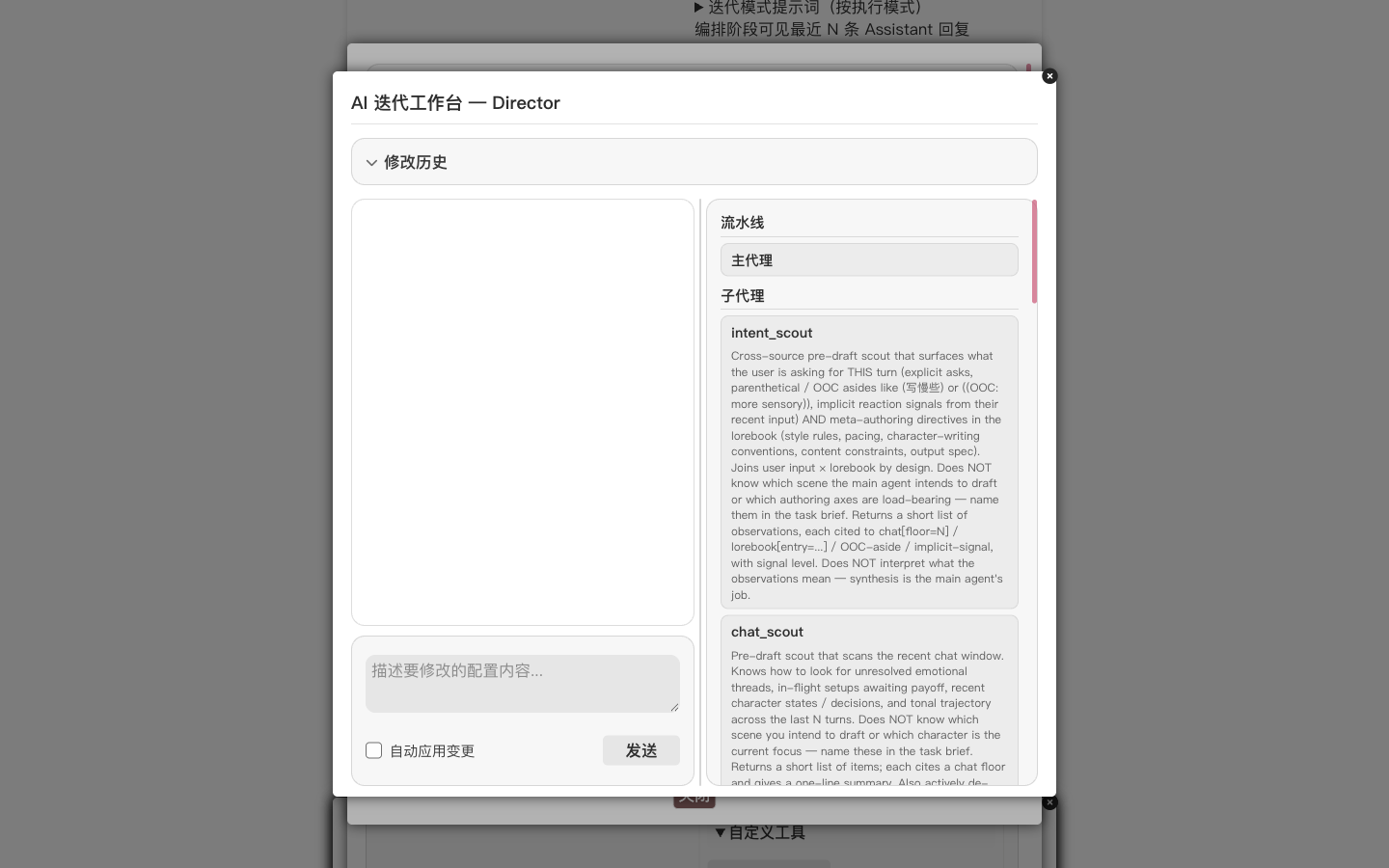
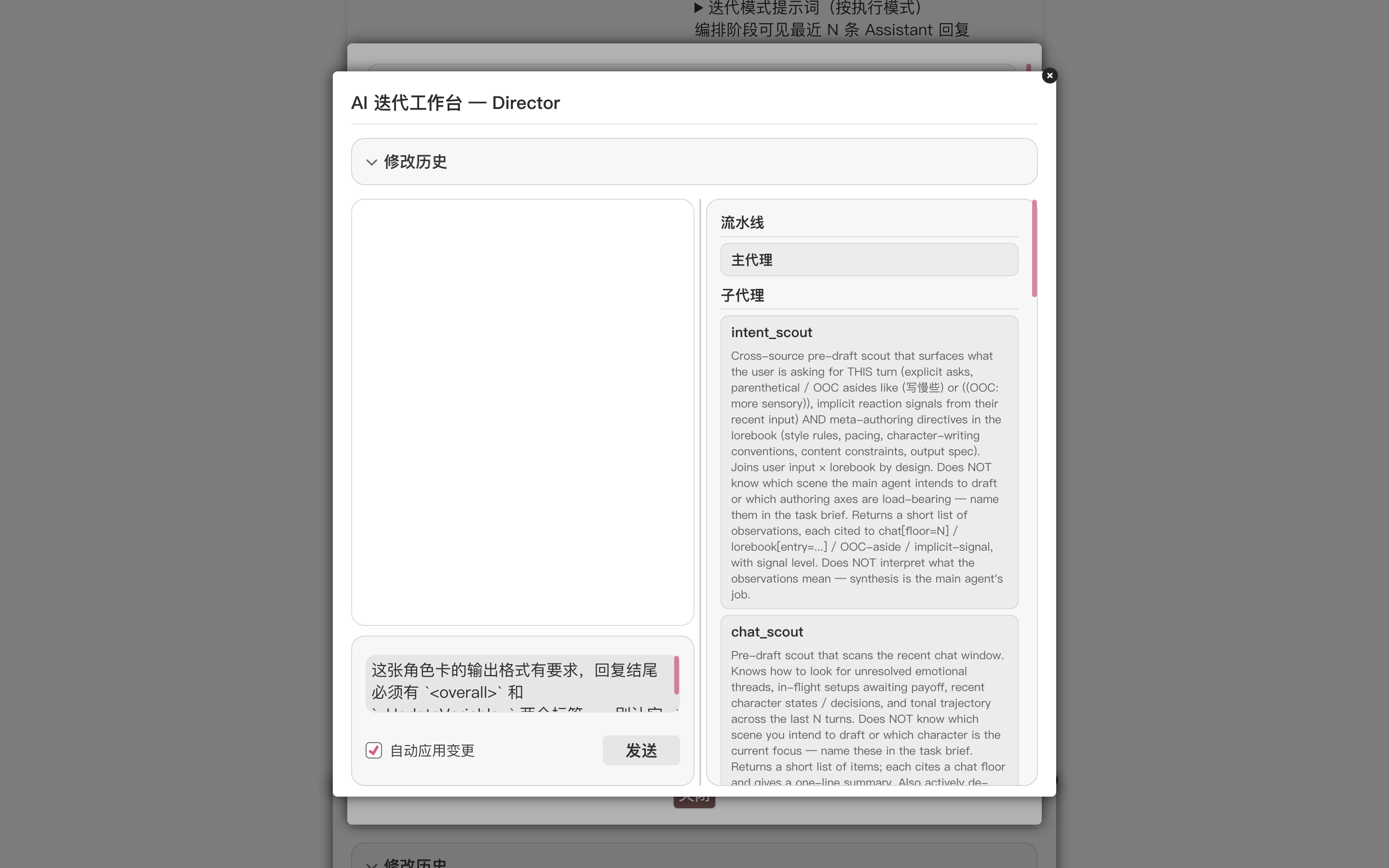
The Studio splits into a conversation pane on the left and a live preview of the current pipeline on the right (main agent plus all sub-agents). We type one sentence in the composer:
Build a dedicated orchestration for this card. Replace the global defaults wherever the card needs something different.
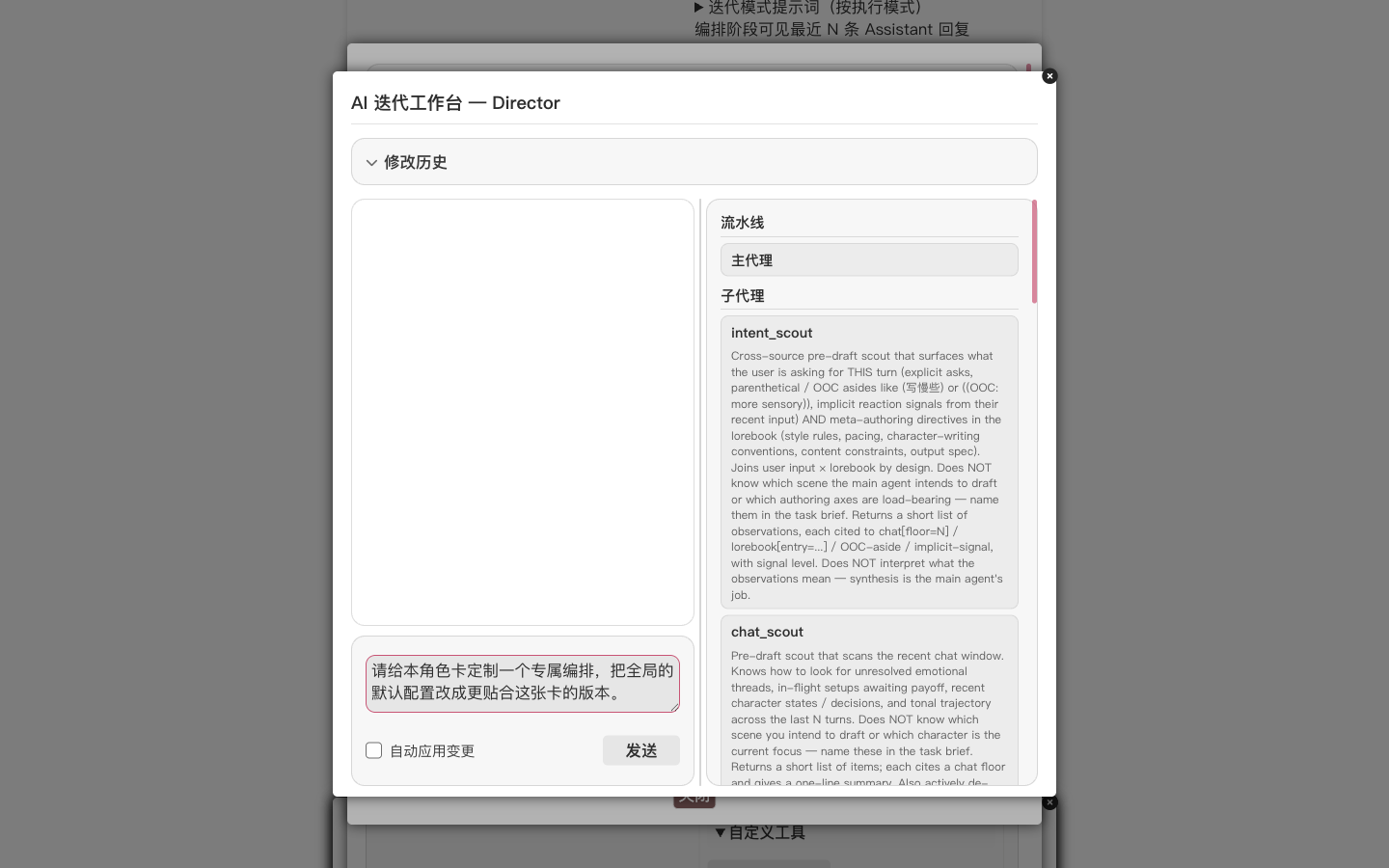
Click Send. The Studio reads the card and the lorebook, enumerates the currently visible skills, then begins rewriting the main agent's system prompt, adding sub-agents that make sense for this card, and adjusting the visible-skill set. Each change surfaces as a review card — green is additions, red is removals. A quick review followed by Apply to character override commits the change.
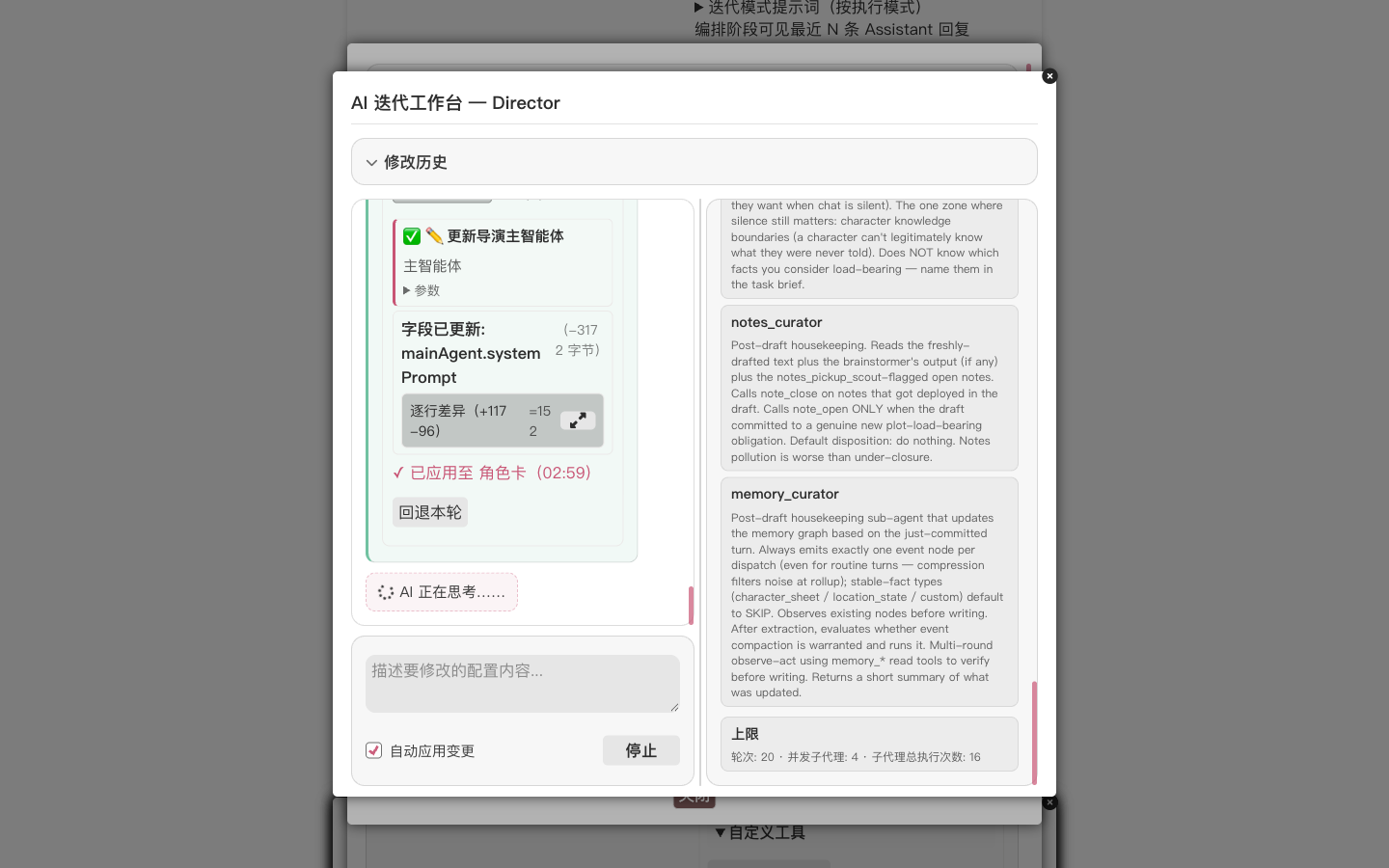
For a closer look, expand the line-diff inside the card; for those who would rather not read code, the one-line headline at the top names the field that changed.
TIP
To avoid confirming every diff manually, tick Auto-apply changes under the composer. The next section ("Annotating clichés") goes more smoothly with auto-apply on.
After a few iteration rounds, the Studio produces a plain-language summary describing what changed and why each change fits this card.
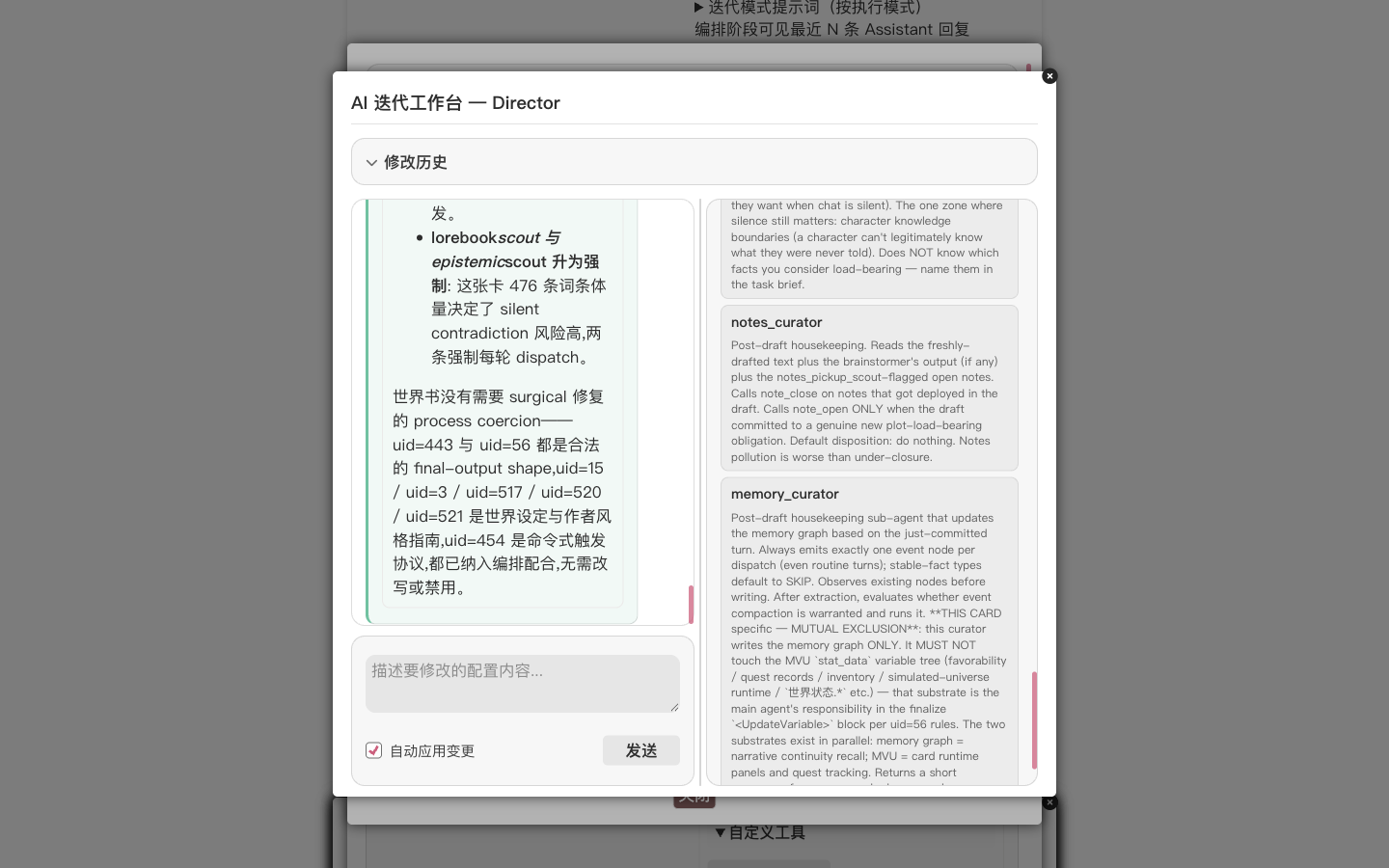
At this point the card has a dedicated orchestration, and the next message we send to it uses this configuration.
Simulate, annotate clichés, let the Studio improve
A tailored orchestration does not guarantee good prose — the LLM still falls into its own tells. The Chinese-RP community groups these tells under the term 八股. The most common family is numeral + classifier counting:
- Action slicing: a continuous motion is chopped into countable steps — "stitched it back inch by inch" ("一寸一寸往回缝"), "burrowed half an inch and stopped" ("钻了半寸又停住");
- Beat counting: sound and breath get quantified into beats — "three taps, a half-beat pause, then three more" ("三下,停半拍,又三下");
- Degree quantification: vague numerals like "a touch" or "half a measure" stand in for real sensory verbs — "suddenly faded a touch" ("忽然弱了一点"), "faded by half a measure" ("弱了半分").
A single instance is unremarkable, but once a paragraph keeps counting, the prose degrades into AI stage-direction: the reader hears the count rather than someone living through the moment.
The Studio provides a simulate function: it runs the current orchestration once and shows the complete output without writing anything back to the chat. We use it to catch these tells.
TIP
The simulation inherits the full context of the current chat: the existing dialogue history, the currently active lorebook and Skills, and the currently selected preset and connection profile. In other words, what the simulation shows is "what we would get if we actually sent a message to this card right now" — not a context-free dry run. To test under a different context, switch chats or adjust the lorebook in the main UI before returning to the Studio.
Back in the Studio composer:
Run a simulation with "我坐起身" (I sit up) as the user input, then show me the result.
The Studio invokes the simulation tool and runs one complete round of the main agent plus every sub-agent. In Director mode the full sweep takes a few minutes. When it finishes, a Simulation Review popup opens:
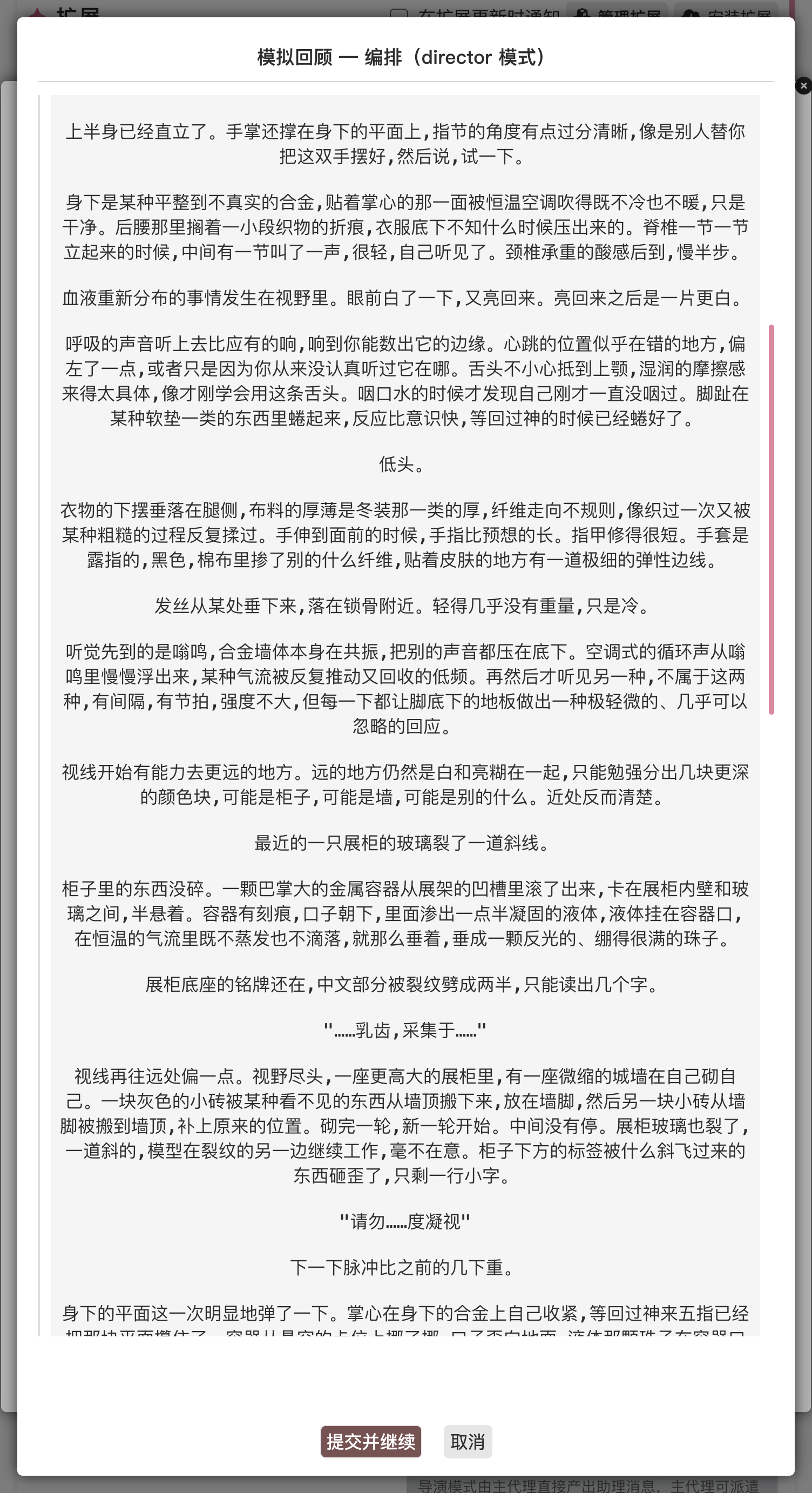
The simulation-review popup opens with every section already expanded. We scroll down to the main agent's final reply and read it through, picking out the phrases that read "AI-flavored".
Click Annotation mode — once it flips on, select any span of text with the mouse inside the output. The selection turns yellow and a comment input appears alongside it. A word or two describing the dissatisfaction is enough.
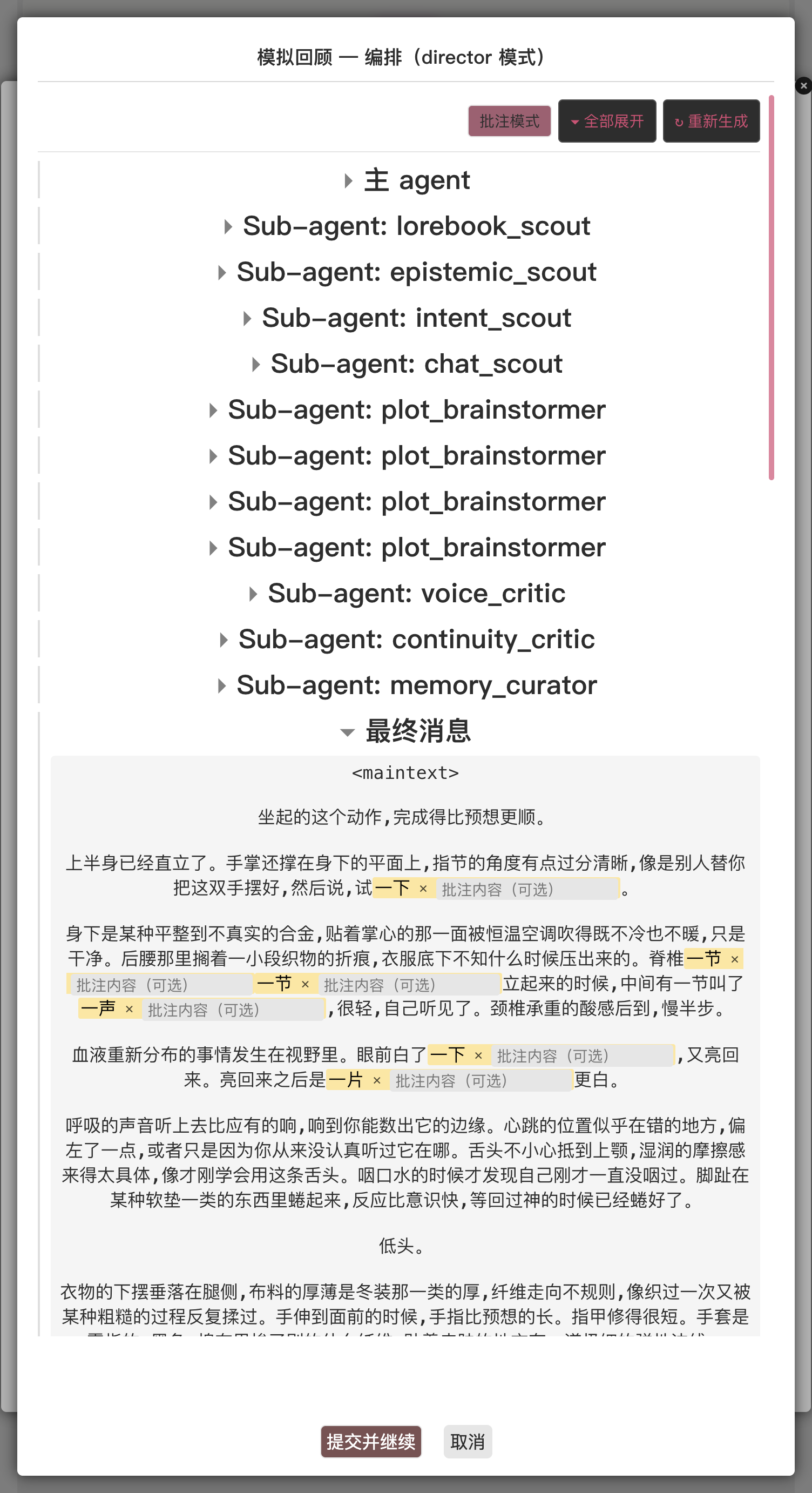
In this baseline run, we annotated one representative span:
| Span | Comment |
|---|---|
| "连闪了五下" ("flashed five times in a row", of the overhead alarm light pulsing) | "五下" / "five times" turns a visual change into a counted event — flash → count-occurrences is the canonical case of compressing a sensation into a data point |
Once done, click Submit & continue. The Studio passes the annotation to the AI as a symptom — what the AI receives is not an isolated complaint but a positioned issue from which it can trace the root cause. The root cause is usually not "some sub-agent prompt was too vague" but "no prompt has yet captured this regularity."
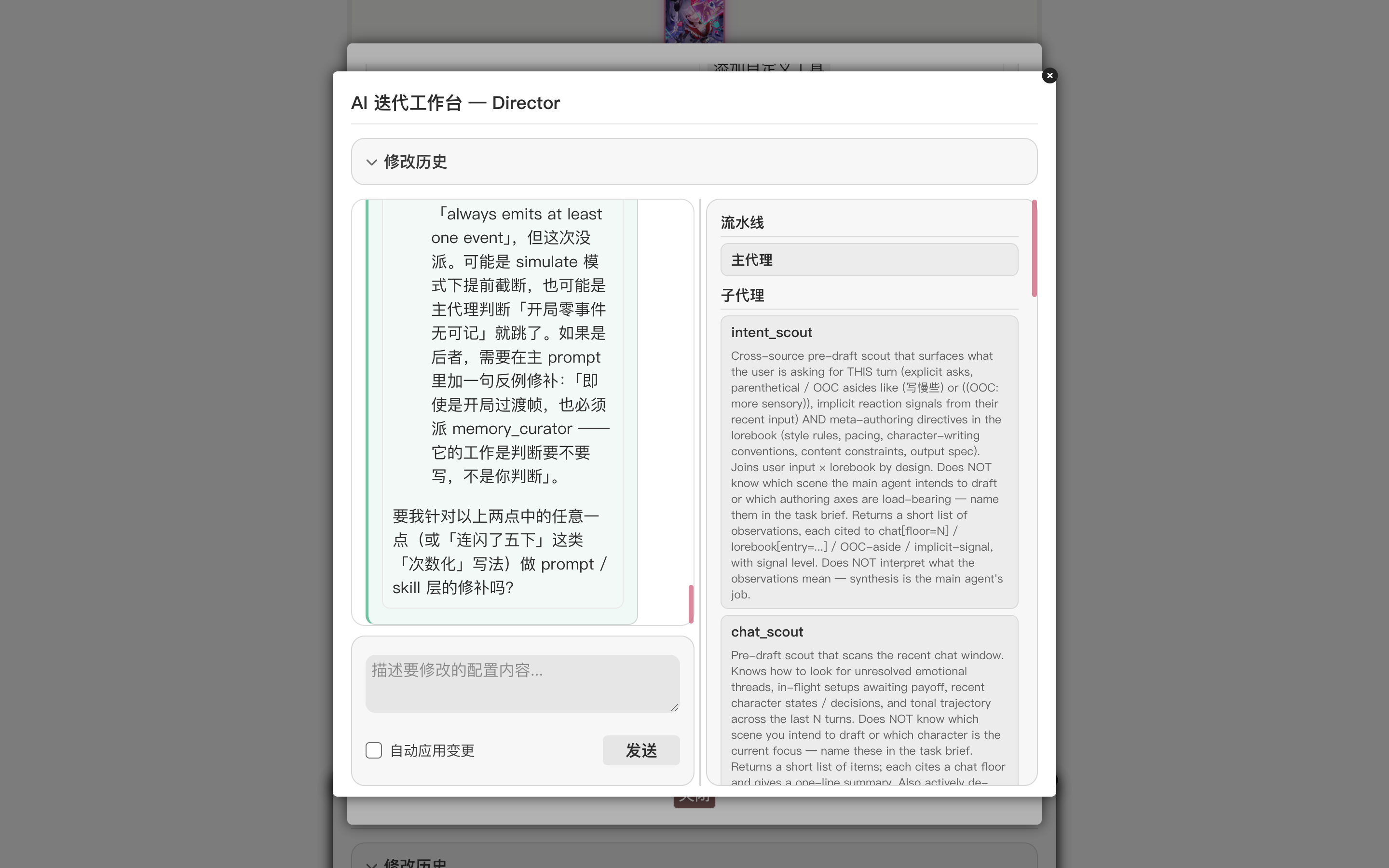
In this iteration the Studio grouped the annotation under one umbrella — classifier-counting cliché (slicing lived sensation, motion, time, and body into countable "number + classifier" units). Rather than editing right away, it first confirmed with the user: is this rule absolute, or are exceptions warranted? Once the user confirmed "no exceptions", the Studio inspected which SKILL the voice_critic sub-agent actually loads at runtime (voice-critic-method-zh — not the most name-matchy alternative), wrote the rule into the very file voice_critic genuinely reads, pinned the offending phrase as a counter-example, and added an explicit "this is an independent ban; a literal match is a finding regardless of whether the context is warm, poetic, physically realistic, or colloquial." Only then will the next simulation's voice_critic actually surface these violations.
WARNING
The Studio does not add literal "don't say X" lines to the main agent's prompt — that is whack-a-mole. It looks for the underlying cause that allowed the cliché to slip through (a sub-agent whose review pass was too coarse, a SKILL missing a ban clause) and fixes the source.
After the changes apply, we run a second simulation:
Run the simulation again — I want to see whether the numeral / classifier counting actually thinned out.
When the new review popup opens, the previously annotated cliché phrases should be visibly thinned out, or absent.
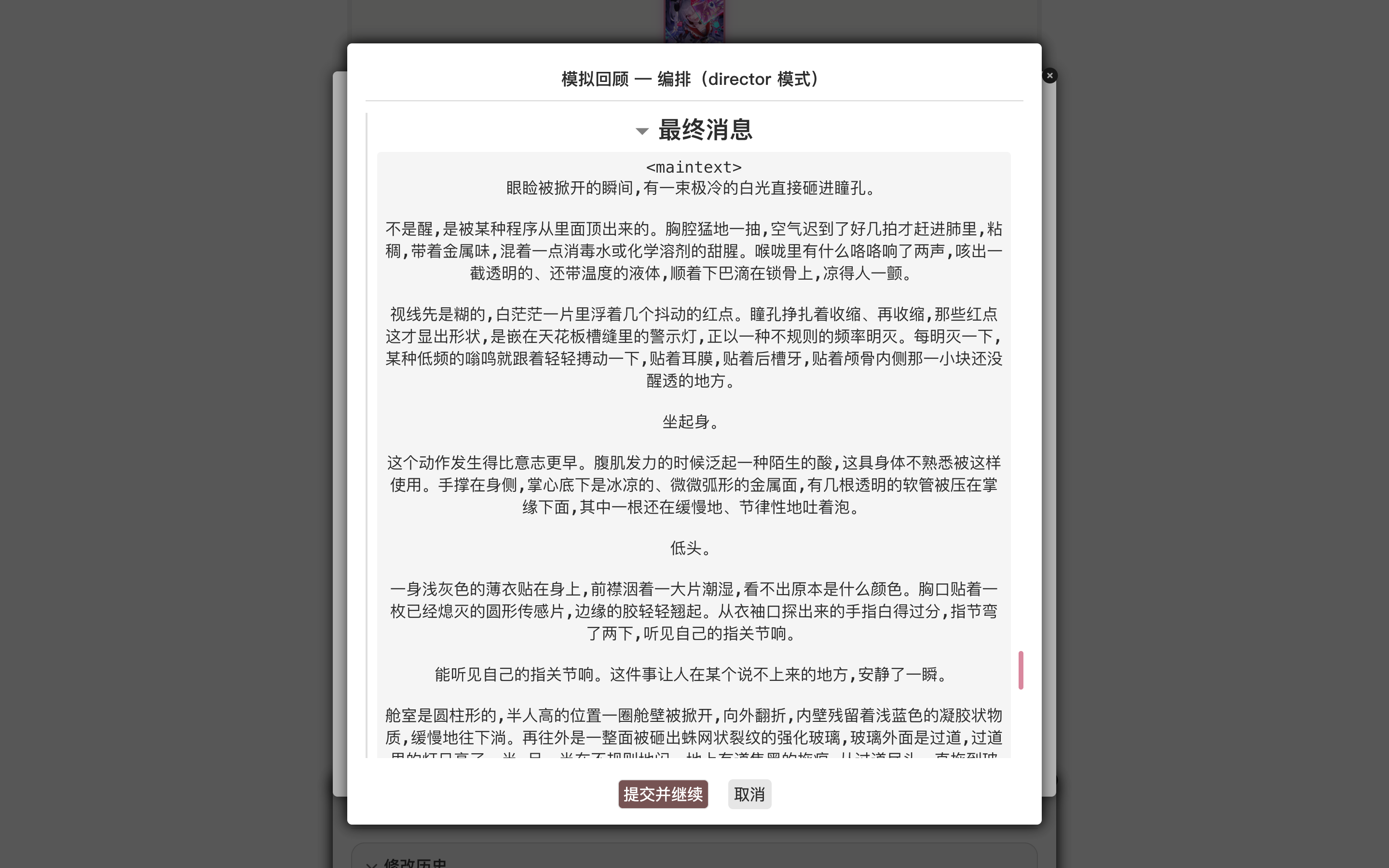
Comparing the two runs side-by-side, the difference is plain — the baseline's repeated "flash → count-occurrences" cadence ("one beat, two beats, a pause, then three more", "flashed three times", "flashed five times in a row") is largely gone from the improved run. In the improved final-message, total classifier-counting hits (一下 / 一节 / 一刻 / 一档 / 几下 etc.) drop to 5, and none of them sit on a rhythm beat — they fall on descriptive uses like "half a degree" or "one tube" instead. If anything still remains, repeat the "annotate — simulate" loop. Two or three rounds is normally enough.
Let the Studio write a custom verification tool
This card has a hard rule: every reply must end with an <overall> summary block and an <UpdateVariable> block. When the main agent gets carried away with the prose, those trailing tags are easy to drop — and then the card's state machinery does not pick up the turn's update, distorting the next round's context.
For requirements like this, we do not need to write any code ourselves or hand-edit the main agent's prompt — we describe what we want in plain natural language:
This card has a format requirement: every reply must end with an
<overall>tag and an<UpdateVariable>tag — please don't let it miss them.
The Studio decides how to fulfill the requirement on its own. This is a format check that code can verify exactly (literal string match), which makes it a fit for a custom tool. The party that needs to be checked, and reminded to amend, is the main agent that writes the reply, so the tool belongs to the main agent and must be invoked at its finalization step. Based on that read, the Studio produces a coherent change set:
- Inspects the runtime ctx surface with
luker_ctx_describe(and reads the relevant docs vialuker_docs_read) so it knows the exact shape of the data the tool will touch — no guessing. - Drafts the tool body and dry-runs it with
luker_orch_dry_run_custom_toolagainst sample args so any runtime exception surfaces before you are asked to approve anything. - Authors the validated tool via
luker_orch_set_custom_tool. The tool isreadmode (no side effects), and its body is a small piece of JavaScript that reads the in-flight draft snapshot and scans the trailing tags. The mode-appropriate enable flag is flipped on automatically, so the main agent sees the tool on the next turn. - Patches the main agent's system prompt via
luker_orch_patch_director_main_agent_system_prompt(or the loop / agenda equivalent) to add a rule: the final step before producing the reply must call this tool, and if any tag is reported missing, amend in place before finalizing.
Decisions the user would otherwise have to spell out — which mechanism best fits, who should call it, what else needs to be updated in sync — the Studio makes on its own from a natural-language request. We do not have to phrase the ask in technical terms.
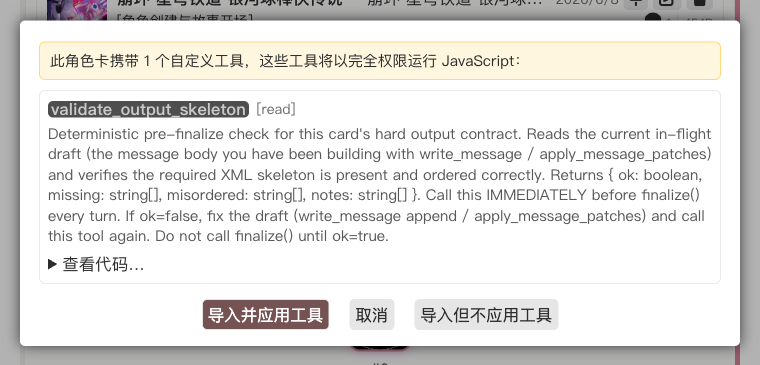
Each edit still goes through a review card on the ProposalBus — green for additions, red for removals. Because a custom tool runs JavaScript in your browser, the proposal card carries a safety banner — expand "View body" to inspect the tool code, confirm that it is a read-only scan with no side effects, then approve. Reject any card whose body you can't read.
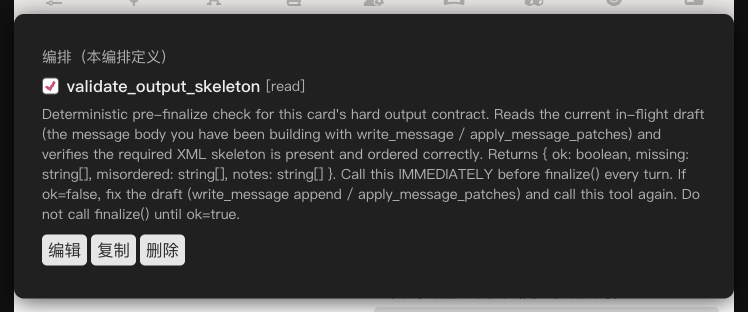
After applying, scroll to the main agent's Custom tools panel — the new tool is there, with its checkbox ticked by default.
We run one more simulation to confirm that the main agent actually calls it as instructed:
One more simulation to verify.
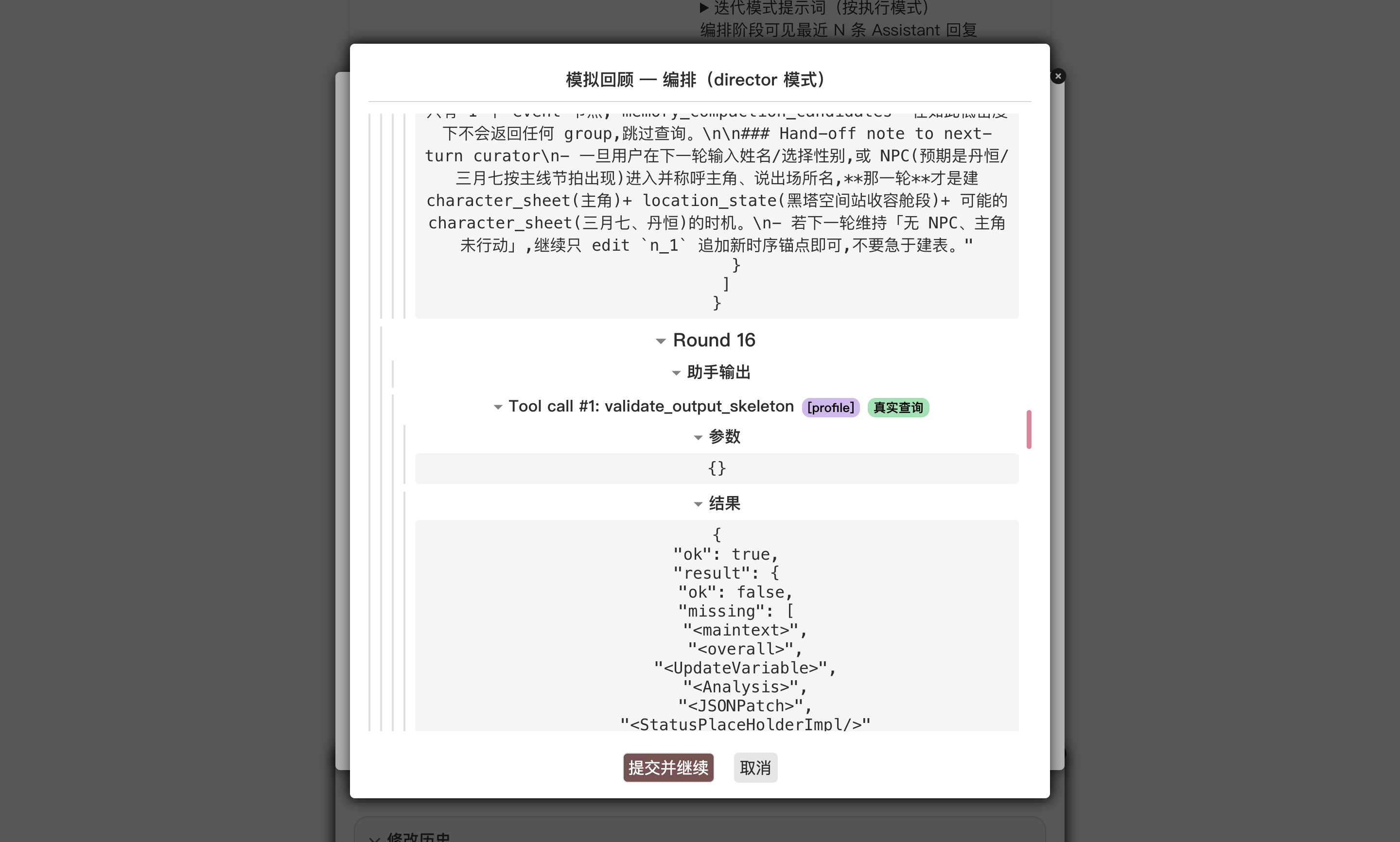
The trace shows a validate_output_skeleton row — the main agent runs the tool right after writing to the draft tail, receives the verdict, and decides whether it needs to patch in any missing tag.
Next
- The same loop applies to other card-specific constraints — length targets, OOC conventions, world-specific terminology. Tell the Studio in plain language what "good" looks like, and let it assemble the orchestration for us.
- For everything the
ctxobject exposes inside a custom tool body (ctx.chat,ctx.characters, etc.), see Custom tools. - To grow a new globally-shared discipline as a skill, see Shaping RP output with skills.
- If we are unhappy with one of the sub-agents the Studio came up with, the orchestration editor lets us edit it directly. The Studio aims to save time; it is not a required path.