Build a CardApp from Scratch
What this doc solves
The CardApp Studio page describes Studio's capabilities. This one walks through a real-genre card to show how to drive Studio end-to-end: have it design a memory-graph schema, design an orchestrator loop, write the card and a card-specific world book, and finally build a CardApp panel that evolves with the conversation.
By the end you'll see how Studio stacks all these layers onto a single card — without you writing any code or manually opening any editor toggles.
What you'll get
The final result is a detective-genre card called "Victorian Case File". {{char}} is a Holmes-style independent consultant in 1888 London. You play a client (or a visiting Scotland Yard inspector) bringing in a case file, and you investigate together.
This single card carries all of these at once:
- Memory-graph schema derivation — four domain node types (
suspect/clue/forensic_site/witness), not the default schema. This layer is for the LLM's long-term memory — the AI extracts entities into these types as the conversation goes, so cross-turn recall has structured slices ready to feed back into the prompt. - Orchestrator loop pipeline — every AI reply runs
draft → critique → revise, and the critique stage is forced to inspect "missed clues / contradicting suspect testimony / violated period constraints" before the revise stage rewrites. - Card-bound world book — "Victorian Case File · London Archive", with Victorian-London context + detective-procedure rules + a state-injection entry (containing
{{getvar::case_*}}placeholders + macro instructions teaching the AI to emit{{setvar}}to advance the case). Your global world books are untouched. - "Current Case" CardApp panel — reads chat variables to surface case state: case name / current phase / suspects / clues / forensic sites. The variables are advanced by the AI emitting
setvarmacros in its replies; the CardApp reads viactx.getVariable+JSON.parseand renders. One chat turn → AI emitssetvar→ panel updates on the next frame.
The whole setup is just 2 rounds of natural-language conversation — Studio proposes, Studio writes the files, Studio binds the fields, Studio creates the world book.
Prerequisites
- A working Luker instance
- A configured LLM API; a tool-use-strong model (Claude / GPT-5 etc.) is recommended — Studio's tool flow leans on the model being willing to call tools
- The Character Editor Assistant section has "Model request LLM preset" / "Model request API preset" options; that's what Studio uses for its own AI calls
1. Create a blank card → open Studio
Open the right-side character panel, click "Create New Character", name it "Victorian Case File". Leave description / first message / world info binding all empty — Studio will fill those.
Then open the Extensions panel → expand "Character Editor Assistant" → click "</> CardApp Studio":
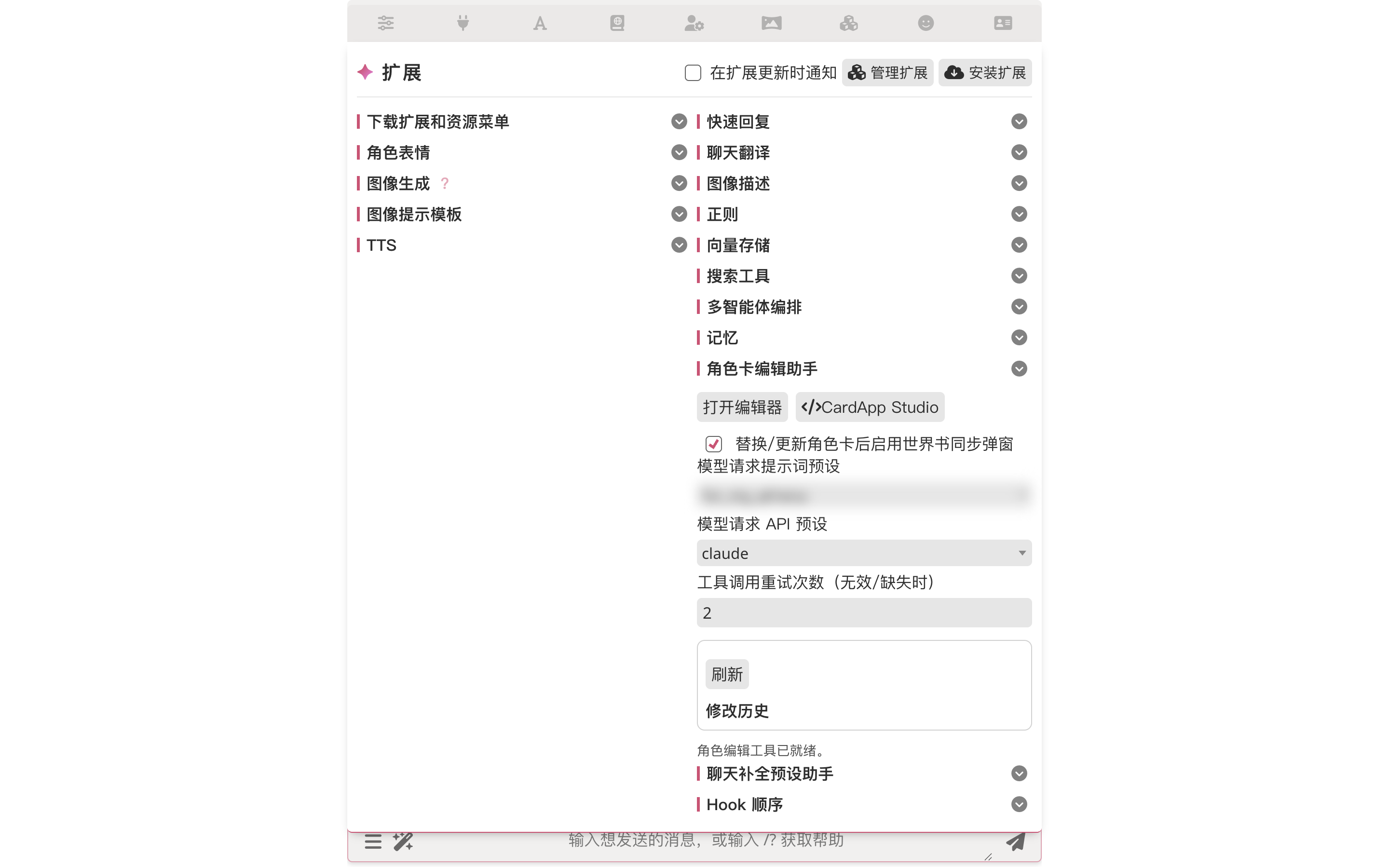
Studio works on cards without CardApp too
The Character Editor Assistant routes cards-without-CardApp to the popup mode and cards-with-CardApp into Studio automatically. But the CardApp Studio button can pull any card into Studio on demand — and Studio's tool surface is the full set (memory-graph schema / orchestrator override / regex scripts / world info / character fields), unlike popup mode which only covers fields and world-info entries.
2. One genre prompt → Studio proposes the plan
Click into the Studio left-panel input. Describe the genre; let the model figure out how to land it:
I want to build a Victorian-London detective-genre character card from scratch.
This card needs:

1. Custom memory-graph schema (derived node types appropriate to the genre — like
   suspect, clue, forensic_site, witness), not the default schema.
2. Orchestrator loop pipeline (draft → critique → revise), configured per your
   best practice.
3. A world book bound to this card (lore + Victorian London context + a few
   detective procedural rules).
4. A simple CardApp that visualizes the "current case" (suspects / clues /
   forensic sites) and updates as the conversation evolves — readers should
   see the panel content change as we chat.

Please land all of this in whatever order you think best. At each step, propose
the plan first; I'll nod, then you write.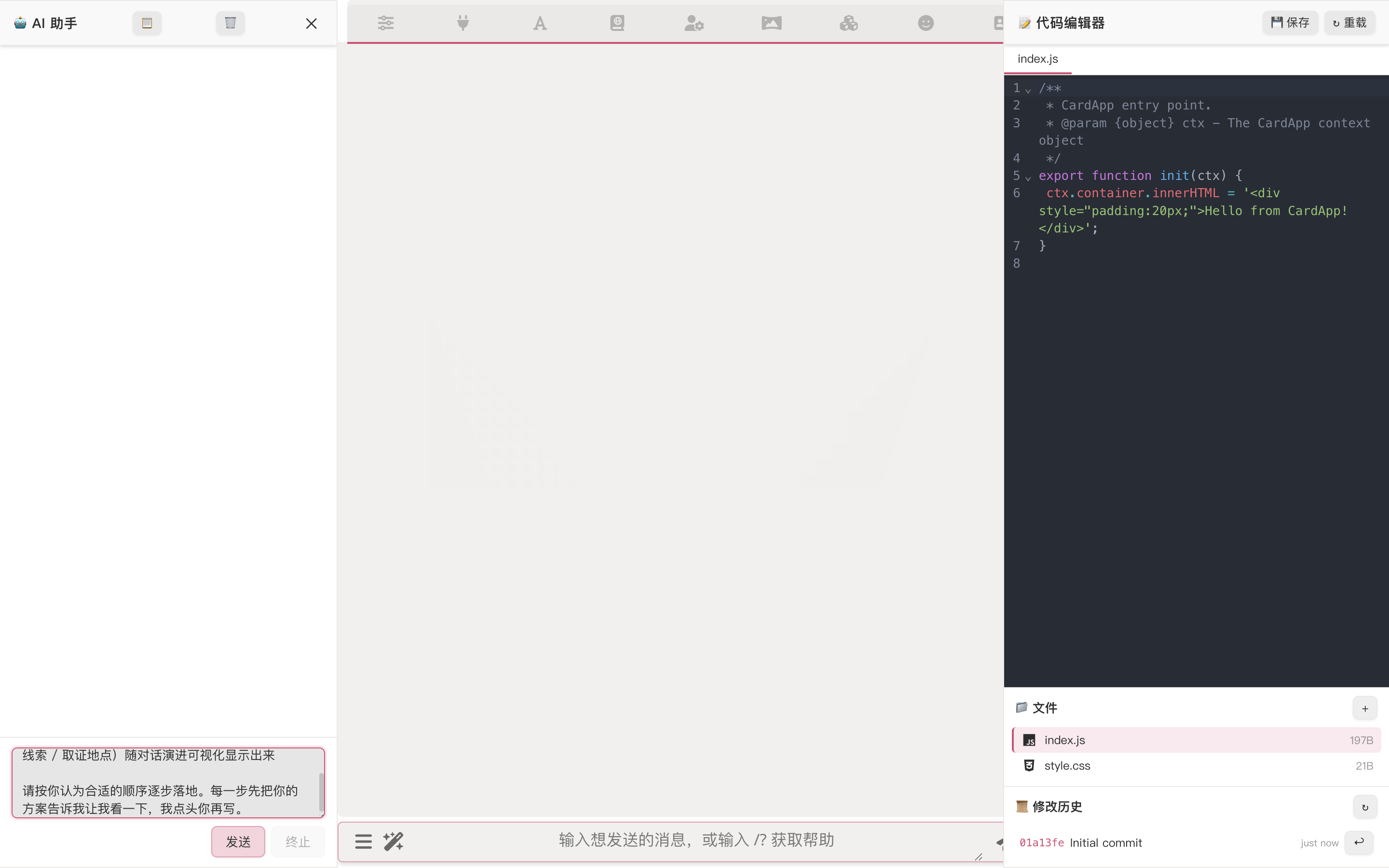
After you send, Studio doesn't dive in writing — it lays out the entire plan first.
3. Studio proposes the memory-graph schema
It opens with the data layer, deriving the node types this genre needs. Studio proposes four derived types (suspect / clue / forensic_site / witness), spelling out the columns each type needs (suspects have alibi / motive / suspicion_level, clues have found_at / linked_suspects, etc.) and explaining why it's not adding victim or theory (avoiding schema bloat — let event chains carry the deduction layer instead).
What "derived types" means
Memory Graph ships with event as the core node type (the timeline spine); on top of that you can define custom node types per card's genre. The "suspect / clue" concepts a detective card needs are exactly that — derived types — letting the AI store extracted memories in structured form rather than dumping everything into freeform text. See Memory Graph for details.
4. Studio proposes the orchestrator loop pipeline
Then the generation layer: it recommends loop mode — a balance between speed and quality.
5. After confirmation, Studio lands everything in one round
Reply something like "all confirmed, go with this plan, don't check back, just build", and Studio launches a batch of tool calls:
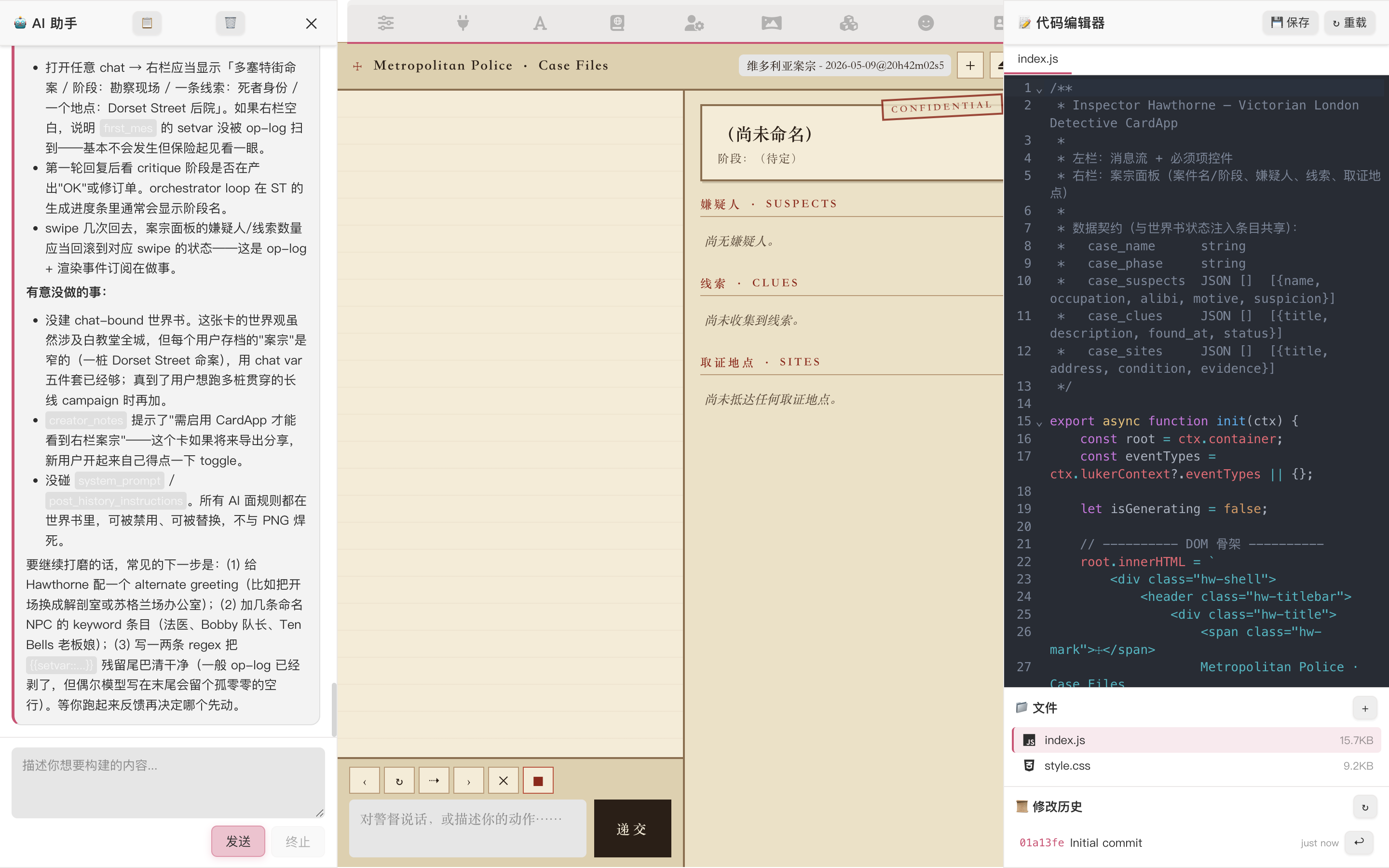
In one round it has done:
character_update_memory_graph_schema— write the four derived node types onto the card (this card only — no global pollution)character_update_orchestrator— write the three-stagedraft / critique / reviseloop config onto the card (also character-scoped)worldinfo_create_chat_book+worldinfo_replace_entries— create the card-specific world book and write all entries in one shot (Victorian-London context, detective procedural rules, state-injection entry with{{getvar::case_*}}placeholders + macro instructions teaching the AI how to emit{{setvar}}, Scotland Yard culture, Whitechapel district lore, etc.)character_update_fields— write description / personality / first_mes / scenario, and bind theworldfield to the new world book
Each tool call pops up an approval with a full diff so you can see what's changing — usually safe to "approve all" in one go.
The state-injection entry is the variable-driven UI hub
The "state-injection" world book entry contains both {{getvar::case_*}} (so the AI sees the current case state every time the prompt is assembled) and macro-teaching {{setvar}} examples (instructing the AI when to emit setvar in its reply to advance the case). See Per-Message Variables for the mechanics.
Regex scripts work too
Studio can also write / edit regex scripts (stripping <thinking> tags, transforming display formats, etc.) — ask when you need it. This card is simple enough we didn't use any; don't force one if you don't need it.
6. (Continuing) Building the live visualization panel
The final prompt:
Continue. Now do the last step — the CardApp "current case" visualization panel.
Read chat variables to surface case state: case name / phase / suspects /
clues / forensic sites. Layout per your earlier draft; refresh after each AI
message completes.

Style: Victorian-fog atmosphere (dark parchment paper, serif fonts, dark red /
dark amber accents). Styling / palette / detail decisions are yours. I'll
approve all CardApp file writes.
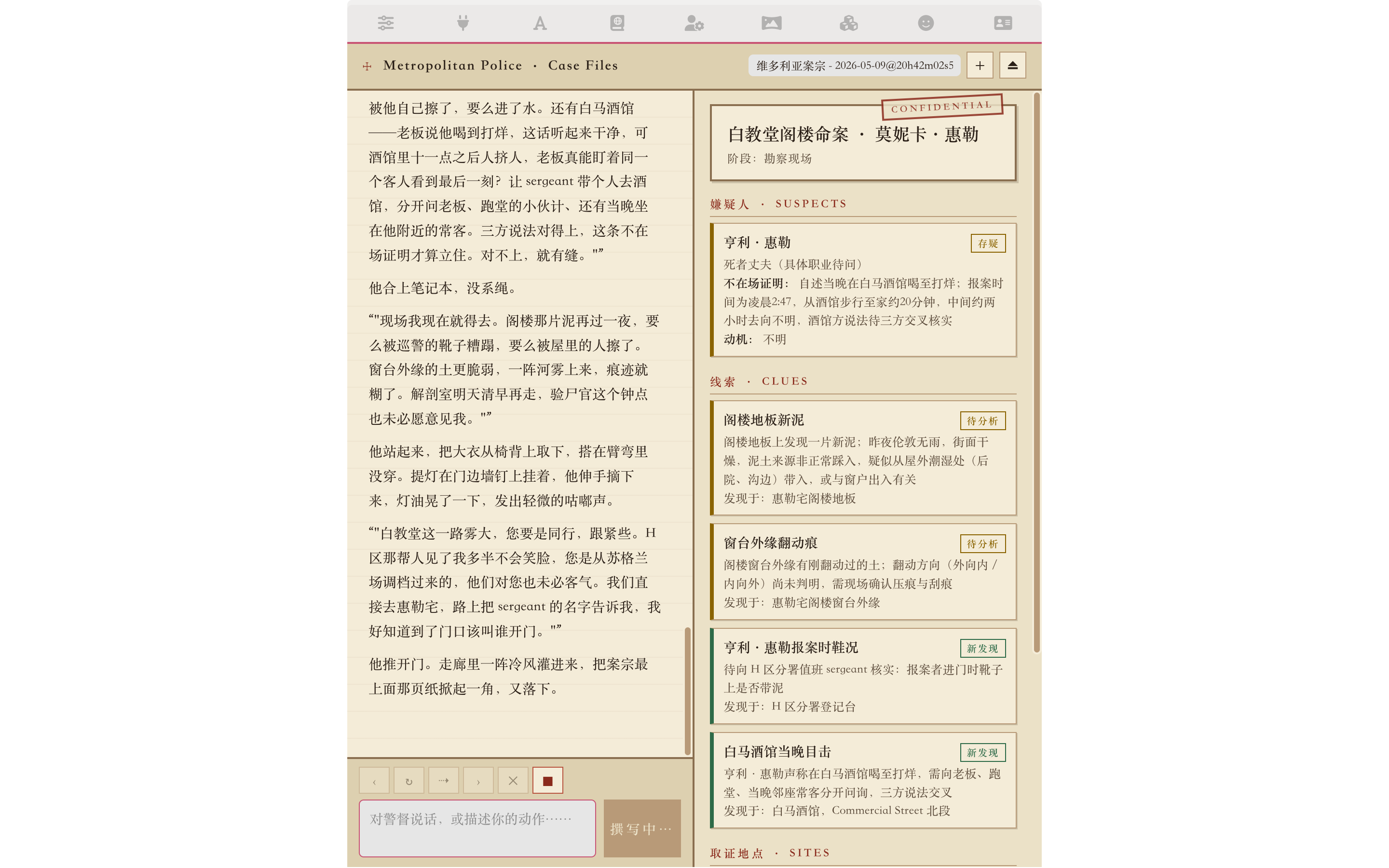
Studio writes the CardApp. It reads chat variables (case_name / case_phase / case_suspects / case_clues / case_sites).
7. End-to-end run
Exit Studio, send a regular RP message. We hand {{char}} a Whitechapel case file:
"Detective, someone was murdered in Whitechapel last night, found in their own attic. The victim is Monica Wheeler, 35, a tutor; her husband Henry Wheeler reported it. I just transferred from Scotland Yard with the file and need your read."
a. The chat reply — every layer kicking in
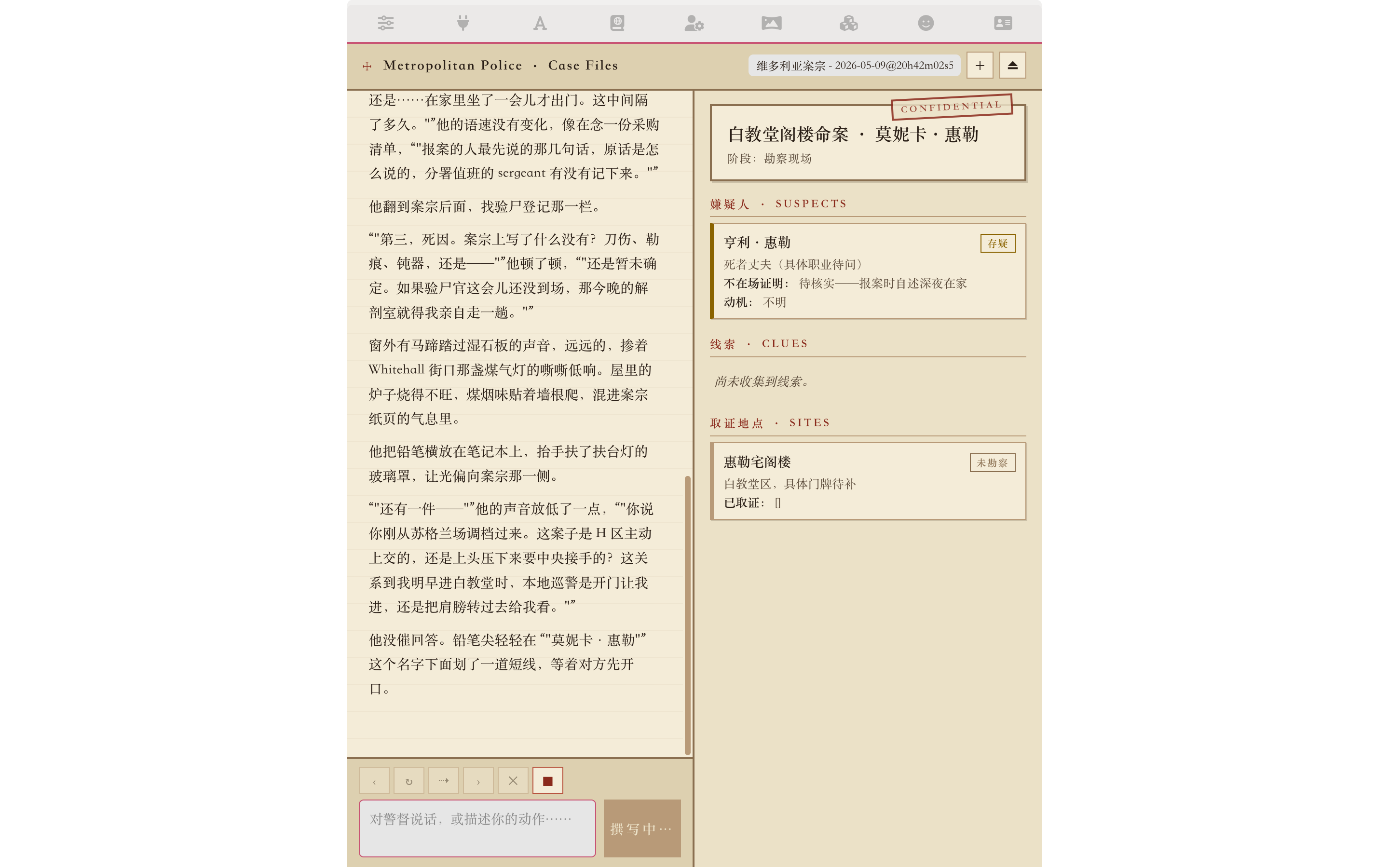
The reply shows all layers cooperating: deductions backed by evidence (specific physical evidence → inference → next investigative step), Victorian class register, period-tech constraints respected (no fingerprint comparison, no telephone calls), and {{char}}'s own "don't disturb the scene / evidence chain" procedural rules. These come jointly from world-info entries + character fields + the orchestrator capsule.
b. Inspect what the orchestrator did in the background
Open the Run Panel beside the chat (or the bottom drawer on narrow screens) and you can see which steps the loop ran, which tools it called, and how it finalized:
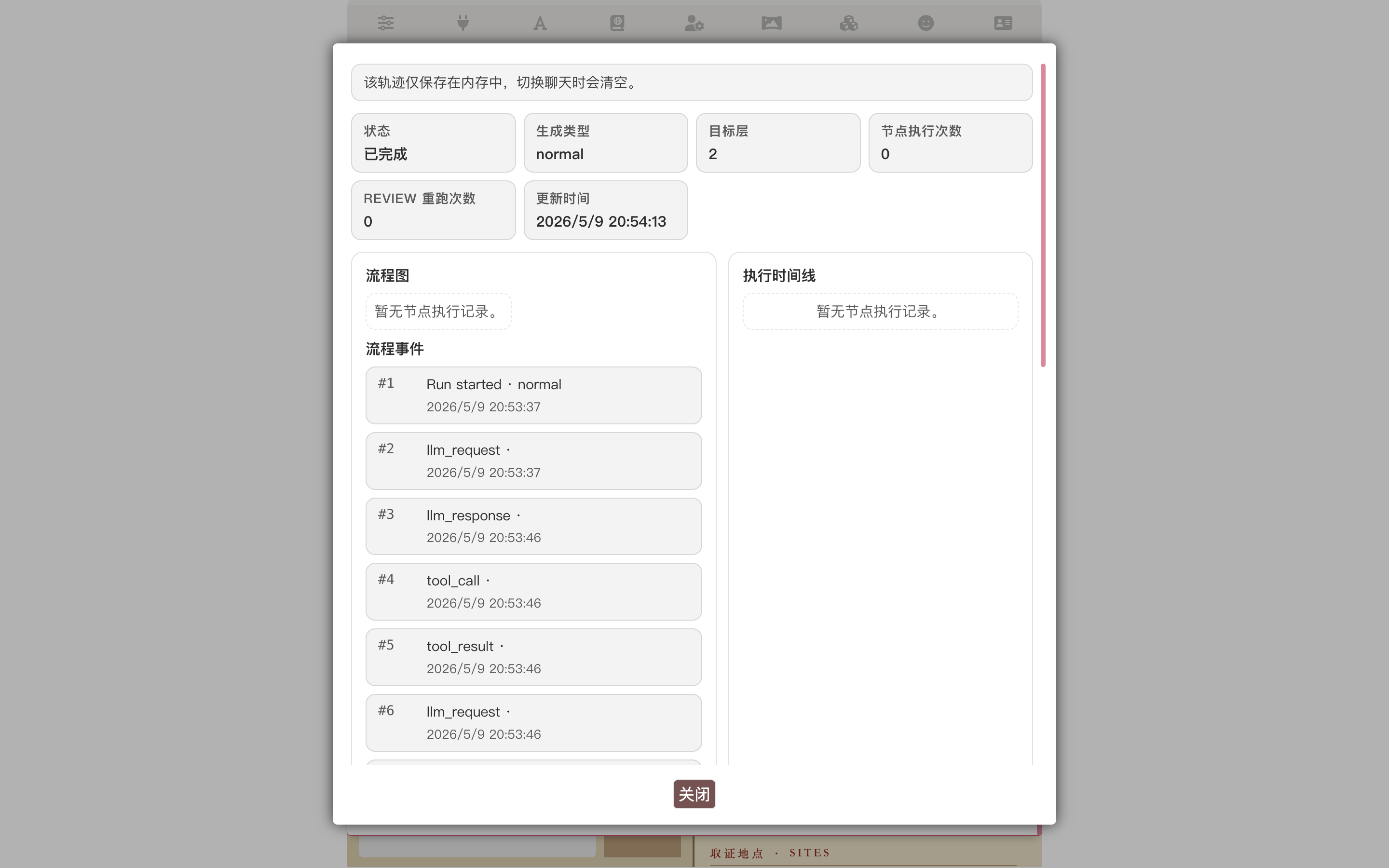
If the loop fails (misconfigured API preset, timeout, etc.), the failure point is marked here and the system automatically falls back to direct generation without the loop — your end-to-end experience stays continuous, you just lose that capsule layer.
c. Inspect what memory-graph is accumulating long-term
In the Extensions panel → Memory section → "View Graph":
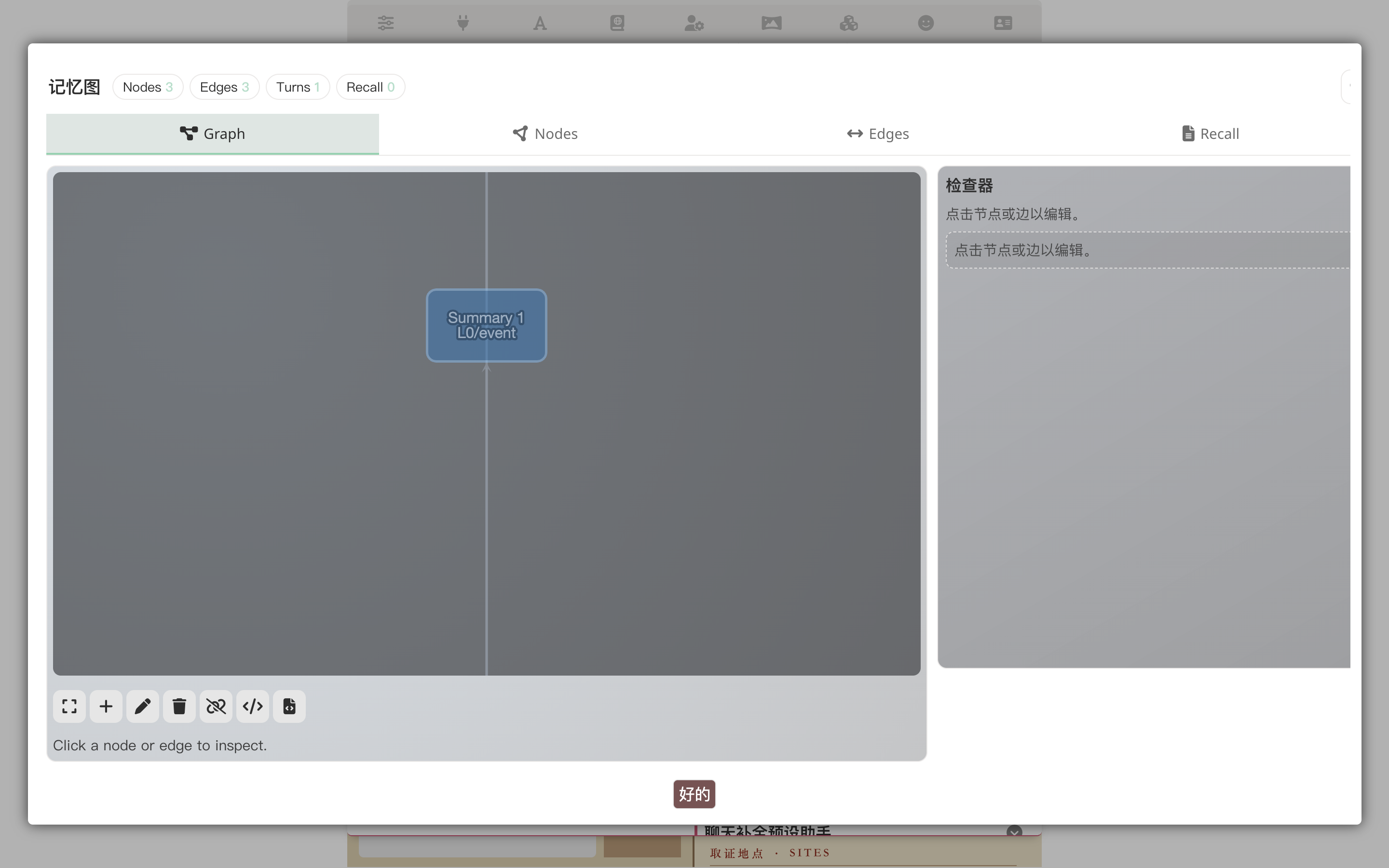
The nodes are derived per the schema we just designed (suspect, clue, forensic_site, witness, event); edges record relationships. But this is for the LLM — next time cross-turn recall needs context on Henry Wheeler, the graph automatically feeds the relevant slice into the prompt.
8. Watch the CardApp panel evolve with the conversation
Keep chatting. Each turn the AI emits {{setvar::case_*::...}} macros to advance case state, and the "current case" panel refreshes:
Prompting cheatsheet
After a single run-through you'll notice that effective Studio prompts aren't about word count — they're about clear direction + handing decisions to Studio:
State the genre and vibe; leave implementation to Studio
- ✓ "Victorian London detective card; needs memory-graph schema derivation + loop pipeline + card-specific world book + visualization panel"
- ✗ "In
character.data.extensions.memory_graph.schemaadd an object withtype=suspectwhose fields arealibi,motive..."
For structural decisions (schema / loop), let Studio propose first
- It does this by default (the system prompt bakes the habit in); you just glance at the proposal, push back if you disagree
- Schema feels overspecified: "drop witness, fold it into suspect" — Studio will redo it
- Want
agendamode instead of loop: "switch to agenda; let the planner decide which thread to chase first" — same deal
Once confirmed, tell it explicitly to stop checking back
- Otherwise approving one tool call at a time is slow
- "Go with this plan, I'll approve all tool calls, just land it"
Ask for explanations when unsure
- "Why isn't
victimin the schema?" — it'll explain ("victim is usually one or two fixed pieces of info — better to put that infirst_mesor a world-info entry; making it a schema type creates redundancy")
- "Why isn't
Next steps
- CardApp Studio — Studio's full capability list, layout, and tool set
- Memory Graph — Memory Graph concepts, default schema, and derived types
- Loop Mode — Detailed orchestrator loop walkthrough
- Per-Message Variables — Variable op-log mechanics + variable-driven UI scenario
- Card Developer Guide — Complete
ctxAPI reference + CardApp authoring conventions